

Incorrect Preview Scaling when program monitor's set to 1/2 & 1/4 resolution. (Images & Masks)
I've encountered a rendering/preview issue that appears to affect certain resolution elements when the Program Monitor playback and paused resolution are set to 1/4. (or the lowest possible resolution)
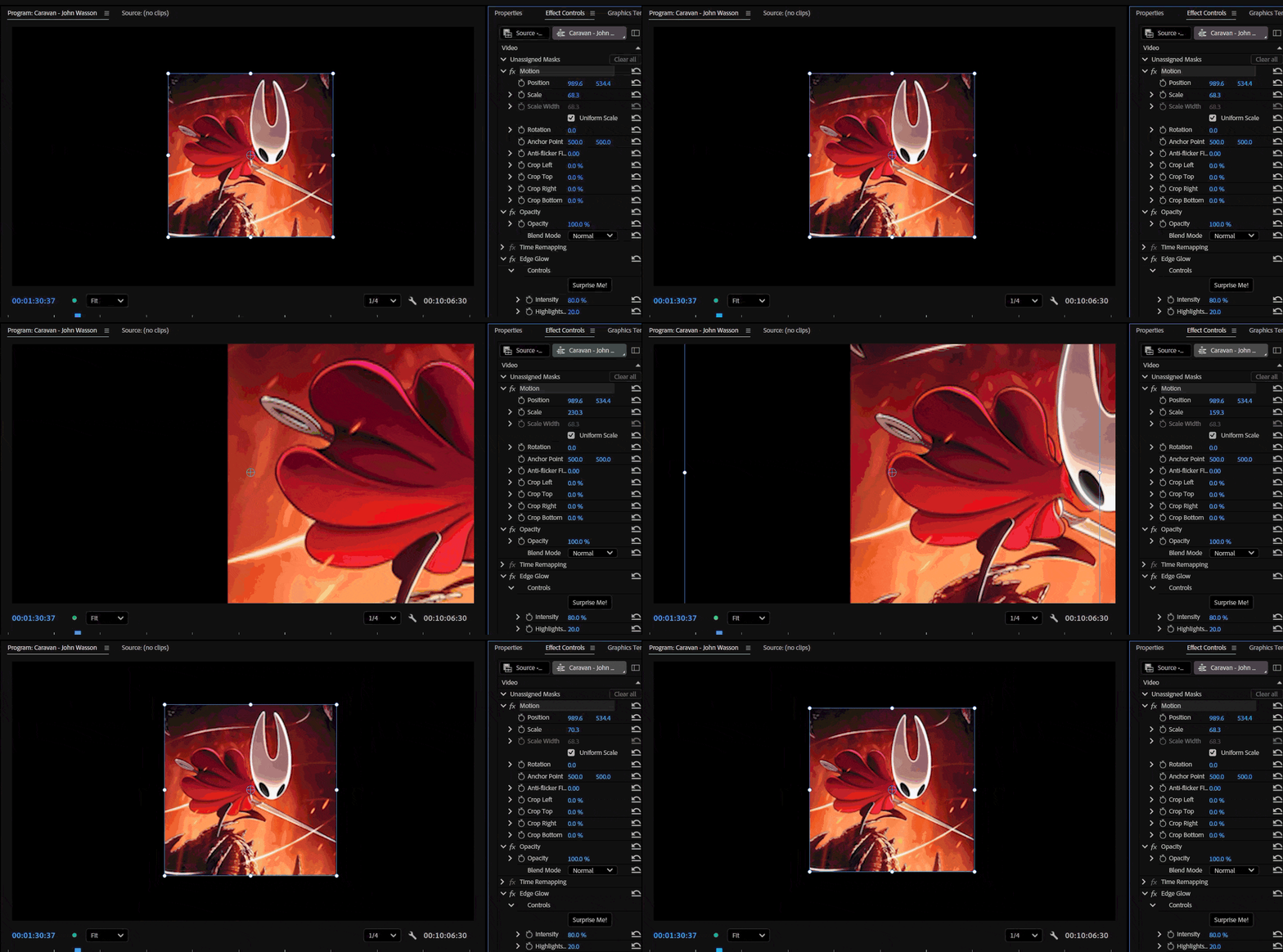
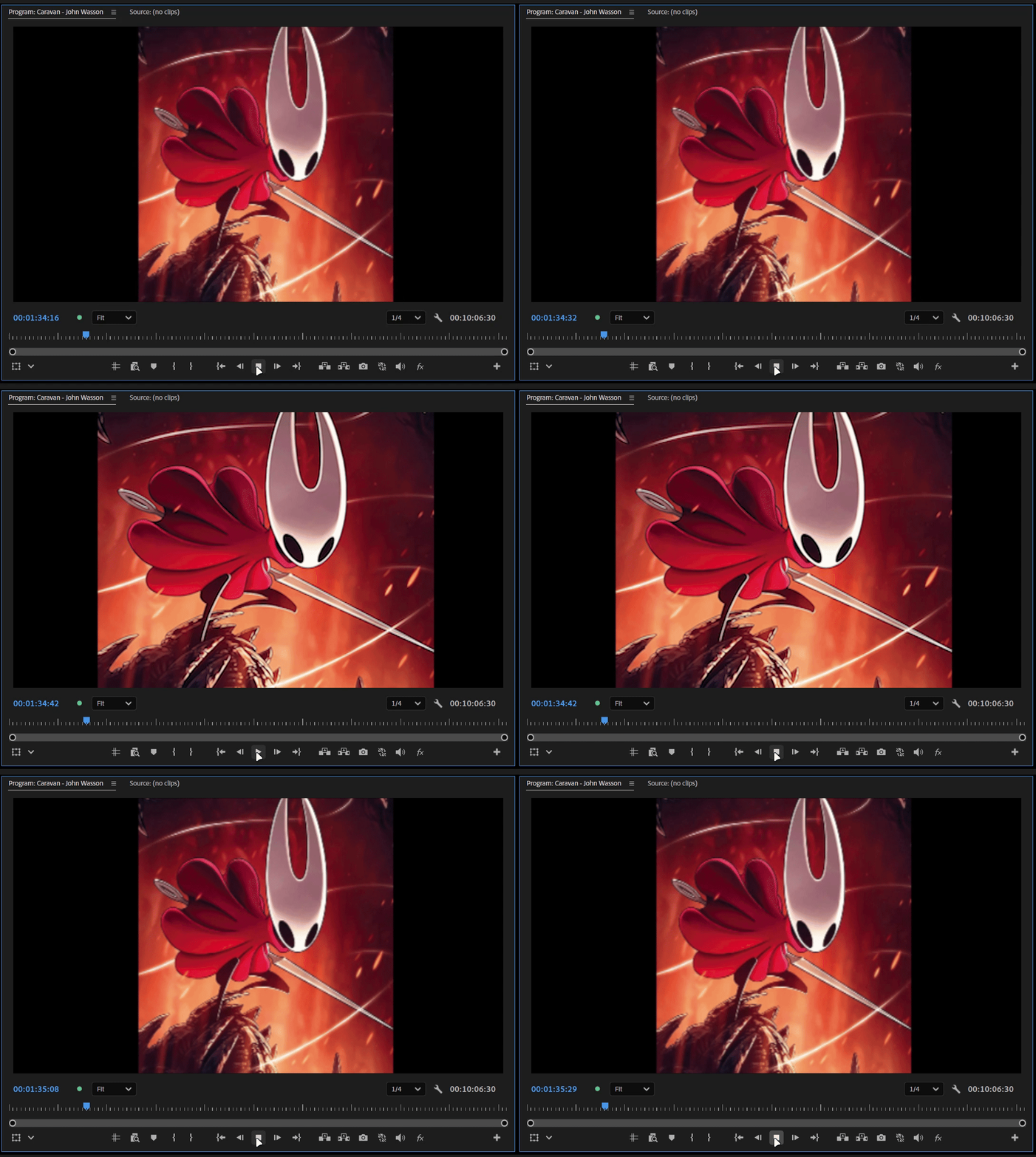
When scaling a PNG above 100 the preview becomes inaccurate compared to how it appears at Full resolution. As the scale increases (around 130% or higher), the image begins to behave as if Uniform Scale is disabled, appearing visibly stretched.
The issue becomes significantly worse when Film Impact effects are applied. the image's position is also shifted incorrectly.
Steps to Reproduce
- Import the attached PNG (or the provided sample project/assets).
- Place the PNG on a sequence.
- Increase its Scale above 100%.
- Set both Playback Resolution and Paused Resolution to 1/4.
- Compare the image to how it appears when the Program Monitor is set back to Full resolution.
Additional Tests
Test 1 - No Effects
- Scale the PNG above 100%.
- At 1/4 resolution, the preview no longer matches the Full-resolution preview.
- Around 130% scale, the image appears stretched, almost as if Uniform Scale has been disabled. (only during playback)
Test 2 - Native Premiere Effect
- Apply Gaussian Blur (Legacy).
- The scaling issue remains, but the image position stays correct.
Test 3 - Film Impact Effect
- Apply a non-native Film Impact effect (for example, Edge Glow).
- In addition to the scaling distortion, the image position shifts unexpectedly and may move partially or completely outside the frame.
Test 4 - Third-Party Effect
- Apply a third-party effect such as S_Blur from Sapphire.
- The preview becomes incorrect at any reduced Program Monitor resolution (1/2, 1/4, etc.).
- The image again appears as though Uniform Scale is disabled.
- Returning the Program Monitor to Full resolution immediately restores the correct appearance.
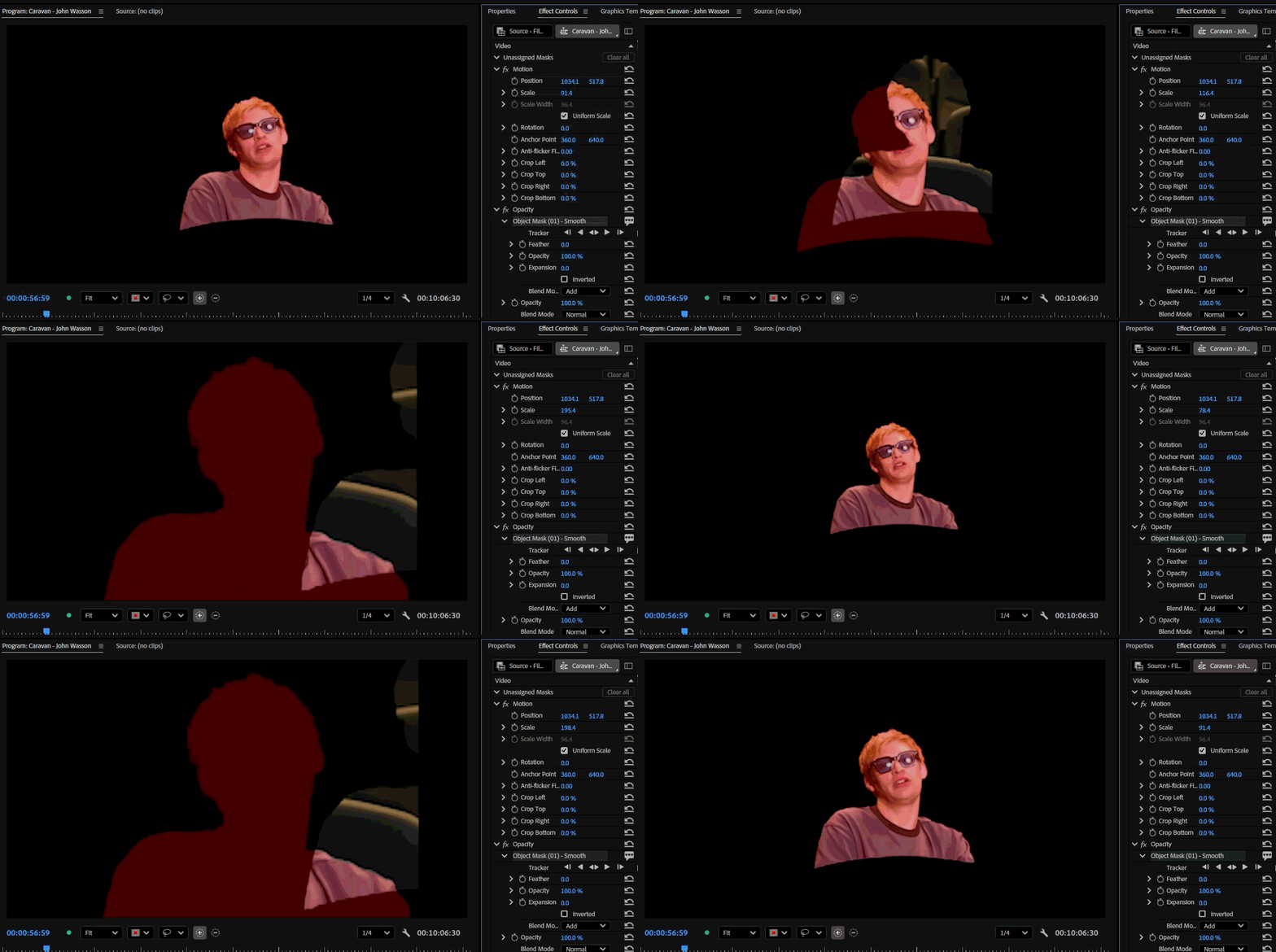
Test 5 - Masks
- In vertical videos, masks also appear to shift position once the scale of the mask exceeds 100%.
Summary
At reduced Program Monitor resolutions (especially 1/4):
- The image no longer matches its appearance at Full resolution. (when scale is 100+ )
- Scaling becomes inaccurate.
- Around 130% scale, the image appears stretched as if Uniform Scale is disabled. (only during playback)
- Some third-party effects exaggerate the issue.
- Film Impact effects also cause the image position to become offset. (In Both 1/2 and 1/4 resolution)
- Masks in vertical clips may shift position when the image is scaled above 100%.
Switching the Program Monitor back to Full resolution immediately restores the correct appearance.
Additional Notes
I have attached sample footage and images because I could not reproduce this issue using standard 1920×1080 PNGs or videos. This suggests the bug may be related to the source asset's resolution.
However, I can consistently reproduce it using the assets I've attached. This makes me suspect the bug is related to the source media's resolution or dimensions rather than scaling alone.
Please try reproducing the issue using the attached media rather than replacing it with your own test assets, as the problem does not seem to occur with common resolution files.
System info
Application: Premiere Pro v26.3
OS: Windows v10.0.26200, RAM: 31.82 GB GB, CPUs (logical): 24
GPU: Rtx 3060 Ti Nvidia Studio Driver ver. 610.62


 AdChoices