
Known Participant
October 2, 2025

Large sections of Silences or Pauses being missed and ignored

  • October 2, 2025
  • 5 replies
  • 202 views

My PC:  OS: Windows 11 Business
Version: 24H2
Installed on ‎2024/‎12/‎13
OS build 26100.6725
Experience Windows Feature Experience Pack 1000.26100.253.0
The APP: Adobe Premiere Pro 25.5

Silences aren't being detected as expected
After transcribing the audio, I set the filter to 0.25 seconds to show pauses.
I find a lot of pauses on the timeline for that clip of audio, and I do this per track on the timeline to keep the timing. I mute and lock all the other tracks.
Then, when I decide to delete all the pauses at once by lifting, there are large sections of pauses still in place.
The expectation is that when clicking delete all, it selects all the pauses and deletes all the pauses.
When I did this, it only partially deleted all of the pauses on that track. Now it doesn't even detect the pauses that it didn't delete.
How is this acceptable?
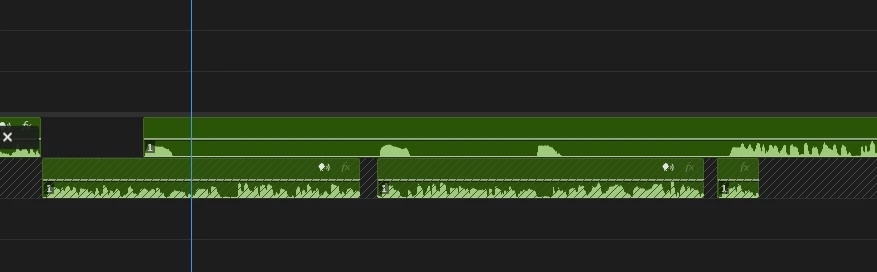
As seen on the timeline


5 replies

Known Participant
October 9, 2025

@Stan Jones Then locking tracks produces errors for the deletion process that should be communicated in clear warning banners, and also that it will delete where it feels like and not in a consistent pattern.

Known Participant
October 2, 2025

no effects are running. Sorry I can't share client work due to Soc. 2 and ISO 27001 practices. 

Known Participant
October 2, 2025

I had clicked Delete All, track by track. I can't select the pauses that we're not detected. That is the whole point. Why would I report the issue if there were detected pauses left?

Stan Jones
Community Expert
Community Expert
October 2, 2025

@Artfundi_Multimedia,


I'm wondering if the problem is in the detection of the pause or the execution of the delete?


In the Transcript tab, if you hover over a pause indicator, it will tell you the length of the pause. Or, before you delete, click on one of the pauses that did not delete. If you have "automatically set in/out" on, it should show the in/out in the timeline.


In my test just now in 25.5.0 on Win 11, the lift/delete all works correctly.


I had not noticed this before. If you do not filter by pauses, but click on a pause indicator, the in/out is set in the timeline, and Lift removes as expected based on track targeting. If using the filter and delete (single or delete all), only locking tracks keeps them from being deleted.


Stan


Kerstin Ebert
Adobe Employee
Adobe Employee
October 2, 2025

Hi @Artfundi_Multimedia 


thank you for reporting this issue. Is it possible for you to share the audio file with me where the long pauses are not detected?

Also, are you running any effects on the audio? It looks like Enhance Speech analysis is processing on the first clip in the timeline.


Thanks,

Kerstin