
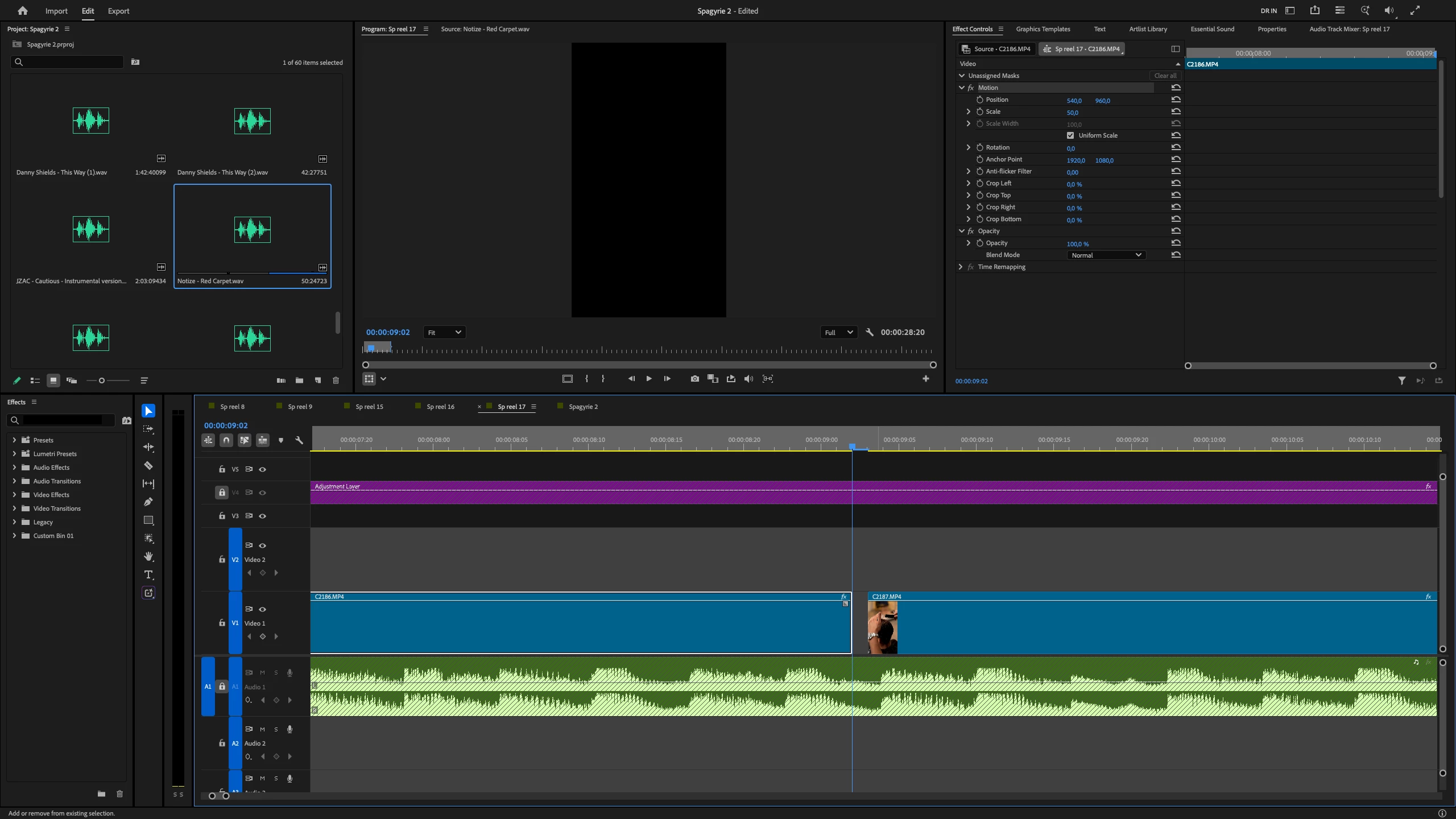
Leaves an empty frame after a ripple trim.
Subject: Ripple Trim Leaves a One-Frame Gap Between Clips
Hello,
I’m experiencing an issue with Ripple Trim in Premiere Pro.
When I ripple trim a clip, Premiere leaves a one-frame gap between the trimmed clip and the next clip. This creates a brief black frame in the timeline instead of closing the gap completely.
Ripple Trim is supposed to automatically close the space created by trimming. However, I still have to manually remove the remaining one-frame gap, which is especially frustrating when working on fast-paced edits with many cuts.
26.5.0
macOS Tahoe
Could you please investigate this issue?
Thank you.


 AdChoices