
Manage Source Assignment Preset Keyboard Shortcut dropdown fields are not resizable
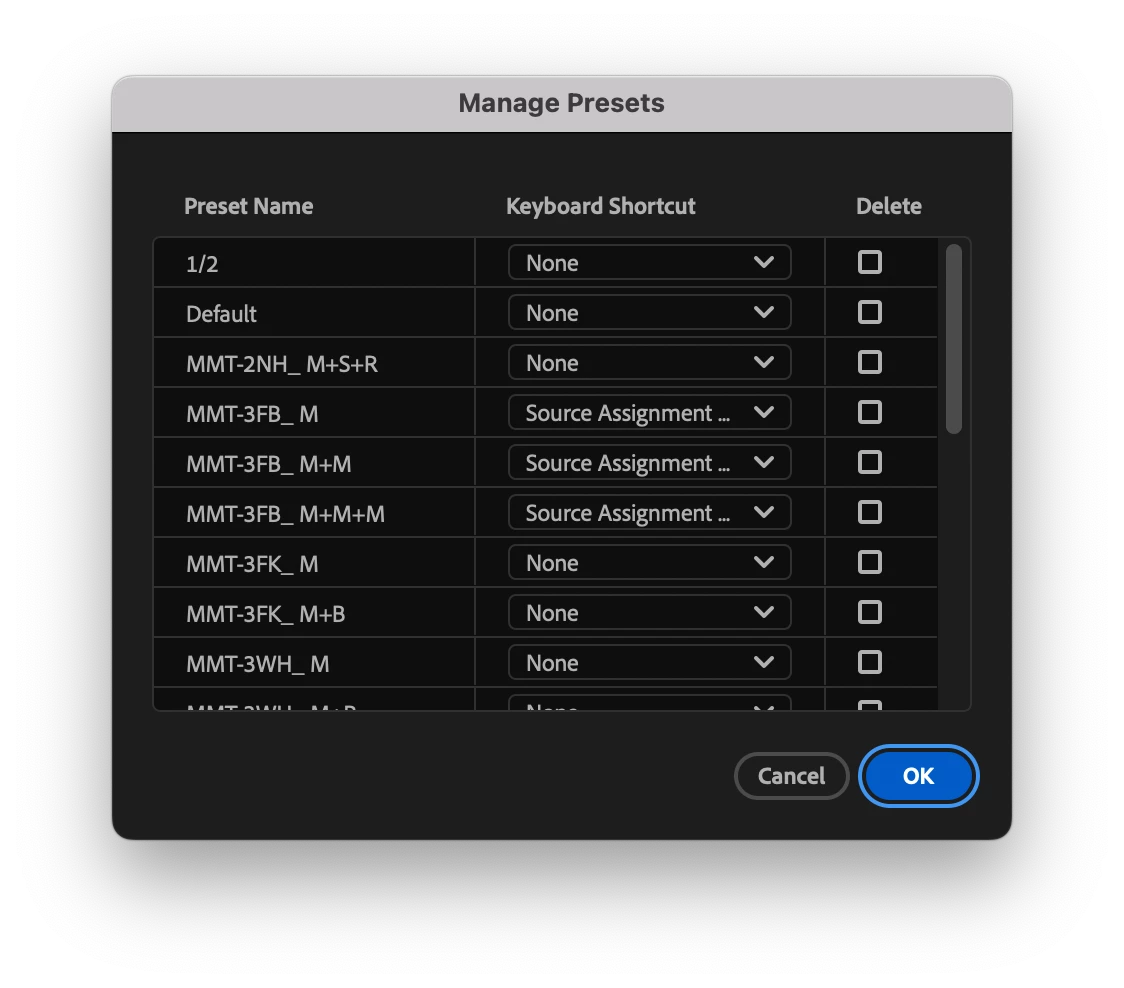
- Issue - The Keyboard Shortcut selection drop down in the Manage Preset window is not resizable, and by default it is not wide enough to show the Keyboard Shortcut selection, despite the entries being defaults provided by Adobe.
- Steps to reproduce - Right+Click or Control+Click on the Source Assignment region of the Timelines Panel, select Manage Presets...
- Expected result - The dropdown field should be large enough, or resizable, to show the Keyboard Shortcut selection in full without selecting it.
- Actual result - The Keyboard Shortcut selections are truncated, so each preset that has a shortcut assigned to it appears as: Source Assignment... Attempts to resize the column have no effect on the size of the Keyboard Shortcut fields.
- Adobe Premiere Pro version - 25.2.1 (Build 2)
- Operating system - macOS 15.3.2 (24D2082)


 AdChoices