



Reid_BC
Participant
February 5, 2026

Mask edges not visible in Premiere Pro 2026

  • February 5, 2026
  • 3 replies
  • 139 views

Mask edges are not visible while rulers are enabled within Premiere Pro 2026. After creating a simple rectangle mask using the new mask tool, the edges are not visible unless you have “Show Rulers” turned off in the View settings. I’m not sure why there would be this correlation so it must be a bug.
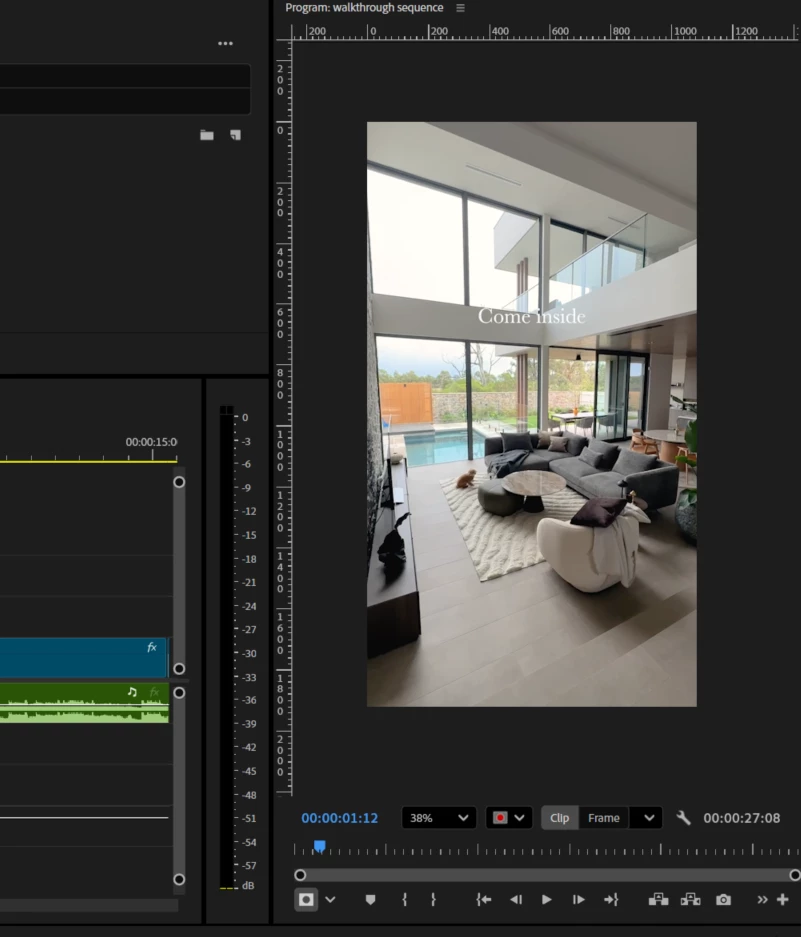
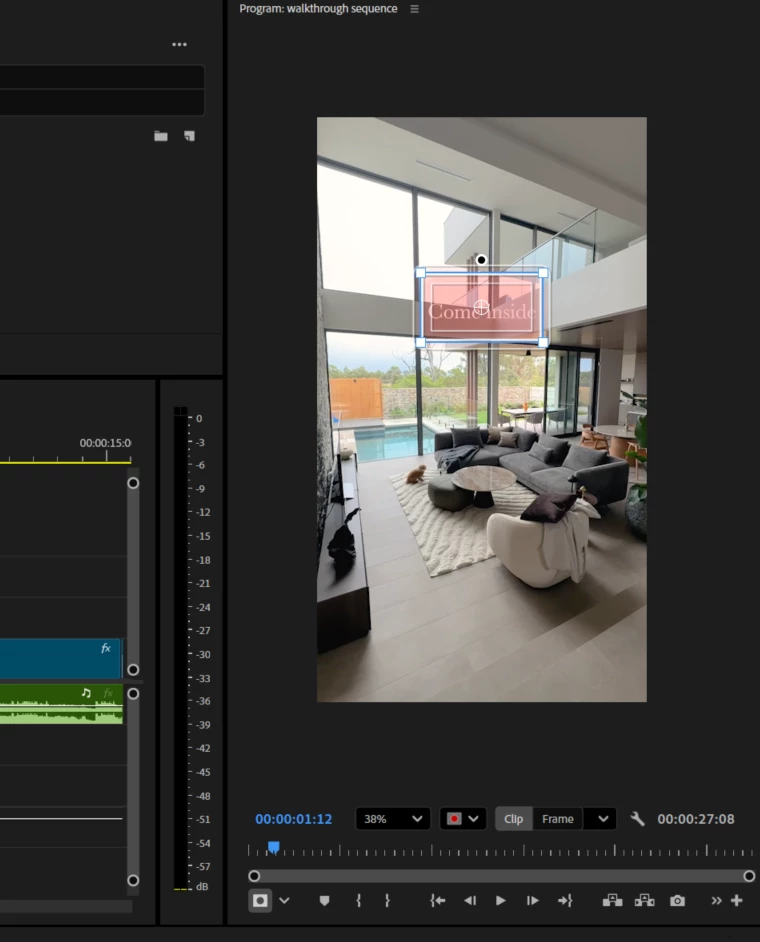
Show Rulers turned on
Show Rulers turned off


    3 replies

    vincent_4407
    Participant
    February 6, 2026

    I had the same issue. I know its the worst tips to give but it worked for me. Restart your pc.

    Ron Rigler
    Community Manager
    Community Manager
    February 6, 2026

    Can you share info on your system? Did you also have Rulers enabled? Thanks!

    IanB_360
    Community Manager
    Community Manager
    February 5, 2026

    Hi ​@Reid_BC 
    Welcome to the new Adobe Premiere community. Thank you for taking the time to report a problem. It would help us if you could use the link " How to Report a Problem," which provides steps to provide more information that can help us identify the issue. So far, I have not seen this on macOS or  Windows 11. 

    Here to help.  

    Ian

    Reid_BC
    Reid_BCAuthor
    Participant
    February 6, 2026
    • Adobe Premiere Pro version – 2026
    • Operating system – Windows 11 Enterprise 10.0.26200
    • GPU driver version (Windows only) – Intel Core Ultra 5 125U ver 32.0.101.8425
    • Video format – mp4, preview codec is Quicktime ProRes 422 LT
    • Comparative information helps us understand more about when the issue occurs: 
      • Affects all projects
    Ann Bens
    Community Expert
    Community Expert
    February 5, 2026

    Not seeing this on windows 11 pro

    Please post OS and comp specs.

    Reid_BC
    Reid_BCAuthor
    Participant
    February 8, 2026

    Posted above