
Media Encoder 2026 queue order is inconsistent and ignores manual rearranging
- July 14, 2026
- 3 replies
- 118 views
Bug description
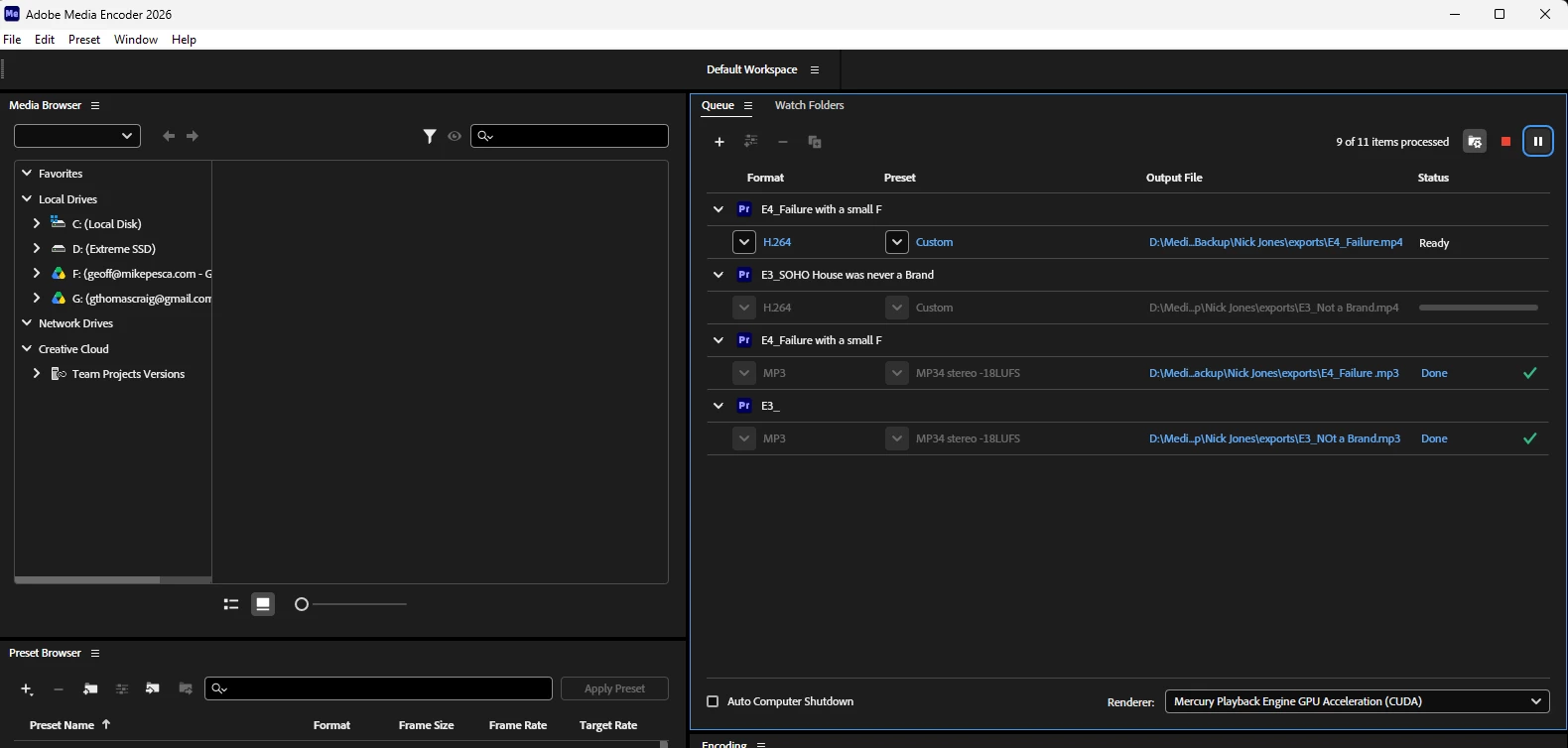
In the latest version of Adobe Media Encoder 2026 on Windows 11, newly added export jobs appear in the queue in reverse order. For example, when I add a second job, it is placed above the first job instead of below it.
The actual encoding order is also inconsistent. Sometimes Media Encoder processes the queue from the bottom upward.
Manually dragging jobs into a different order does not reliably fix the problem. Media Encoder may still process them according to the order in which they were originally added rather than their visible position in the queue.
Steps to reproduce
- Open Adobe Media Encoder 2026.
- Add one export job to the queue.
- Add a second export job.
- Notice that the newer job may appear above the previous job.
- Add several more jobs and manually rearrange them.
- Start the queue.
- Observe that the jobs may encode from top to bottom, bottom to top, or according to their original insertion order rather than the visible queue order.
Expected result
Jobs should be added to the bottom of the queue by default and should always encode from top to bottom according to their current visible position. If a user manually rearranges the jobs, that new order should be respected.
Actual result
Jobs are added in an unexpected reverse order, the processing direction is inconsistent, and manually rearranging jobs does not reliably change the actual encoding order.
System information
- Windows 11
- Adobe Media Encoder 2026, latest available update
- Mercury Playback Engine GPU Acceleration enabled
- NVIDIA GPU using CUDA
This has occurred across at least the last two Media Encoder versions and is extremely disruptive when exporting multiple files that need to be processed in a specific order.


 AdChoices