
haikü
Participant
July 14, 2025

MKV File Triggers “Frame Substitution Recursion” Error Render Settings in Version 25.3

  • July 14, 2025
  • 2 replies
  • 261 views

@jamieclarke I am able to reproduce this issue on Adobe Premiere Pro 25.3 on both Windows and MacOS silocon using the following mkv file:

https://drive.google.com/file/d/17nQ8RnMJnEa4L1l4wnzc4rYgmm5DY6vN/view?usp=sharing


Steps to reproduce are:

1) Create a brand new default project

2) Import the above mkv and add it to the timeline

3) Go to the export tab and hit export without changing any settings


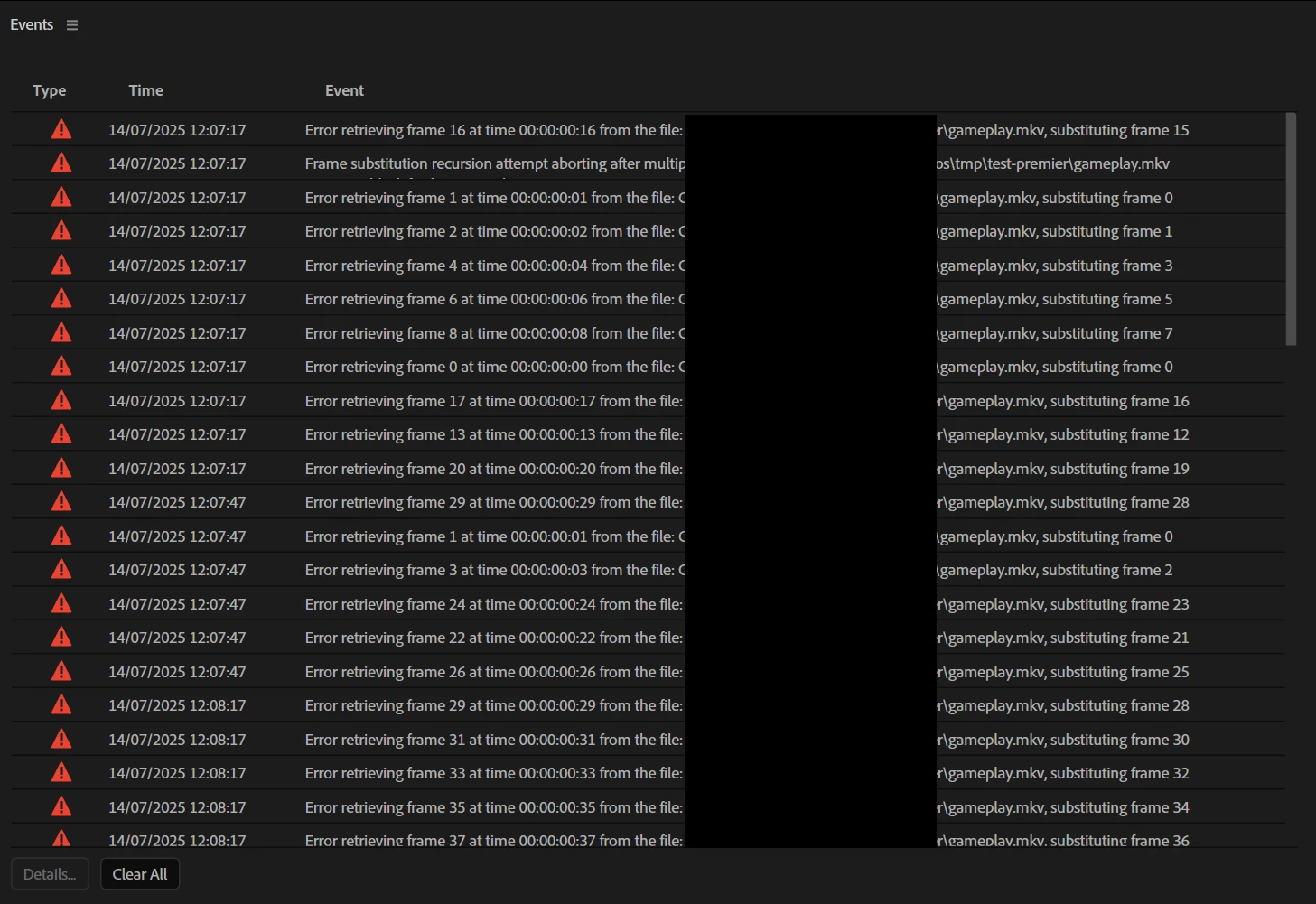
You should see that the encoding takes a very long time to complete (predicts a few hours for this short 30 second video). You should also see the red error icon in the bottom right appear and if you cancel the encoding after a few minuites you will see the below errors (more errors the longer you wait).



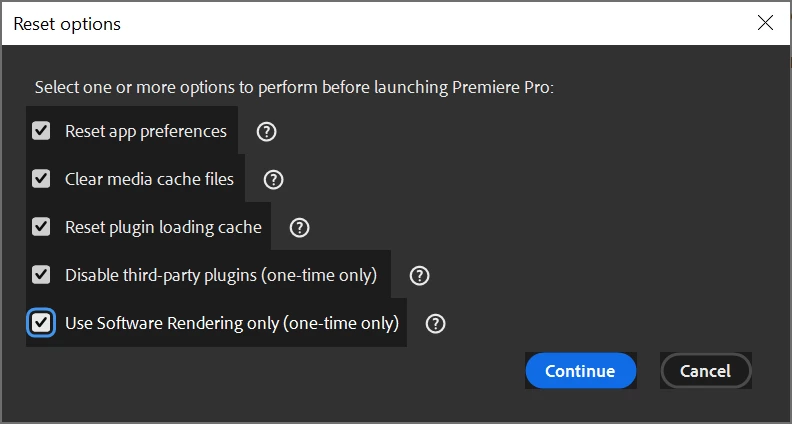
Note that I see the same issue on Windows regardless of whether I starting with holding down shift and select all available reset options.
 

These are some of the errors I will get. 
 

Also note that the above mkv file appears to play fine in Windows media player, VLC and using Blenders video compositor.

2 replies

haikü
haiküAuthor
Participant
July 22, 2025

Thanks for the response @jamieclarke and for confirming that you also see the issue.


This mkv file was generated from a streaming / recording application called Meld Studio (https://meldstudio.co/) of which I am part of the developer team. I mentioned a few applications I tested with in the original post but in total I have run the above mkv through the following applications, none reporting issues:

- DaVinci Resolve 20.0.1 (seeking and encoding)

- Blender 4.5.0 (seeking and encoding)

- Windows media player

- VLC media player

- FPlay (plays the video correctly without reporting any errors)

// FFPlay command to write debug info to a file which turned up no issues.
./ffplay.exe -i "C:/Users/<path_to_file>/gameplay.mkv" -loglevel debug 2> ffplay-log.txt

- FFProbe

// Writes out packet info for first video stream
./ffprobe.exe -show_packets -select_streams v:0 "C:/Users/<path_to_file>gameplay.mkv" > ffprobe-log.txt
// Writes out packet info for first audio stream
./ffprobe.exe -show_packets -select_streams a:0 "C:/Users/<path_to_file>gameplay.mkv" > ffprobe-log.txt

  Neither video or audio packet streams looks to have any issues. DTS values all increase monotonically, etc.

- Also I've run the file through the MKVToolNix suite of tools (mkvinfo, mkvtoolnix-gui, etc) and none reported issues parsing the file or with the file.


Please let us know If Adobe Premiere Pro's mkv parser has additional requirements or stricter expectations that might explain these errors. I can look to see if we are able to change our output accordingly, if supporting these extra requirements make sense for us. For example, we already discovered through internal testing that Premiere Pro expects the video track to be stream index 0 and audio to be stream index 1. Otherwise the MKV is imported as audio-only. (that may be related to this issue despite different container format: https://community.adobe.com/t5/premiere-pro-discussions/only-audio-imported-but-no-video-recognized-when-importing-blu-ray-video-file-help/m-p/11845948).


While Meld Studio also supports mov (which works fine in Premiere Pro) and will soon support mp4, we’re still hoping to ensure compatibility with Premiere’s mkv importer if possible.


The system specs for my Windows system are as follows:
Processor: AMD Ryzen 9 5950X 16-Core Processor 3.40 GHz
Installed RAM 128 GB
Storage 14.55 TB HDD ST16000NE000-2RW103, 298 GB HDD Hitachi HTS725032A9A364, 3.64 TB SSD Samsung SSD 990 PRO 4TB, 932 GB SSD Samsung SSD 850 EVO mSATA 1TB, 1.82 TB SSD WDS200T1X0E-00AFY0
Graphics Card NVIDIA GeForce RTX 3090 (24 GB)
System Type 64-bit operating system, x64-based processor

Edition Windows 10 Pro
OS Build 19045.6093


Let me know if I can provide anything else to help narrow this down. Thanks again for your time.

jamieclarke
Community Manager
Community Manager
July 14, 2025

Hi @haikü -  Thanks for submitting your bug report. I see this issue you are reporting and have filed a bug report.
Do you know how these MKV files are being created? Can you list your computer specs?

Thank you for reporting we will keep you updated on the status.