

MOGRTs including audio don't show properties
Issue: When using a MOGRT with audio the properties are only visible when selecting both video and audio clip in timeline. If selecting only the video-clip the properties are not shown in the properties-panel.
Steps to Reproduce: Drag a MOGRT with embedded audio in timeline, select the video-clip. Properties are not shown in Properties-panel. You can’t edit Text, text properties or what ever. Select video and audio properties are shown.
Expected Result: When selecting a MOGRT in timeline parameters can be edit in properties-panel, indipendent of selecting the audio clip.
Actual Result: Parameters can only be edit when selecting both video and audio in timeline. When selecting only the video parameters are not shown in properties-panel. Properties-panel show sequenece-name instead of MOGRT-name.
Screen Shot:
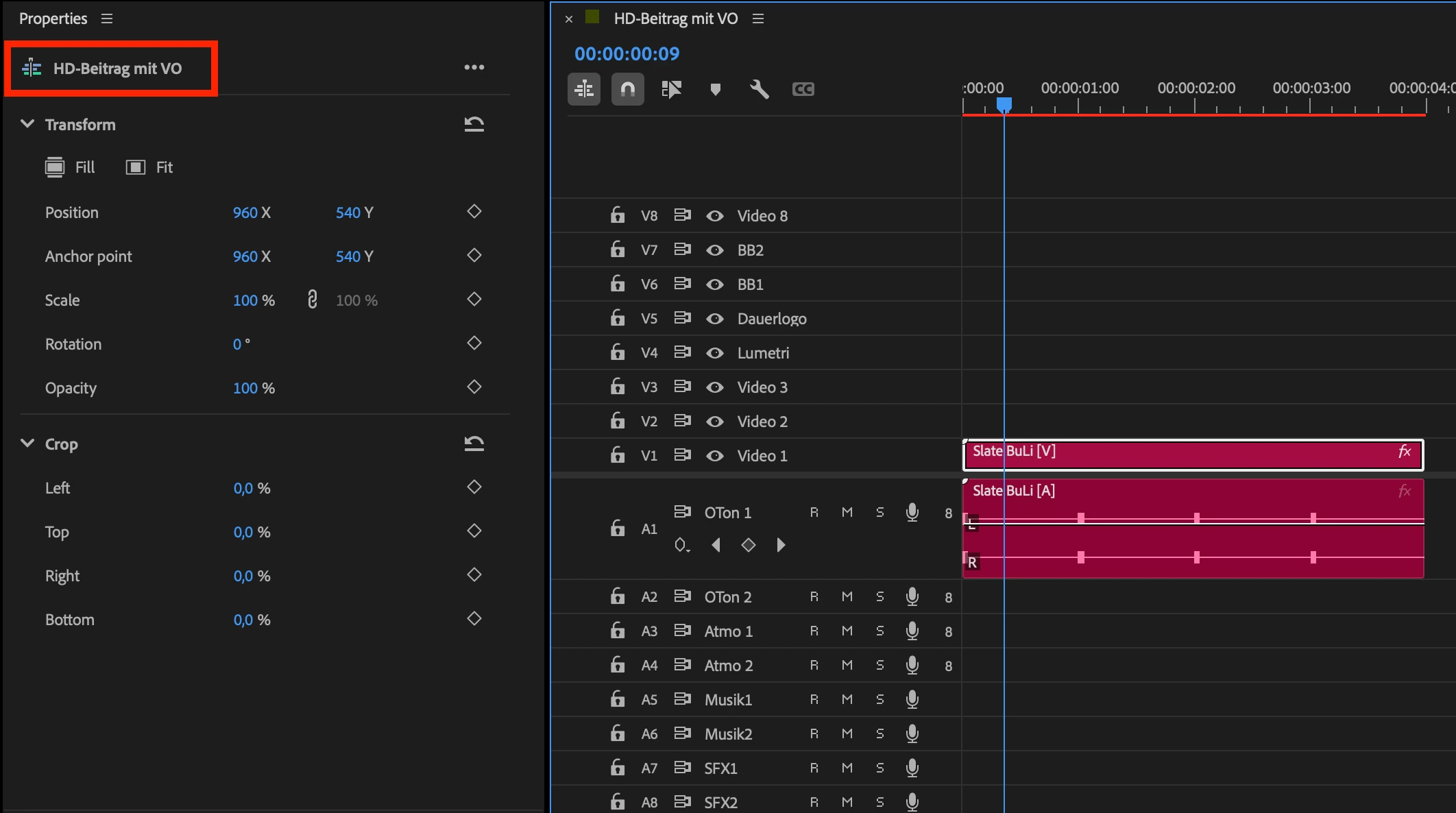
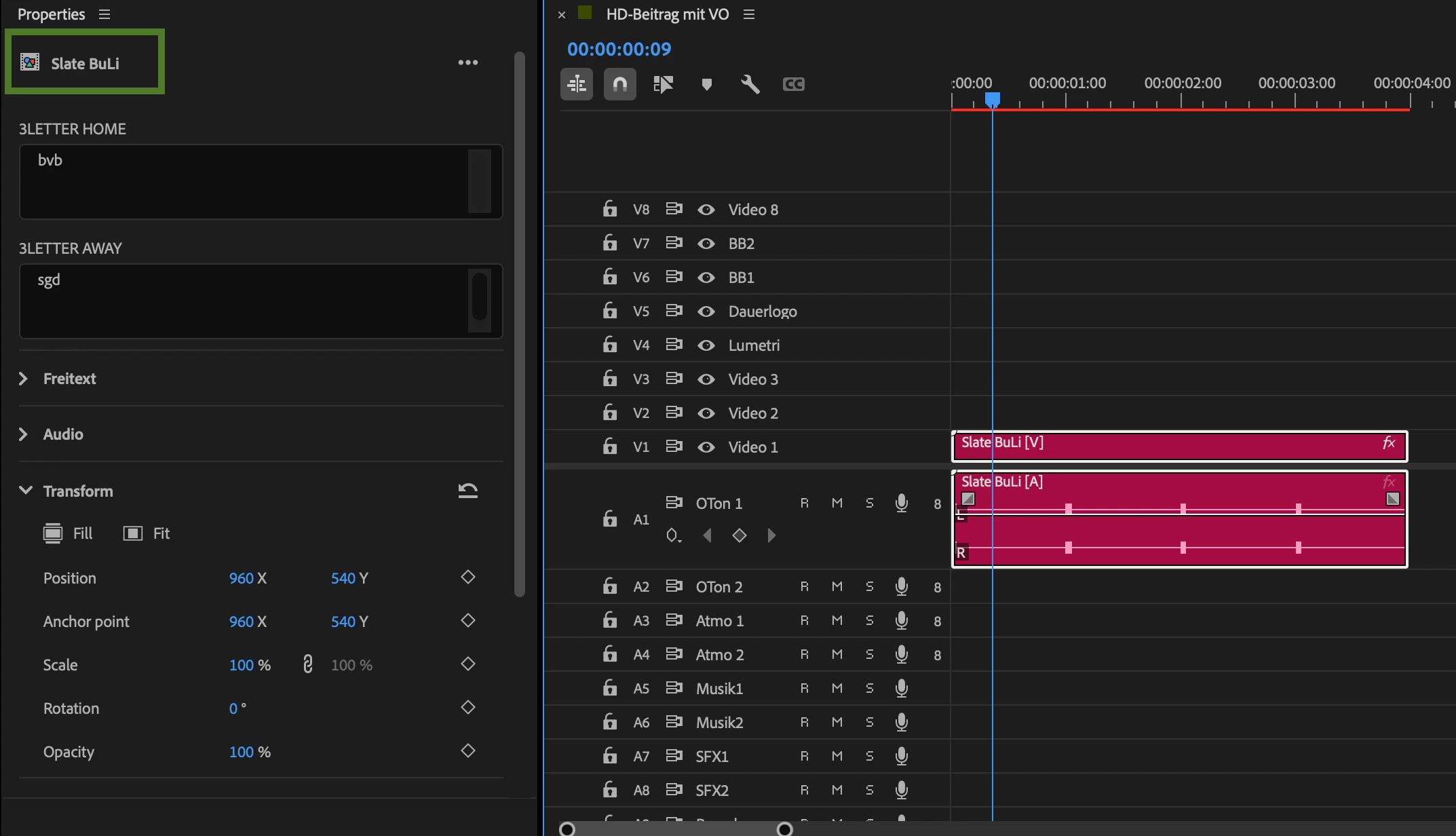
Premiere Version: 26.2.2 (Build 3), bug is not available in Version 25.3
Operating System: Mac OS 26.2, MacStudio M2 Max 2023
Video Format: 1080i25


 AdChoices