
Known Participant
August 5, 2026

Motion Tween trasition has black bars when zooming out

  • August 5, 2026
  • 6 replies
  • 56 views

Issue

When using the Motion Tween transition for zooming out, the transition shows black bars, although the video as enough room.
The black bars fade into the video at the end of the transition.

Steps to reproduce

I set the fist video to 120%, the second to 100%.
Then I select both clips and add the Motion Tween transition.

Result:
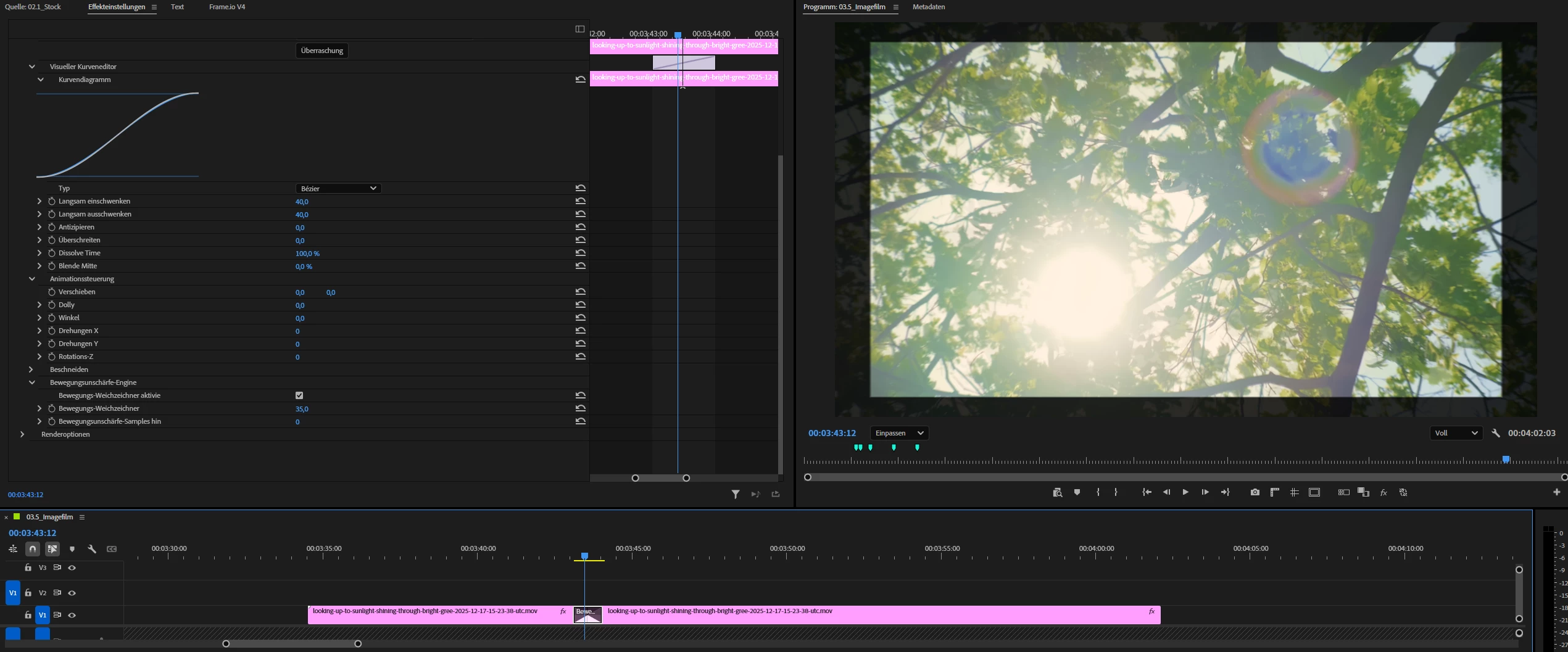
 

I added the actual result and the expected result (made with keyframes on scale property) as attachments.

Adobe Premiere Pro version

26.3.2

Operating system

Windows 11

Video format

Different formats (mp4 h264, mov prores 422),

Resolution 4K and FHD, both in FHD sequence

    6 replies

    Amy the Stuv
    Community Manager
    Community Manager
    August 5, 2026

    Hi ​@athletic_fact6385 


    Thank you for the bug report. This appears to be a render order issue. Could you let me know if checker-boarding your clips like so and place the transition just on the heads of the incoming clip on track 2 works?


    I was able to replicate your black bars but doing this fixed it on my end. Let me know if it works for you too.


    Best,

    Amy

    Known Participant
    August 5, 2026

    With the order that you show, one of the clips wouldn’t have a zoom on it. When I do it as in the screenshot, it just adds a normal blend as it doesn’t have any reference of scaling from the first clip.

    The problem was in the settings at render options (had to unfold it first). The default is set to blend but when using the same clip, it needs to be set to composite.

    But that only help when it is the same clip. When using different ones, even composite wont to it.


    Amy the Stuv
    Community Manager
    Community Manager
    August 5, 2026

    Ah, apologies.


    Thank you for the clarification. If you set “Dolly” to 10 under “Animate Controls,” that should prevent the first short from erroneously shrinking so that even in composite you don’t see the frame edges of your previous shot while maintaining the move on the secondary shot.

    Dolly setting


    I’ll reach out about why two different shots don’t composite the same way as one shot composites on itself. Let me know if Dolly helps.


    Thank you,

    Amy

    Peru Bob
    Community Expert
    Community Expert
    August 5, 2026

    What effects are applied to the clips?

    After cleaning the cache, if you remove the effects, does it work as expected?

    Known Participant
    August 5, 2026

    No effects are applied.

    Clearing the cache didn’t help either.

    Changing the setting to composite in the render settings of the transition did help but only for the case of zooming into the same clip. With two different ones, the problem still occurs.