
DJP2014
Inspiring
July 11, 2024

New Zoom function plays up with Transparency grid

  • July 11, 2024
  • 7 replies
  • 481 views

Finding the transparency grid gets a little funky when using the new zoom function in the program monitor. The grids scale/position seem to play up leaving a black bar.
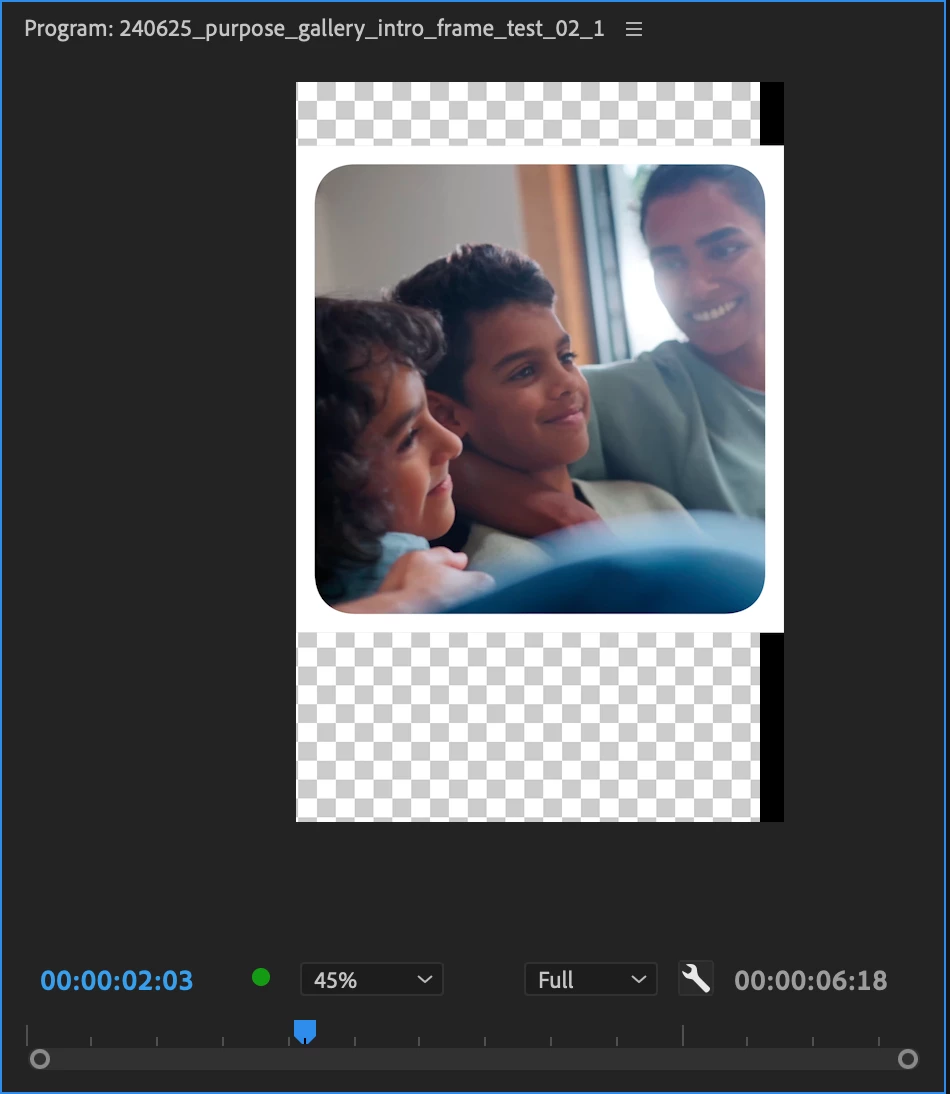
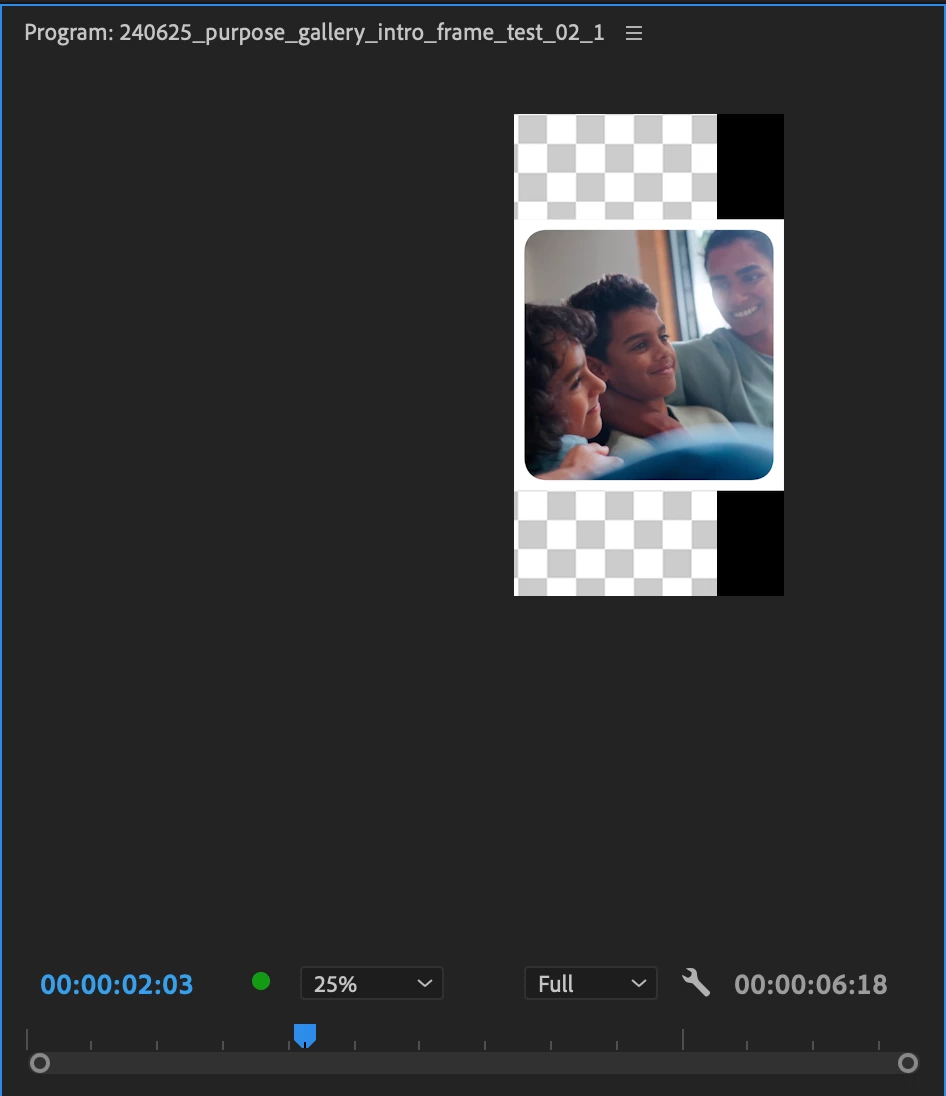
MacBook Pro M1 
Sonoma 14.5

Pr 24.5 (build 57)

This topic has been closed for replies.

7 replies

Bruce Bullis
Community Manager
Community Manager
September 23, 2024

This bug is fixed in current beta builds.

Kevin J. Monahan Jr.
Community Manager
Community Manager
September 4, 2024

Updating the status of this bug report.

Kevin Monahan - Sr. Community and Engagement Strategist – Adobe Pro Video and Audio
Stan Jones
Community Expert
Community Expert
August 27, 2024

@DJP2014,


Thanks for responding and for the screen shots.


I tested in 24.6 and Beta 25.0.0.29. I can replicate. I only tested in landscape orientation. I zoom in a bit, and drag the frame around. The transparency grid keeps resizing/re-shaping as if it is trying to adjust.


Since we are not scaling the image, just moving/zooming in the window, shouldn't the transparency grid not show at all? What is the correct behavior for the transparency grid?


I notice some of the same things I've seen before with dragging once zoomed in or out: If using the mouse scroll wheel to drag, the drag stops responding if I drag that point outside the Program Monitor boundary. When using the hand tool, I can drag it outside the Program Monitor and it keeps working.


Also, when using the scroll button to drag, sometimes, it jumps to 1600%, and when I stop dragging, it says 1600%, but is not. If I change to the hand tool, it says 1600% and is fully zoomed in.


Stan


Kevin J. Monahan Jr.
Community Manager
Community Manager
August 26, 2024

Thanks for the screenshots, @DJP2014. I hope the team will address this bug soon.


Kevin

Kevin Monahan - Sr. Community and Engagement Strategist – Adobe Pro Video and Audio
DJP2014
DJP2014Author
Inspiring
August 26, 2024

Sorry @Kevin-Monahan, still an issue in 24.6.0 (Build 86)


Kevin J. Monahan Jr.
Community Manager
Community Manager
August 26, 2024

Hello @DJP2014,

I cannot reproduce this but in 24.6. Can you test it out and report back? The community appreciates it.


Thanks,
Kevin

Kevin Monahan - Sr. Community and Engagement Strategist – Adobe Pro Video and Audio
Kevin J. Monahan Jr.
Community Manager
Community Manager
July 11, 2024

Hello @DJP2014,

I read your bug report. I was able to reproduce the error with a 9x16 sequence. A standard 16x9 sequence was fine. Thanks for creating this bug report. I hope a developer will respond shortly. Sorry for the frustration.


Cheers,
Kevin

Kevin Monahan - Sr. Community and Engagement Strategist – Adobe Pro Video and Audio