
Normalize Max/All Peaks not working when only proxies are attached?
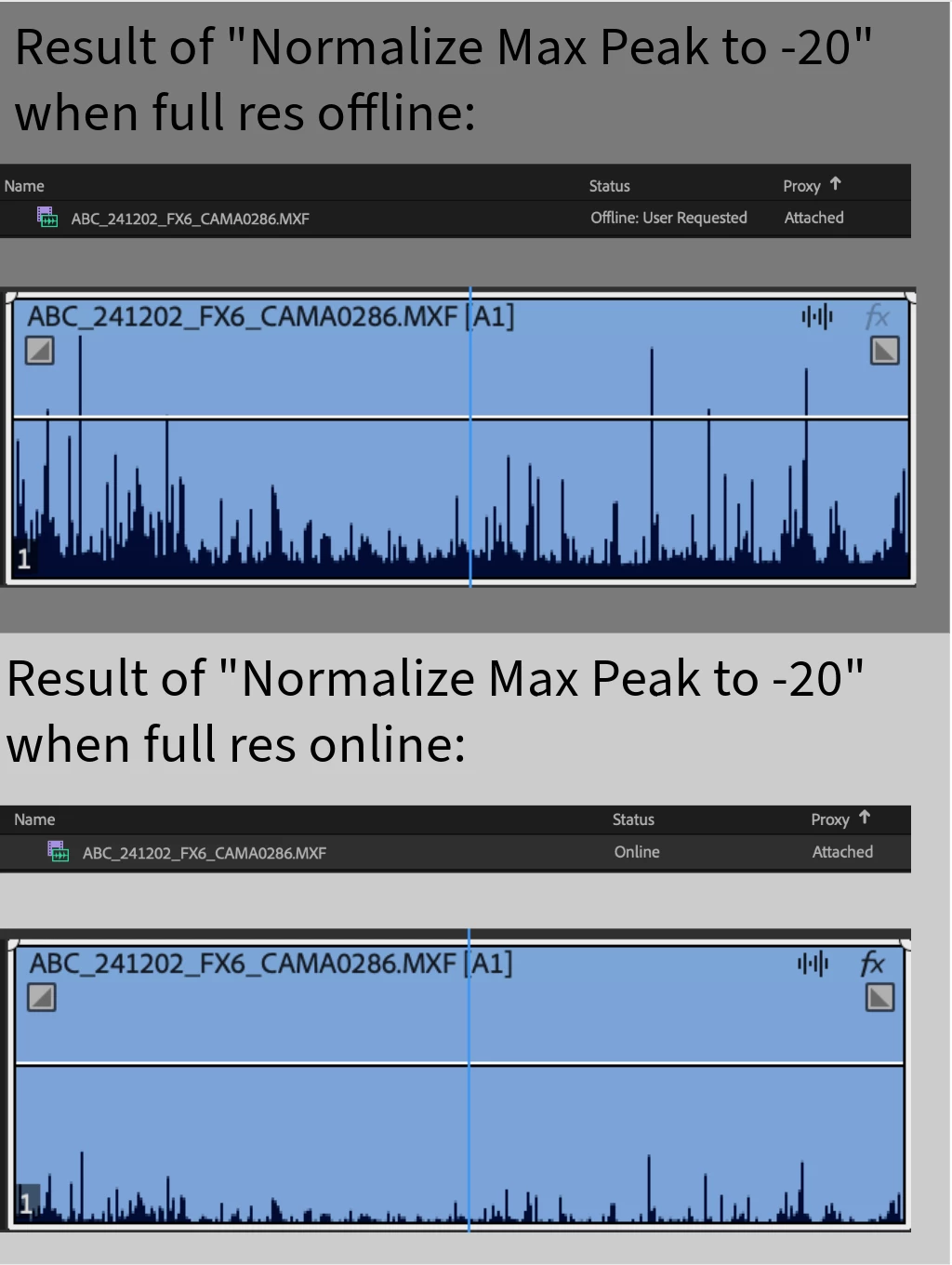
I'm running into an issue where I'm trying to adjust audio from my camera clips using the Audio Gain settings, and the normalize max peak and normalize all peak features do not do anything to the audio clip when I only have the proxy attached/online. The adjust gain and set gain features work, but the normalize features do not.
When I reconnect the full resolution media, suddenly the normalize features work. However, I'm only going to be working with proxies for the next few months, so it'd be ideal if I could get this feature to work without needing the full resolution media connected.
The proxies were generated in Media Encoder and were created/attached directly through Premiere. After the proxies were attached, we made the full resolution media offline.
If I import the proxy on its own, the normalize features work, but I'd strongly prefer to keep it attached as a proxy with the raw offline.
I'm currently using Premiere 2025.1.0 - but I tested it in Premiere 2024 and had the same issue. Working in Premiere Productions on macOS Monterey 12.4
Would love to know if there are any workarounds or solutions. Thanks in advance!


 AdChoices