
Object Mask Tool does not work properly on interlaced timelines
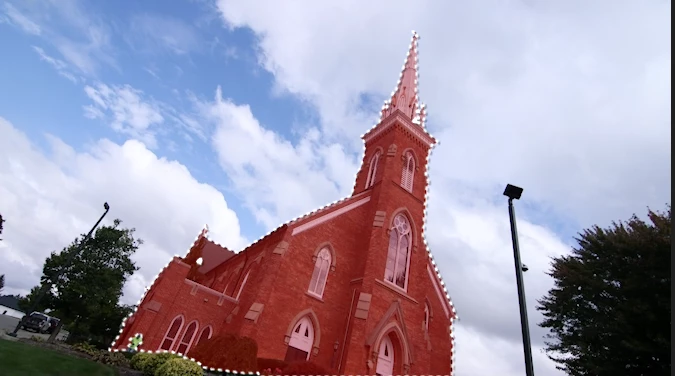
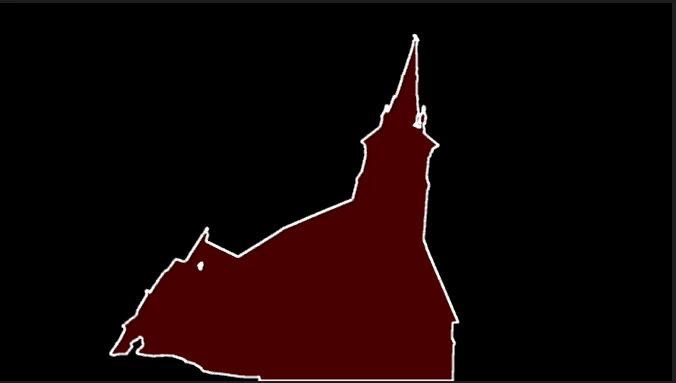
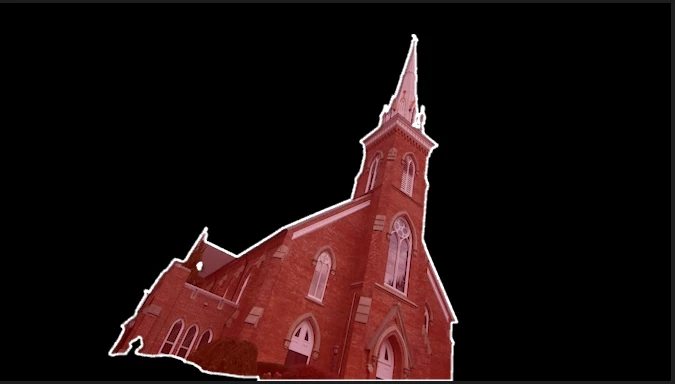
When attempting to use the new Object Mask Tool on an interlaced timeline, instead of seeing what you’re trying to mask once you’ve applied the effect, it renders the entire frame black and you cannot see what you are working with. This appears to be just a DISPLAY issue, as the masked image appears when you do any of the following: render the section, export the section, turn on mute global FX (even though there are no other effects applied to the clip). If you go into sequence settings and switch it to no fields/progressive, the masked image will also appear.
I tried this on multiple effects like opacity and gaussian blur and the same issue occurs if this is done on an interlaced timeline.
Running Premiere 26.0.2 on an M2 Ultra, 192GB RAM.
Attaching screenshots of a clip with the object selected, then with the mask applied to opacity where you can see the entire image disappears, and then behaving normally when you either switch the timeline to progressive or hit the global FX mute button. (Also of note, you can see the image through if you switch to multicam mode on the interlaced timeline.)
I work in a broadcast setting where we still work in interlaced and on interlaced timelines so I am hopeful this issue can be fixed in future releases!


 AdChoices