
Participant
September 28, 2026

"Open Project" dialog no longer automatically filters for .prproj files (v26.5.1)

  • September 28, 2026
  • 4 replies
  • 34 views

Post Body: Hi everyone,

I’m dealing with a frustrating change in behavior in Premiere Pro 26.5.1 on Windows.

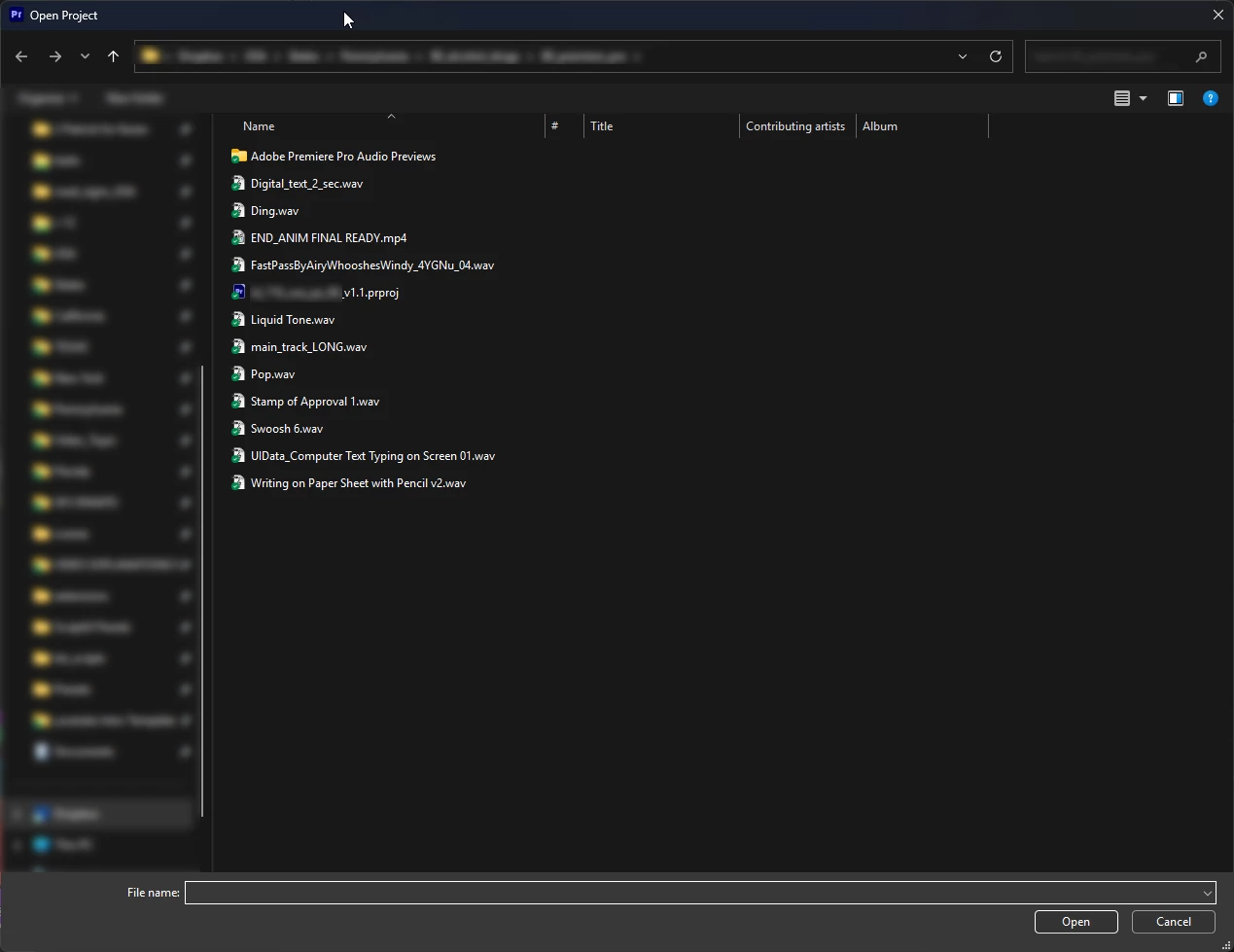
Previously, when I used the "Open Project" dialog, it automatically filtered the window to only show .prproj files, which kept things clean. Now, it defaults to showing absolutely everything in the directory.
 

Has anyone else noticed this regression in the 26.5.1 update? Is this a known bug with how Premiere talks to the Windows file explorer, or is there a new preference somewhere to get the old automatic filtering back?

Thanks for any help!


    4 replies

    KatieToo
    Community Manager
    Community Manager
    September 28, 2026

    Hi ​@Epic_Auto school7375 

    Thanks for stopping by the Premiere forums and reporting about that Premiere ‘Open Project’ filtering issue. Yes, you’re right. It seems to be missing that option on Windows side.

    I tested ‘Open Project’ option on both Mac vs. Windows 11 using Premiere’s latest v26.5.1 and v27.0 Beta. Mac has the option “Enable: Adobe Premiere Projects” filter. I believe this may be exactly what you’re referring to not seeing essentially the Windows equivalent, and I did not see this option available either.

    Mac’s ‘Open Project’ below:

    Could we please get some additional specs details for our report? I see you’re using Premiere v26.5.1. 

    • Operating System: Since you’re on Windows, confirm if Win11/10.
    • GPU and Driver (Windows only): Please let us know your video card and driver version. We recommend updating to the most recent version; for NVIDIA users, we strongly recommend the Studio version of the driver.
    • What was the last working version/build of Premiere where this issue was not present?

    Hope to help!
    Katie

    Participating Frequently
    September 28, 2026

    The Windows is version 11 with the latest updates, And Nvidia GPU driver is the latest also 617.14, and the latest version that doesn’t have this problem was Premiere 26.3.2 , from Windows 11 and Driver side, everything is the latest .

    Participating Frequently
    September 28, 2026

    I just updated Premiere version 26.5.2 hoping it will be fixed but it’s not.