
Opening projects v25.6.3 build 2 (3/4 open then gets stuck)
I had a brown out yesterday. i had photoshop illustrator and premiere dynamically linked. the project files are on a QNAP server. since the brown out I have not been able to open the project up, nor have I been able to open up any of the projects the were autosaved this month.
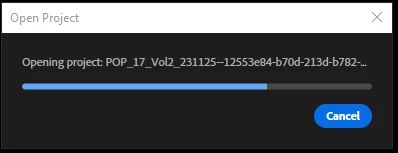
When I try to open the project the "open project" dialogue bar gets about 3/4 full and then just stops. the software is working fin though because I can open open older projects. I have never had it where not only is the main file corrupted but also all the auto saves for the last month.
I have been working on this project for a long time now and have missed 2 deadlines already. Having to redo the last months of work make me not want to do the project anymore and I have to say that I have been fighting premiere bloat and bugs since 2017, I think this might be the very last project with Adobe.
what I have tried so far without success.
- opening a blank project and importing the project.
- trying to open it in an older version of premiere.
- uninstalling and reinstalling premiere.
I am out of ideas and out of hope.
can anyone help?
update:
premiere doesn't open any project, but i can start new ones.


 AdChoices