

P: Effect Copy/Paste Order Is Reversed in Premiere 2026 Compared to 2025
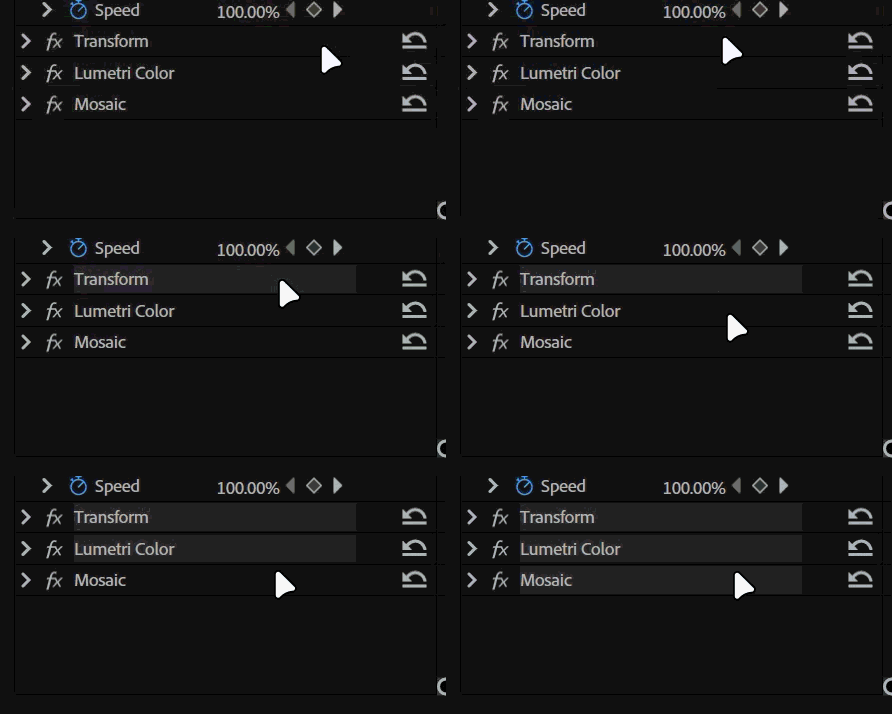
In Premiere Pro 2025 (25.6), when selecting multiple effects in the Effect Controls panel using Ctrl-click and copying them to another clip, the order in which the effects are selected determines their order after pasting.
Selecting effects from top to bottom and copy pasting them preserves the original effect hierarchy. However, in Premiere Pro 2026 (26.5), this behavior appears to have been reversed.
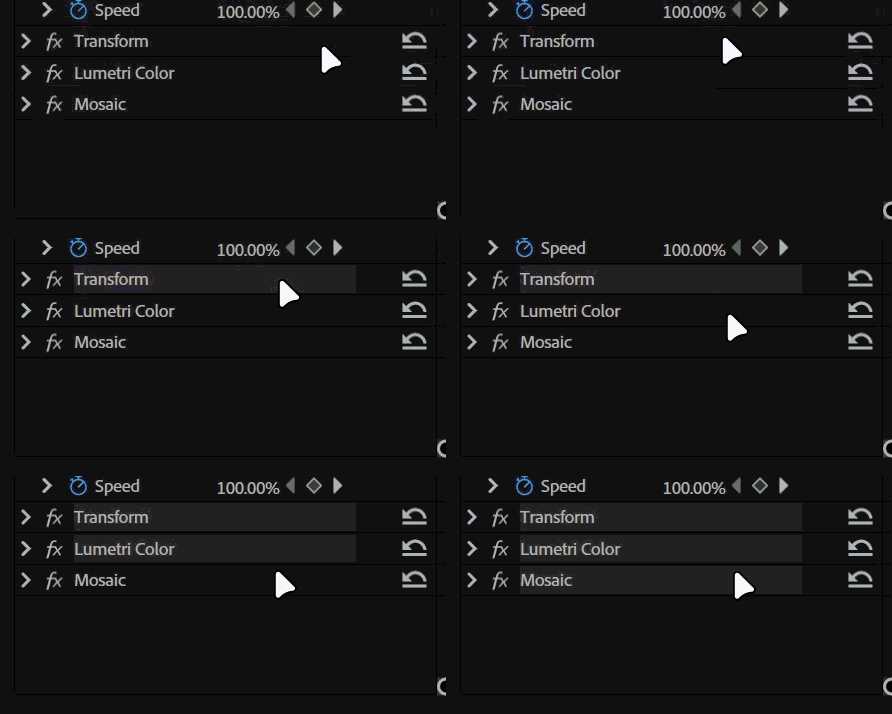
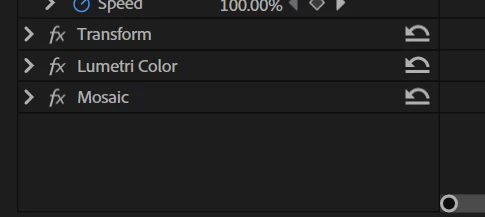
The behaviour in 2025 the first selected effect being at the top and being the first applied effect after pasting just makes sense. If user wants the opposite order, they can just start selecting from bottom to top and copy paste that into another clip as displayed.
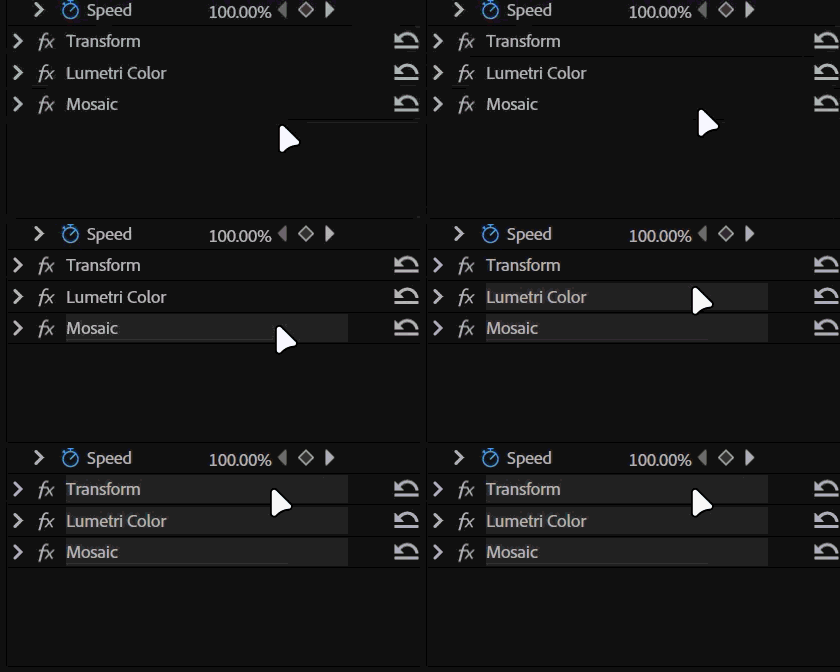
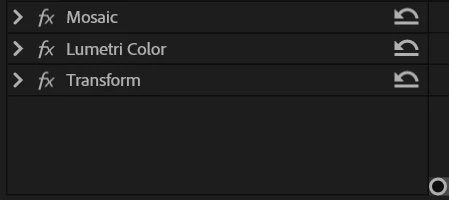
This is the behaviour in Premiere Pro 2025. Whatever you select first is the first applied effect. Now lets see the behaviour in Premiere 2026.
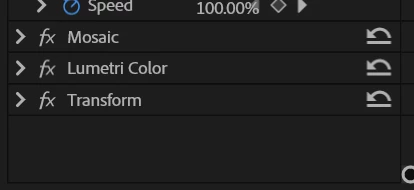
Now in 2026 copy pasting from top to bottom gives us the result when we select from bottom to top in 2025. Completely reversed. So what if we start selecting from bottom to top in Premiere 2026?
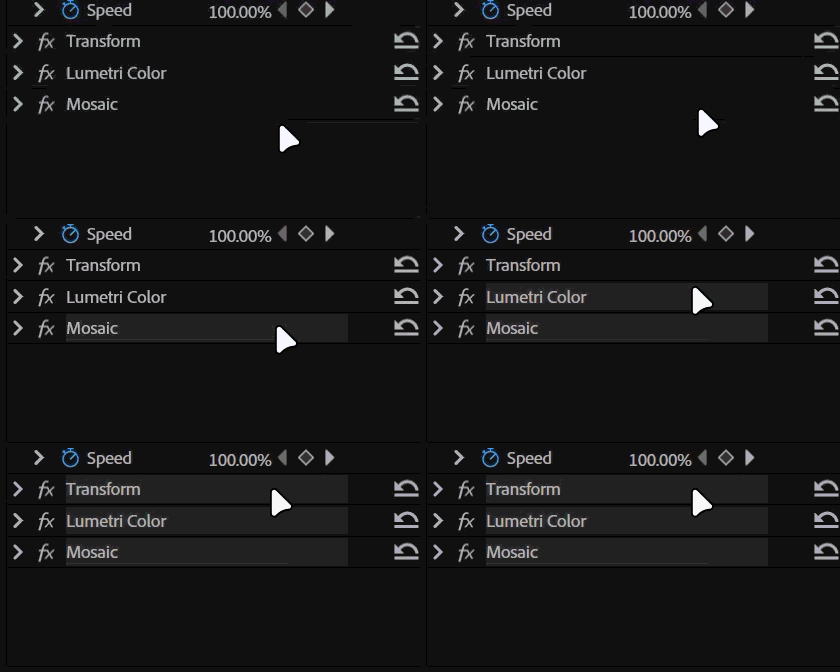
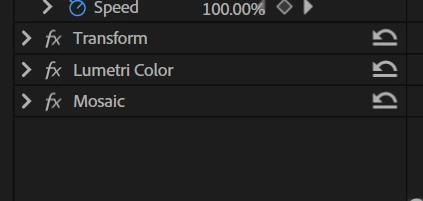
In Premiere Pro 26.5, the selection order appears to be reversed. The first effect selected is placed at the bottom, while the last selected effect is placed at the top.
To preserve the original hierarchy, users must select the effects from bottom to top instead. Effect order directly affects the final image, so reversing the hierarchy can produce unintended results.
System info
Application: Premiere Pro v26.5 (build 99)
OS: Windows v10.0.26200, RAM: 31.82 GB GB, CPUs (logical): 24
GPU: Rtx 3060 Ti Nvidia Studio Driver ver. 616.92


 AdChoices