


Participating Frequently
February 1, 2024

P: Unable to select text or add new text with Type Tool

  • February 1, 2024
  • 75 replies
  • 20625 views

Unable to select or edit the existing text using the Type Tool. The selection gets instantly reverted. This also happens while adding new texts. Restarting the app is the only workaround. Here's a screen recording of the issue:
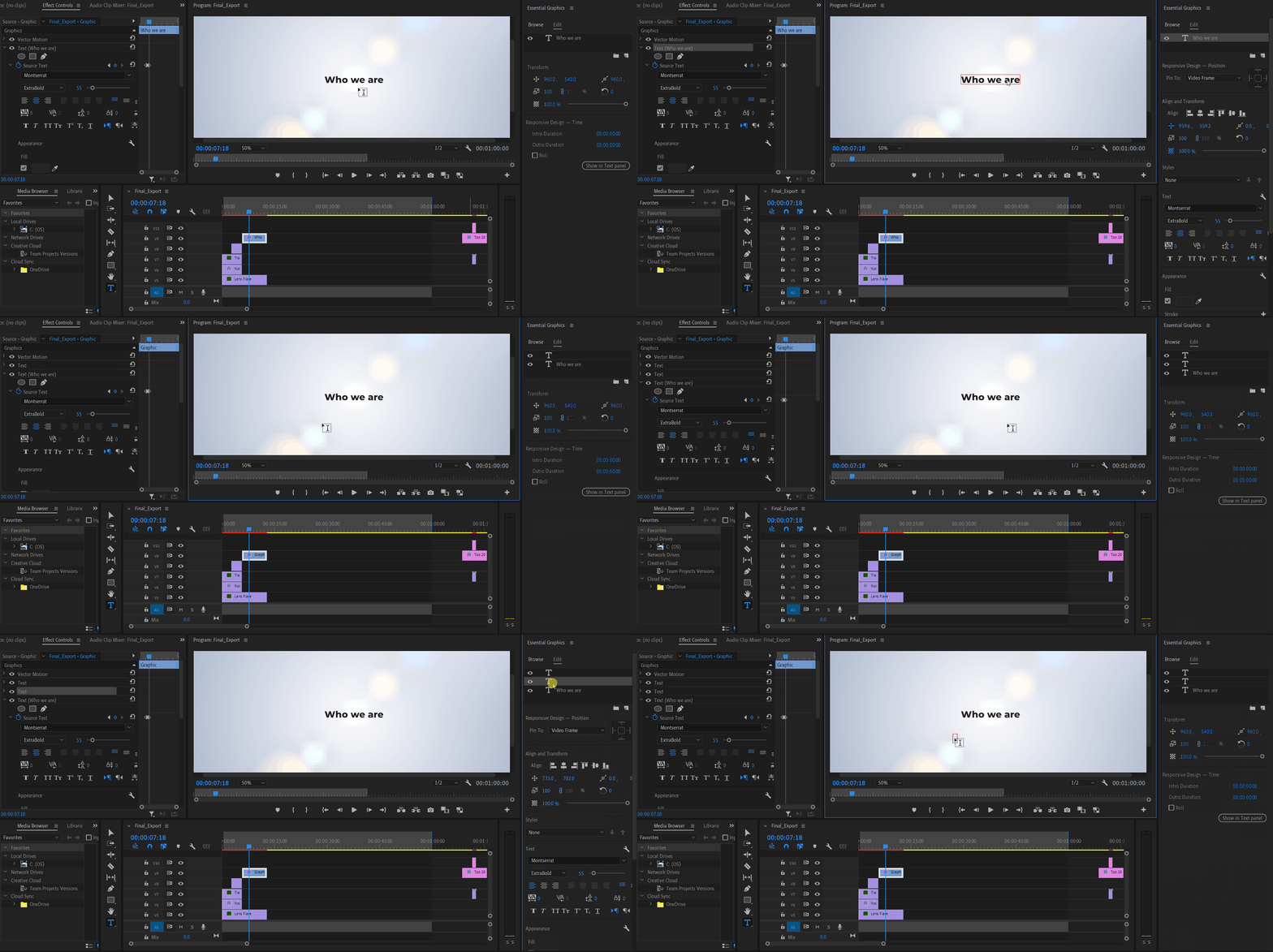


Premiere Pro Version: 24.2.1 (Build 2)

OS: Win 11 Home

Laptop: Asus Vivobook Pro 15

Processor: AMD Ryzen 5 5600H

Graphics Card: Nvidia RTX 3050

75 replies

Stan Jones
Community Expert
Community Expert
September 20, 2024

@Thomas30312860ttmr,


Thanks for the screen recording. You are running 24.5.0?


Are you running your project in OneDrive? Do you get the same issue if running from your local drive?


Windows?


Stan


Participant
September 19, 2024
Adobe Employee
September 6, 2024

@Bart5FF1 Can you share as much info as possible, please? We have been struggling to get an internal repro but are very much interested in fixing this. 

- Does this always happen or only intermittently?

- Mac or Windows?

- Can you make a video of this issue?

-anything else you can think of? 

Participating Frequently
September 6, 2024

This problem still persists. When I edit text in the screen and press 'space' for instance, it starts playing the video. I'm on version 24.6.1. (Build 2). How do I fix this?

morphinapg
Inspiring
August 8, 2024

In regards to my subtitle bug, I think I may have discovered something that may help the developers investigate the issue. I found that sometimes before I select the default "New Caption" text, sometimes the cursor is an arrow, and sometimes it's the text selection cursor. I've found that the bug often happens when the cursor was the text selection cursor before I double (or sometimes triple) clicked to select the text before typing.

It isn't always the playback shortcut that's being triggered, although playback often does happen once I hit the space key. The problem is it appears to lose focus on the text selection after typically just one or two letters have been entered. It doesn't seem to matter what letters I started to enter, or what letters I press next, just that it loses focus, so any further letters that are tied to keyboard shortcuts will begin activating.

I've started paying closer attention to what mouse cursor I have before selecting my text. If I see it's the text selection cursor, then I will click elsewhere to deselect the caption, which reverts it to the standard arrow, and then I will select all text. Doing this has seemingly avoided this bug consistently over the past few days, so I think it's something worth looking into.

For reference, I am currently on 24.5.0, and Windows 11


EDIT: It may also be useful information to note that the video track is locked, in order to avoid accidentally selecting it when trying to select the caption.

BrianDavison
Known Participant
July 31, 2024

Dynamite, thanks @lslater!  I have a workaround now that uses a macro to first 'deselect all' and then 'select find box' but obviously it'd be nice to not have that.


(As a side note, it would be great if the 'select find box' shortcut worked in the Production & Transcription panels as well. (or really, any panel where a find box is present.) It currently works in the project panel, Media Browser and  Markers panels. Maybe some more, I suppose, I haven't made an exhaustive search of it.

Adobe Employee
July 30, 2024

@BrianDavison Thanks for the video. Yeah, I'm not sure why it's filed here either because it's not the same issue. But we've pinged a few folks to try to get a bug written for your issue and get that filed properly.

BrianDavison
Known Participant
July 23, 2024

@lslater as promised, here is a video of the action taking place: https://f.io/TbOJfcCQ


In it, you see me highlight an item in the project panel, then type two characters in the search box. I type nothing else and the cursor automatically jumps out of the search box. Then, you see me doing it again, where this time i only type 'b' in the search box, then without me typing a single thing, the cursor again jumps out of the search box. Then, I press the down arrow, the up arrow, and the down arrow. and what you can see (though a little hard to tell since I had to redcact my data) is that the focus when it left the search box had jumped to the item that I had highlighted before searching.


Again, I'm not sure this has anything to do with the bug on this chain, so I'm not sure why my bug was moved here.

BrianDavison
Known Participant
July 19, 2024

Hi @lslater , I'm a little confused as my bug doesn't seem to be the same as this report that it got merged with. For one thing my issue is in the project panel, additionally, the cursor doesn't immediately jump out of the typing field when I'm tying, only after a character is entered.


That being said, I will try to provide a video when I can.

Adobe Employee
July 19, 2024

Hi, while we believe this issue has been fixed, I know there are many possible paths the code can take to get to this bug. So if you are still experiencing this problem in current 24.5.x or 24.6.x builds, please post detailed bug steps (or a video) and we'll try to reproduce and fix. Thanks.