


Persistent "Disconnected" Status in Team Projects Across Multiple PCs and Accounts (All Troubleshooting Exhausted, Including Adobe Remote Support)
Hello Adobe Team & Community,
I am experiencing a critical and persistent "Disconnected" issue with Premiere Pro Team Projects that affects multiple computers and different Adobe accounts under our workflow. Despite extensive troubleshooting—including a remote session with Adobe Official Support—the issue remains completely unresolved.
Below are the details of our environment, symptoms, and all troubleshooting steps performed so far.
1. Environment & Symptoms
- OS: Windows 10/11
- App Version: Premiere Pro (Tested on multiple versions including 25.x and 26.x builds)
- Scope: Affects 3 different PCs (including a brand-new laptop that had no prior Adobe installations) and multiple independent Adobe accounts.
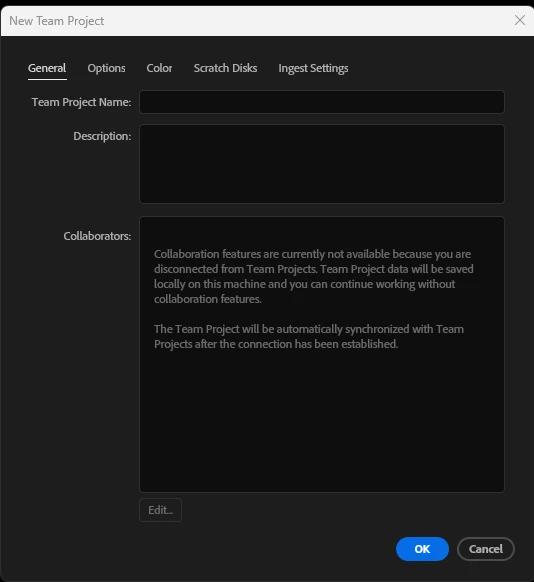
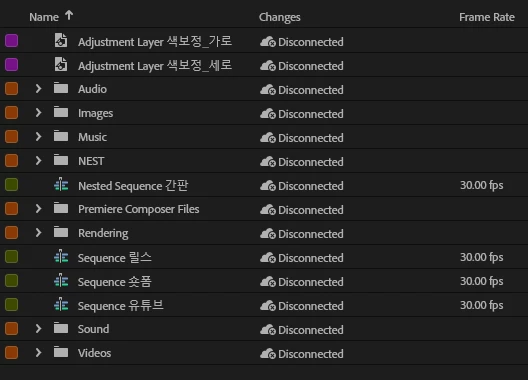
- Symptom: Team Projects remain stuck in the "Disconnected" state indefinitely. Creating a new Team Project also fails or stays disconnected upon creation.
2. Comprehensive Troubleshooting Performed (All Failed)
- Credentials & Auth Reset:
- Cleared OOBE, NGL, OperatingSystemId, and IdentityCache folders.
- Removed all Adobe-related credentials in Windows Credential Manager and performed clean re-logins.
- Application & Storage Cleanup:
- Used Adobe Creative Cloud Cleaner Tool.
- Cleared Media Cache and Team Projects Cache (
Team Projects Cache&Scratch Disks). - Downgraded Premiere Pro to previous stable builds (25.x / 26.x).
- Network & System Level Isolation:
- Tested on completely isolated Mobile Hotspot (with physical Ethernet and local Wi-Fi disabled/disconnected).
- Tested under commercial VPN (bypassing local ISP and regional routing).
- Flushed DNS (
ipconfig /flushdns), reset Winsock and IP stack. - Disabled Windows Defender Firewall. No 3rd-party antivirus/security software is installed.
- Changed IP addresses and router settings.
- Adobe Support Session:
- Had a remote support session with Adobe Technical Support. The technician performed remote diagnostics but was unable to resolve the issue and advised posting on the Adobe Community.
3. Technical Insight / Suspected Cause
Since the issue persists across completely independent network environments (Mobile Hotspot, VPN) and across brand-new hardware with fresh Windows OS/Adobe installations, this does not appear to be an ISP, router, or account-specific licensing issue.
It seems that the background process TeamProjectsLocalHub.exe is failing to bind to local loopback ports (127.0.0.1 / localhost) or experiencing a deep backend session deadlock on the server side.
4. Request
We are currently forced to rely on local project conversion and Project Locking as a workaround, but we desperately need Team Projects functional for our real-time collaborative pipeline.
Please let me know how I can provide Adobe Log Collector logs or system diagnostic files so an engineering team member can analyze the local process/hub binding failure.
Thank you for your assistance.
 AdChoices