

AndrewTheGreat
Known Participant
June 8, 2026

Pr 26.2.2 media wrong order when placed on timeline

  • June 8, 2026
  • 1 reply
  • 16 views

Premiere 26.2.2 keeps putting the first 5 clips in a folder in the list view at the end of the timeline when the whole folder is dragged onto it:
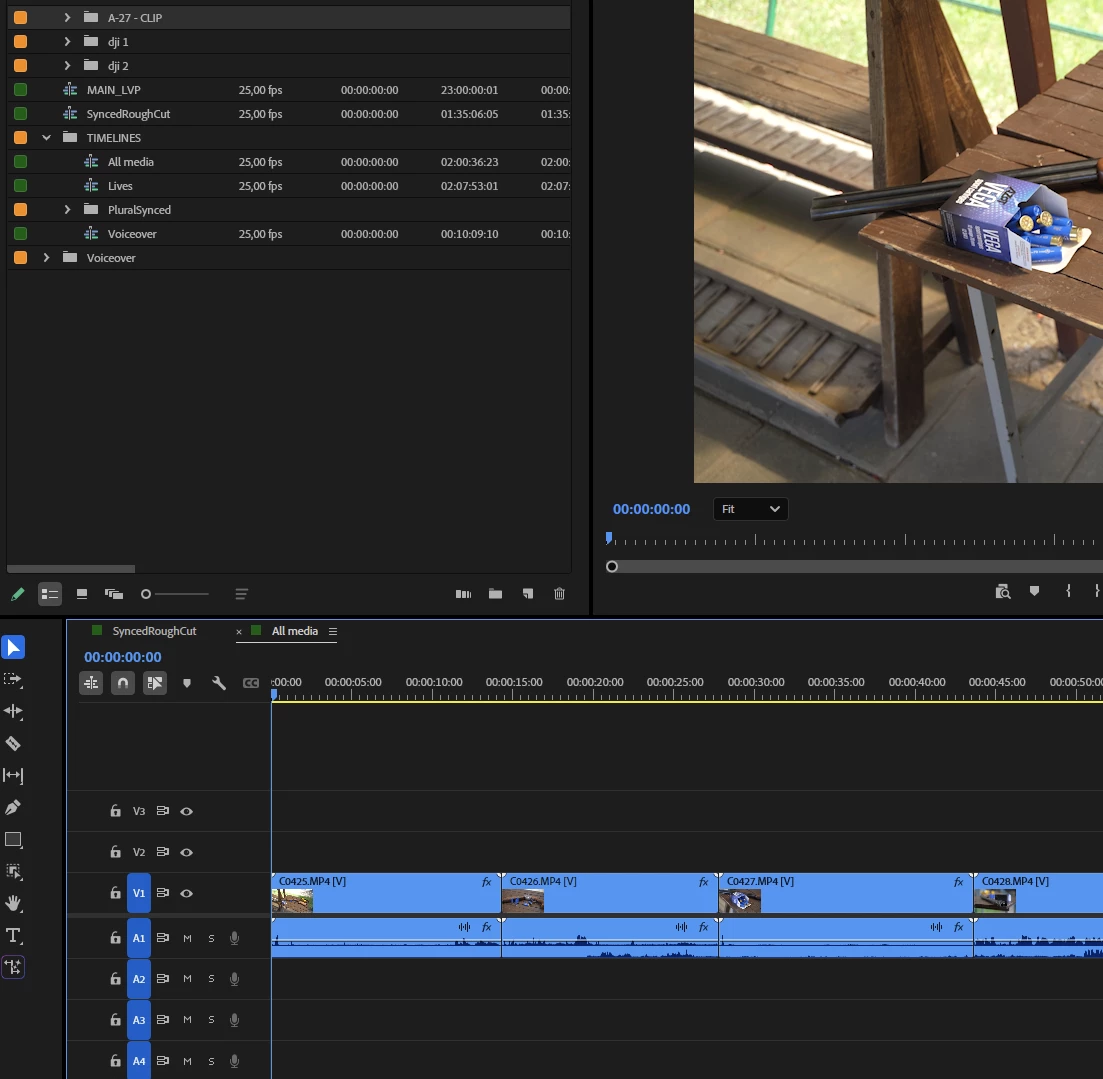
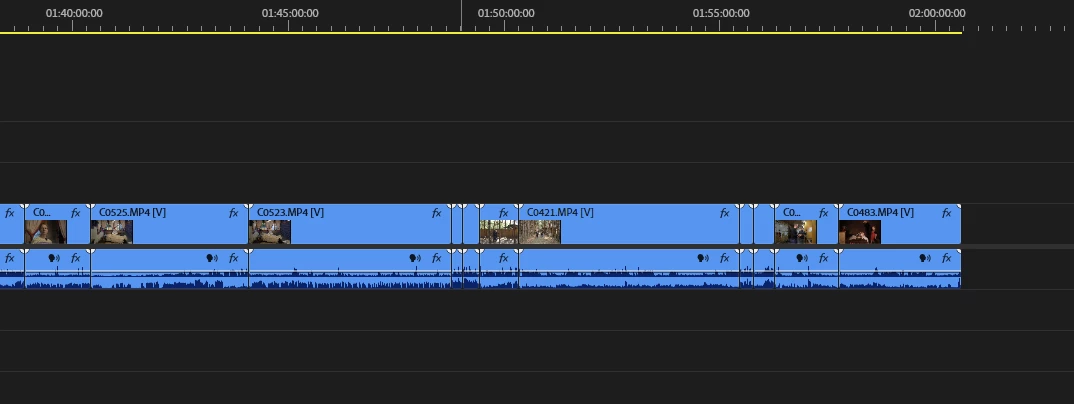
Here you can see the clip count starts from C0425. The first clips are at the end and even so their order is messed up:
 

In order to make the order correct you have to select the first clip in the folder:
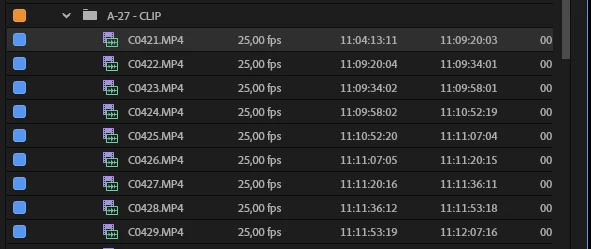
then scroll alllllllllllwaaaayyyydooooowwwwwn to the bottom of the ckips list and then select the last on with Shift. And only then put the files in the timeline - this way the order is correct.

NB: you cannot change the sort order type when in the list view.

    1 reply

    Amy the Stuv
    Community Manager
    Community Manager
    June 11, 2026

    Hi again ​@AndrewTheGreat ,


    I’ll see if I can recreate this on my end and reach out to our internal team about the order of dragging bins into the timeline for stringouts. You’re right, it should drag in the order the bin is sorted into.


    In the meantime, you could double click the bin to open just that bin container in a new panel and then use Cmd+A on a mac and Ctrl+A on a PC to select all clips in that bin container, then drag into the timeline instead of Scrolling + Shift Clicking.


    It could help me to have your computer specs if I have to file a ticket for this or your other post. Specifically 

    • Operating System: Specify Windows or macOS, along with the version.
    • GPU Driver (Windows only): Please let us know your video card driver version. We recommend updating to the most recent version; for NVIDIA users, we strongly recommend the Studio version of the driver.
    • Video Format: If the issue relates to playback or export, please specify the format (and ideally share a sample video).

    Looking into this,

    Amy Stuvland