

AndrewTheGreat
Known Participant
June 5, 2026

Pr 26.2.2 Text styles not saving properties

  • June 5, 2026
  • 2 replies
  • 72 views

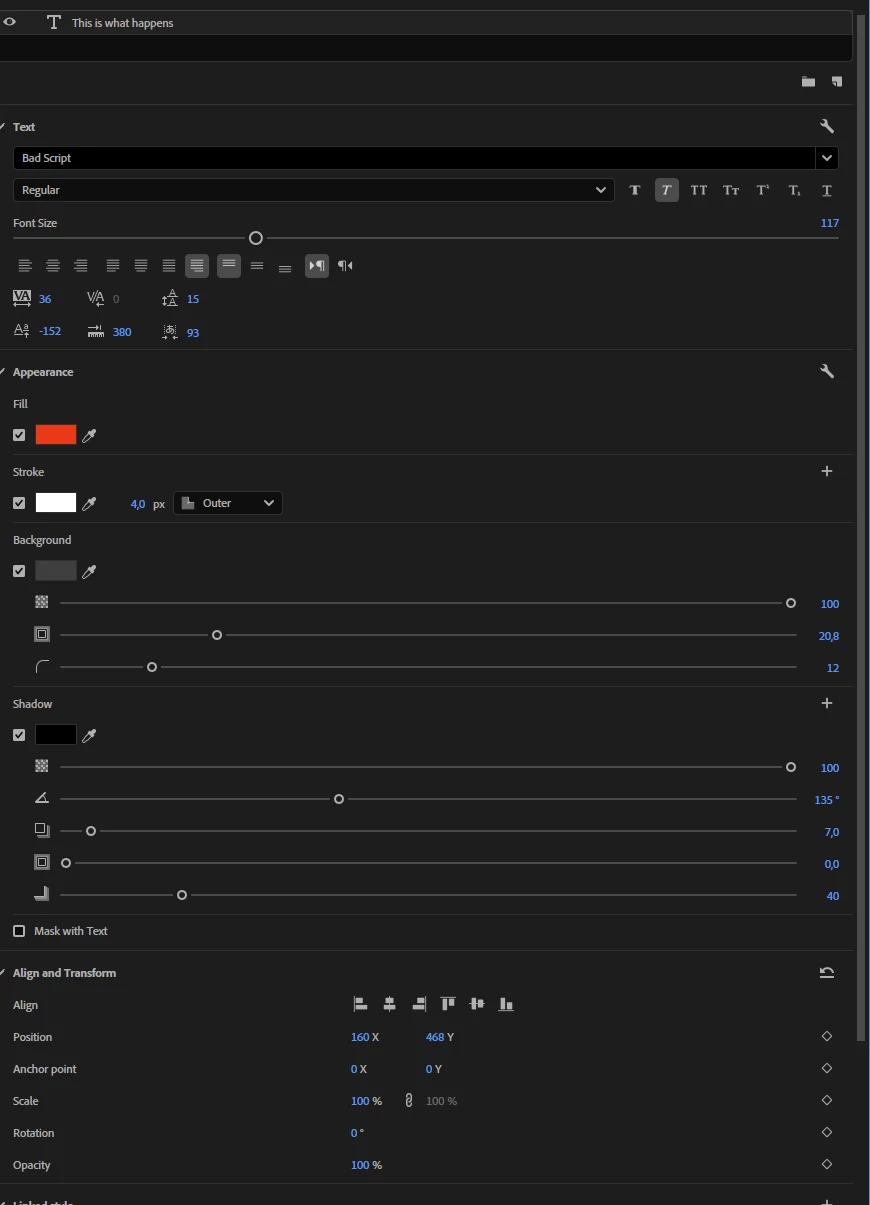
Text styles don’t save all the TEXT properties which leads to them being useless unless you use them for simple things that could be done by hand. Here’s a test layer nearly every property of which has been changed:
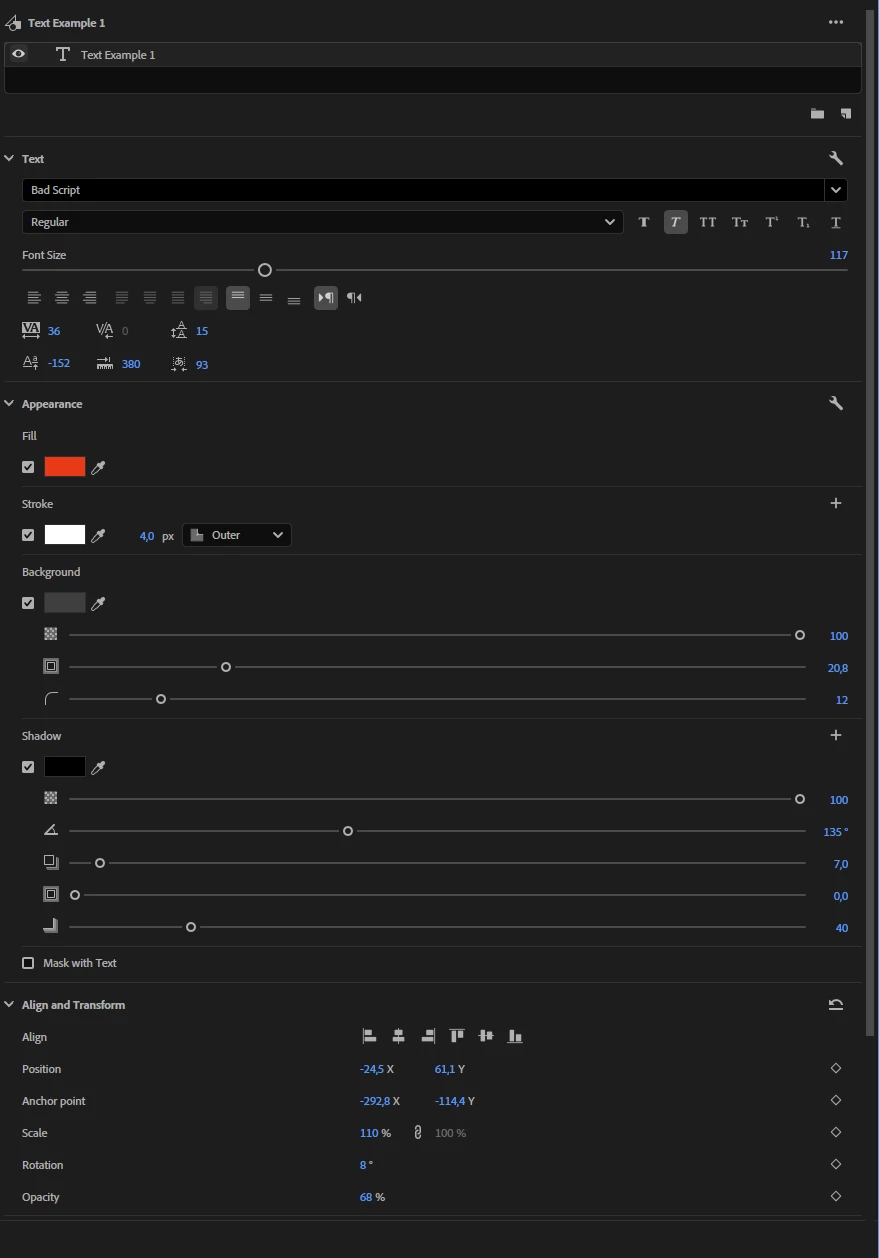
Here’s the copy of the original text layer to which I applied a saved text style from the first one:
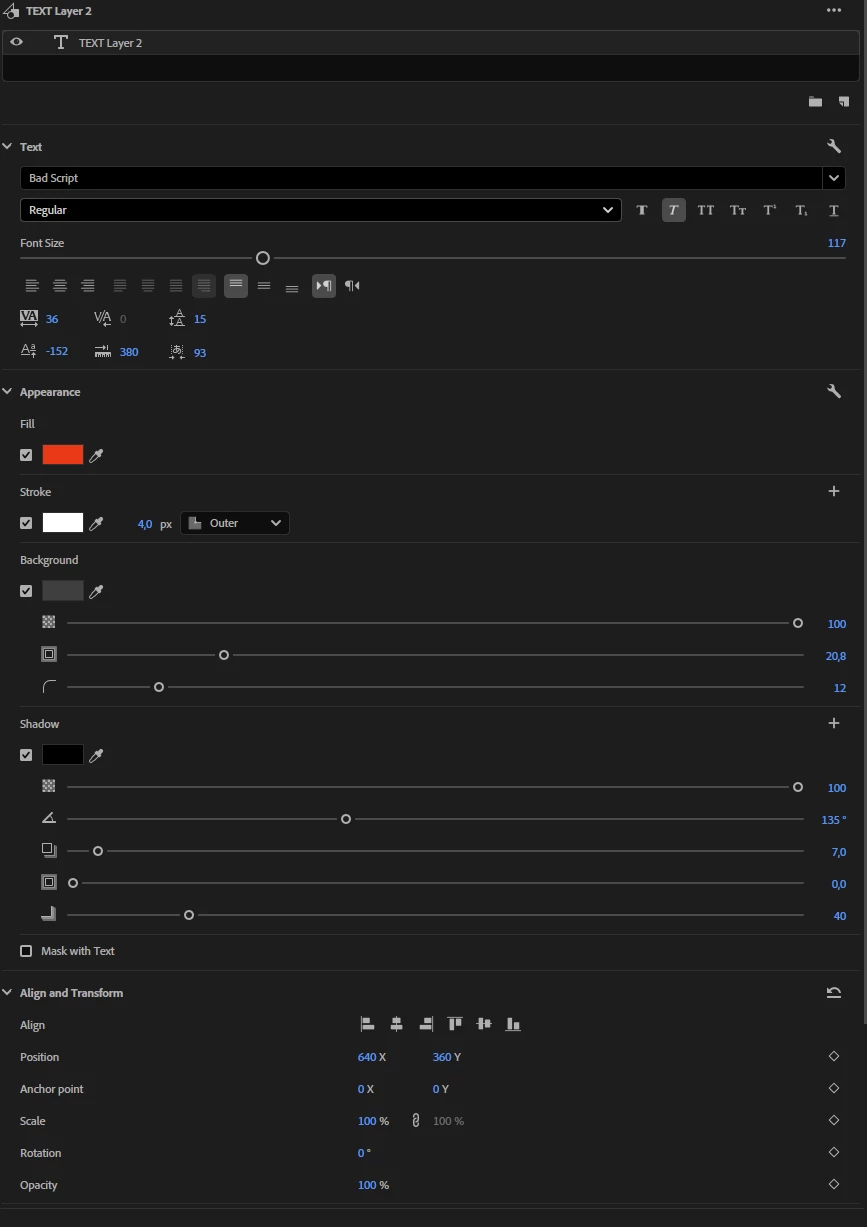
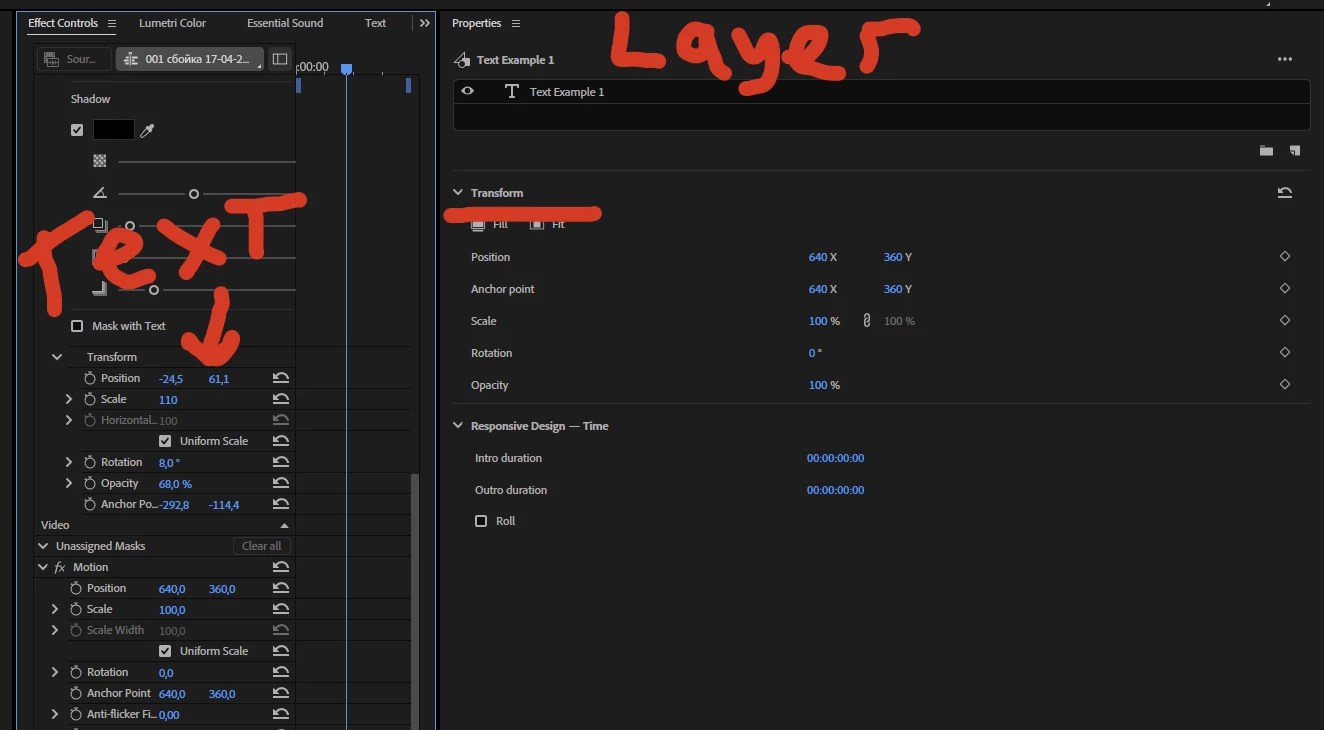
The Align and transform properties are not changed accordingly. You could say, why should they, they change the layer transform properties, but see, they are not - the layer transform properties are here:
 

Furthermore. If I make a transcribation of someone’s speech, make subtitles and upgrade them to graphics and then apply the same text layer style to every piece of text, this happens:
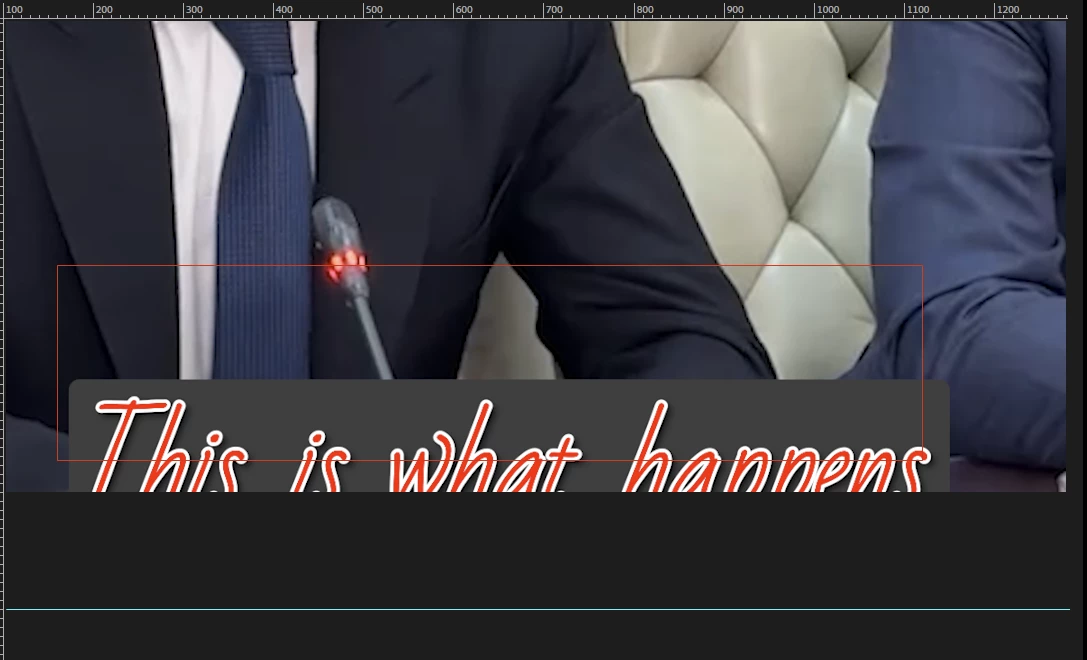
So the properties are not inherited and changed every time and in every scenario. The same happens when you have a text style imported into the project bin. It especially happens with subtitles - I always end up moving and scaling them manually, but guess what you cannot change settings in a group of text layers simultaneously because:



Why I would expect is if I create a text style in the way that text is displayed in the middle of the screen in 45% of scale no matter what I do once I apply the saved text style to one or several text layers - no matter in which way, as a linked style or from the project bin - my text should be pinned with needles to the position saved in the text style and the scale and every other parameter should be identical.


This really needs to be fixed.

    2 replies

    AndrewTheGreat
    Known Participant
    July 8, 2026

    Just another illustration why it does not work at all. I created a text style with font\size\color\position AND the text frame width like this:

    Note the red text frame - this is where the text should be and how wide the frame should be.

    I import a new set of subtitles and apply the said text style on import and this is what I get:

    Note the position and the frame size.

    And thus I not only have to correct the subs position bet also the amount of letters per line with this text frame. Imagine dong it like a hundred times a day.


    Stop trying to edit and EDIT!
    AndrewTheGreat
    Known Participant
    July 11, 2026


    Stop trying to edit and EDIT!
    Amy the Stuv
    Community Manager
    Community Manager
    June 11, 2026

    Hi ​@AndrewTheGreat 


    Thank you for returning. I hope I’m understanding your issue correctly as I believe I have a workaround for you.


    My understanding is that you have a Saved Text Style that you wish to apply across multiple Graphics that are created from Captions. You want to be able to adjust the Align and Transform properties across multiple selected clips after you apply this (because something is happening where they are being repositioned incorrectly.)


    I do see the Transforms in the Properties panel is not reflected in the Effects controls panel -> Text Transform, which I have recreated on my end and will reach out about why these behave differently in different scenarios.


    My work around for affecting a simple bulk repositioning would be to 


    Step 1) In Effect Controls use the fx Motion -> Position to get one graphic realigned to where you want the others to be (since they are getting repositioned below the frame I see)


    Step 2) In the Timeline, Right click that Graphic -> Copy


    Step 3) Use the Text / Graphics Panel to select all Graphics


    Step 4) In the Timeline Right click selected Graphics -> Paste Attributes and choose “Motion”


    This will bulk bring them all up in the frame but you’ll still want to go through and check them all. I’ll keep digging into why the Align in the Properties panel does not update in the Effects Controls panel for Text.


    I would suggest changing the styles in the Captions Phase before promoting to Graphics if you want the Properties panel to adjust them all uniformly, because you are correct that Graphics act independently of one another. 


    Thank you for pointing this out!

    Amy Stuvland

    AndrewTheGreat
    Known Participant
    July 8, 2026

    Hi, ​@Amy the Stuv Any updates on this? Is this issue planned for fixing?

    Stop trying to edit and EDIT!