
Premier 2027 / After Effects 2027 Color Transfer Inconsistencies with Dynamic Link
So in Premier Pro 2027 I have experienced a dynamic link issue with After Effects in which my color (used the new color mode) is not transferring to AE or back into Premier as it originally looked.
Here, is the original color in premier pro window:
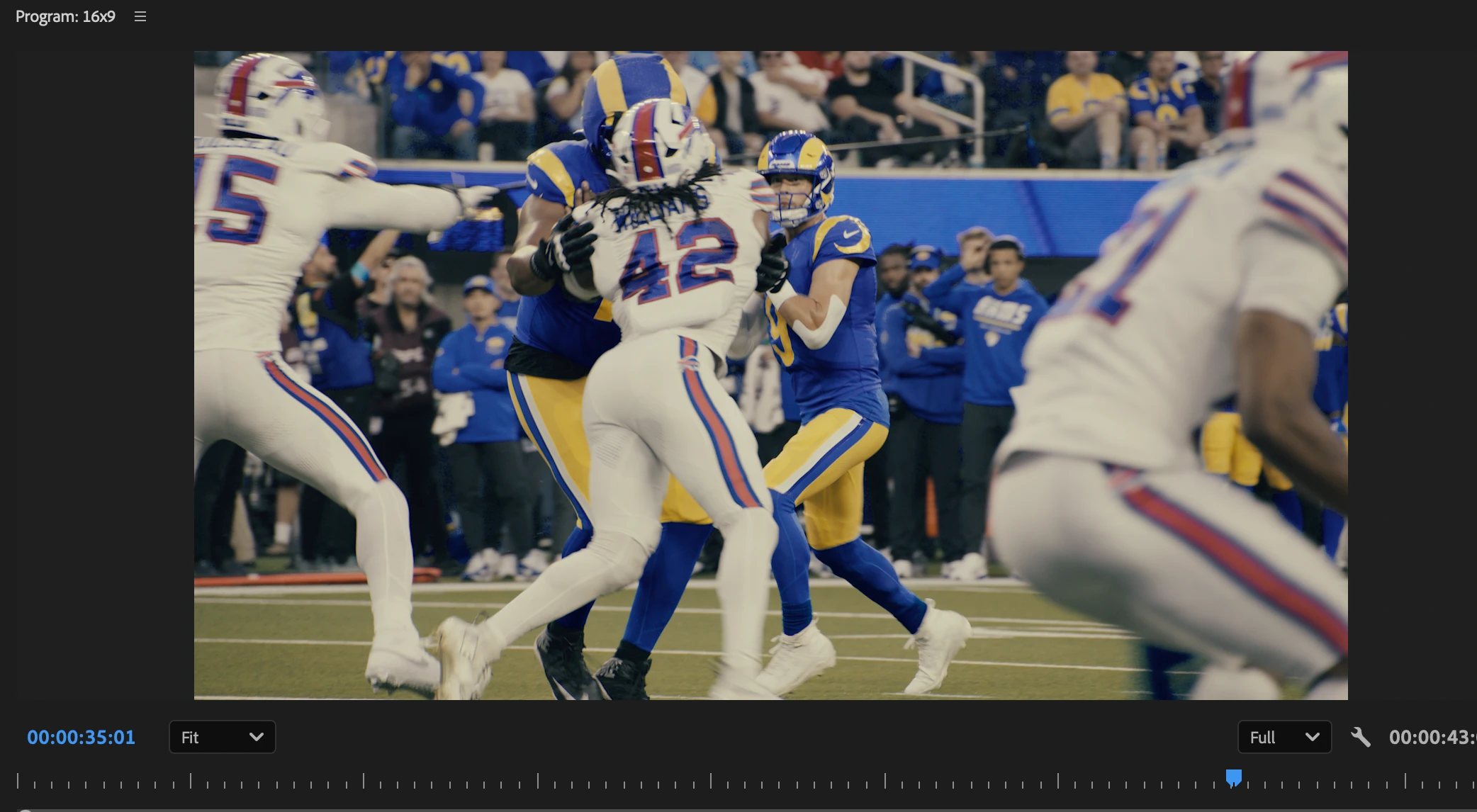
Here is the color in After Effects after doing “Replace with After Effects Composition”. It also looks the same when linked back onto premier.
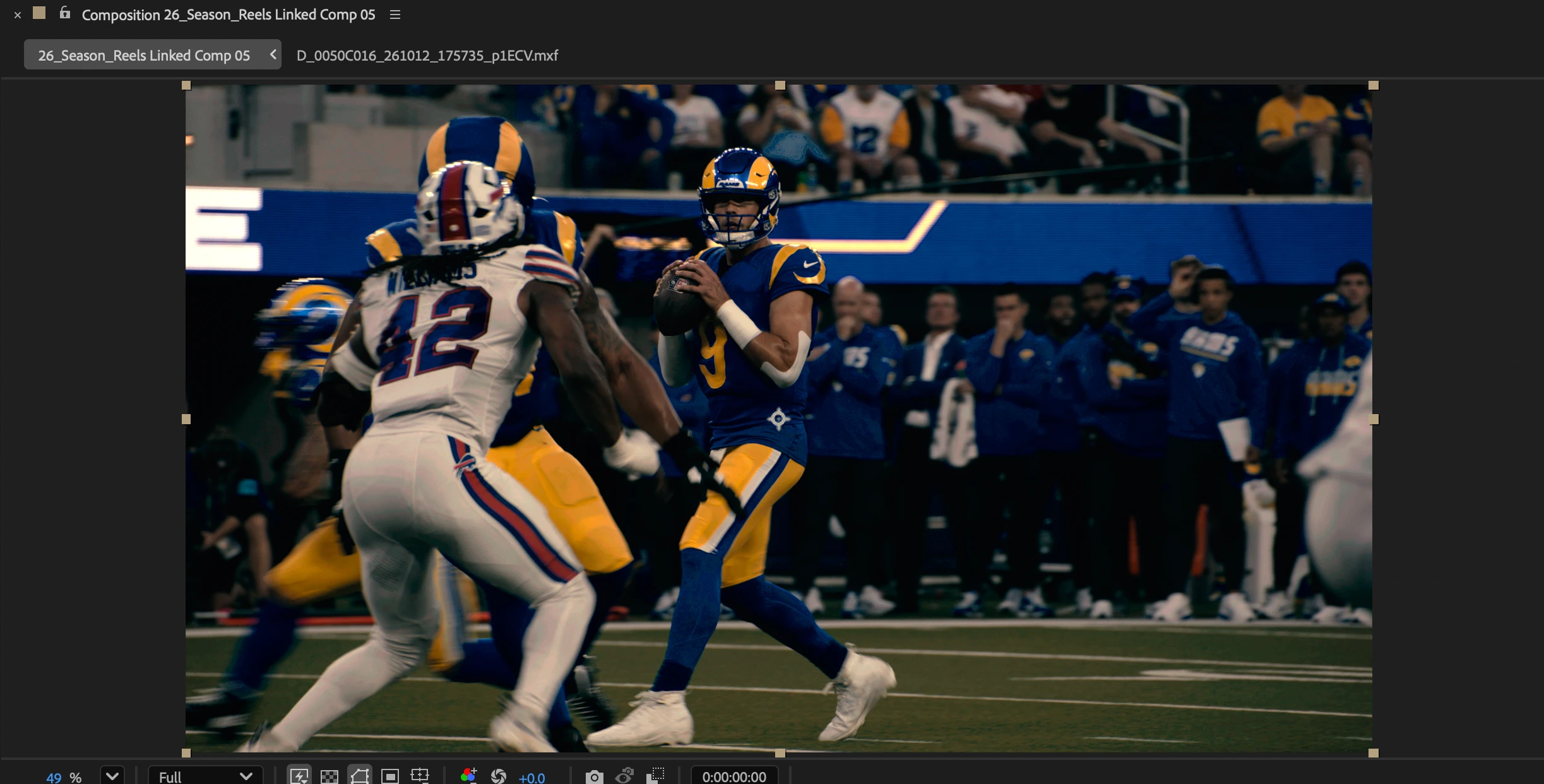
As you can see it’s night and day. No changes were made by me at all.
I also tried deleting/removing the color mode changes in Effect Controls inside of After Effects to make the clip “raw”. When I put the color back onto the “raw” dynamic link clip, it still has this same ugly look to it!
This is an issue I have not had in years past and it is quite frustrating.
 AdChoices