
Premier Pro 2024 Keeps Crushing and the Screen Glitches
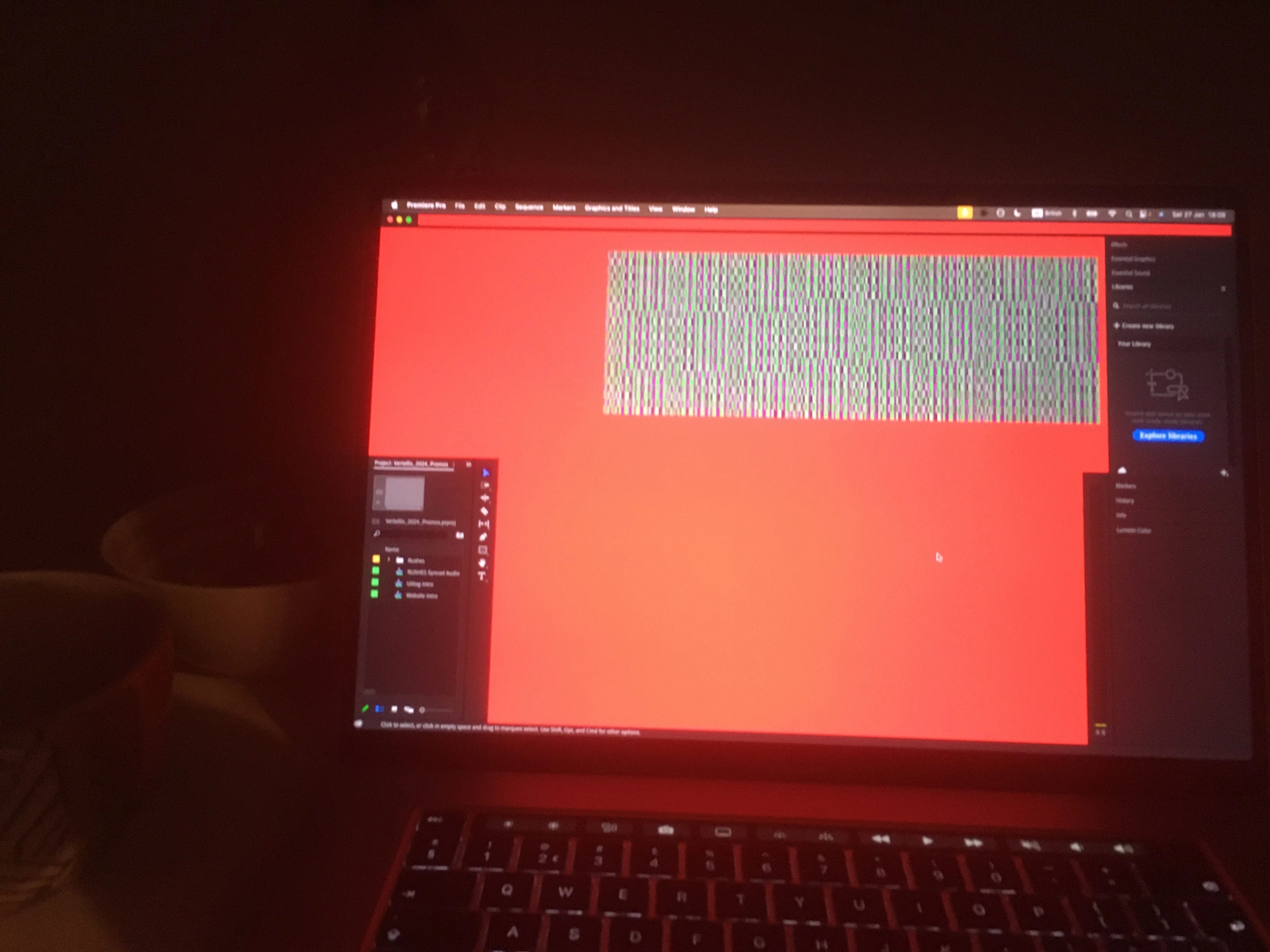
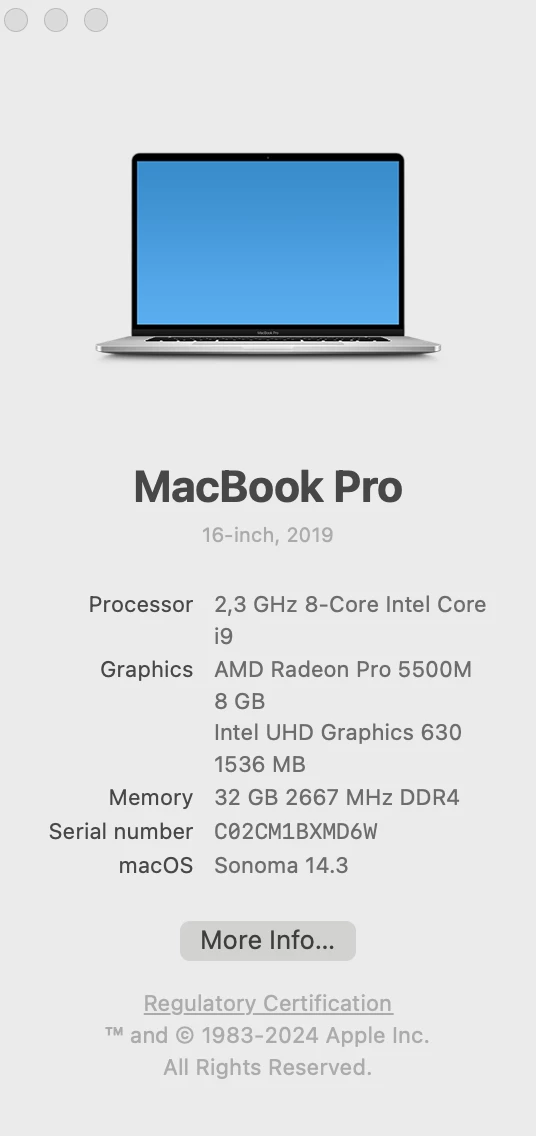
My Premier Pro 24.1.0 keeps crushing when I do the simplest actions such as extending or shortening clips on the timeline by click and drag, extending audio/video transitions on the timeline by click and drad, using Lumetri Colors etc. For every action I take I need to wait for a few seconds otherwise the Spinning Wait Cursor appears and sometimes the whole program including mouse, keeboard become inactive and the only thing is left to do is to use the Power Bottom. I also had a few time glitches on the screen (see the attached image). Note that I work with Proxies and Preview on 1/2, considering the stenght of my laptop it shouldn't be so slow. I have a MacBook Pro 16 inch 2019, 32 GB RAM (see the image for more info)
The issue remains although i did the following
- Dealeteing all the Caches and User Settings by holding Option while lunching Premier
- Unistalled and re installed the latesed versions of Premier
-Reinstall my MacOS
I have read here that many people have problems with Premier 2024 but haven't come acrross enyone with a screen glitch.


 AdChoices