
Participant
April 30, 2025

Premier Pro error -1609629695 impossible to change GPU

  • April 30, 2025
  • 3 replies
  • 456 views

Hello community, 


I'm trying to export my project, and it gives me error -1609629695.

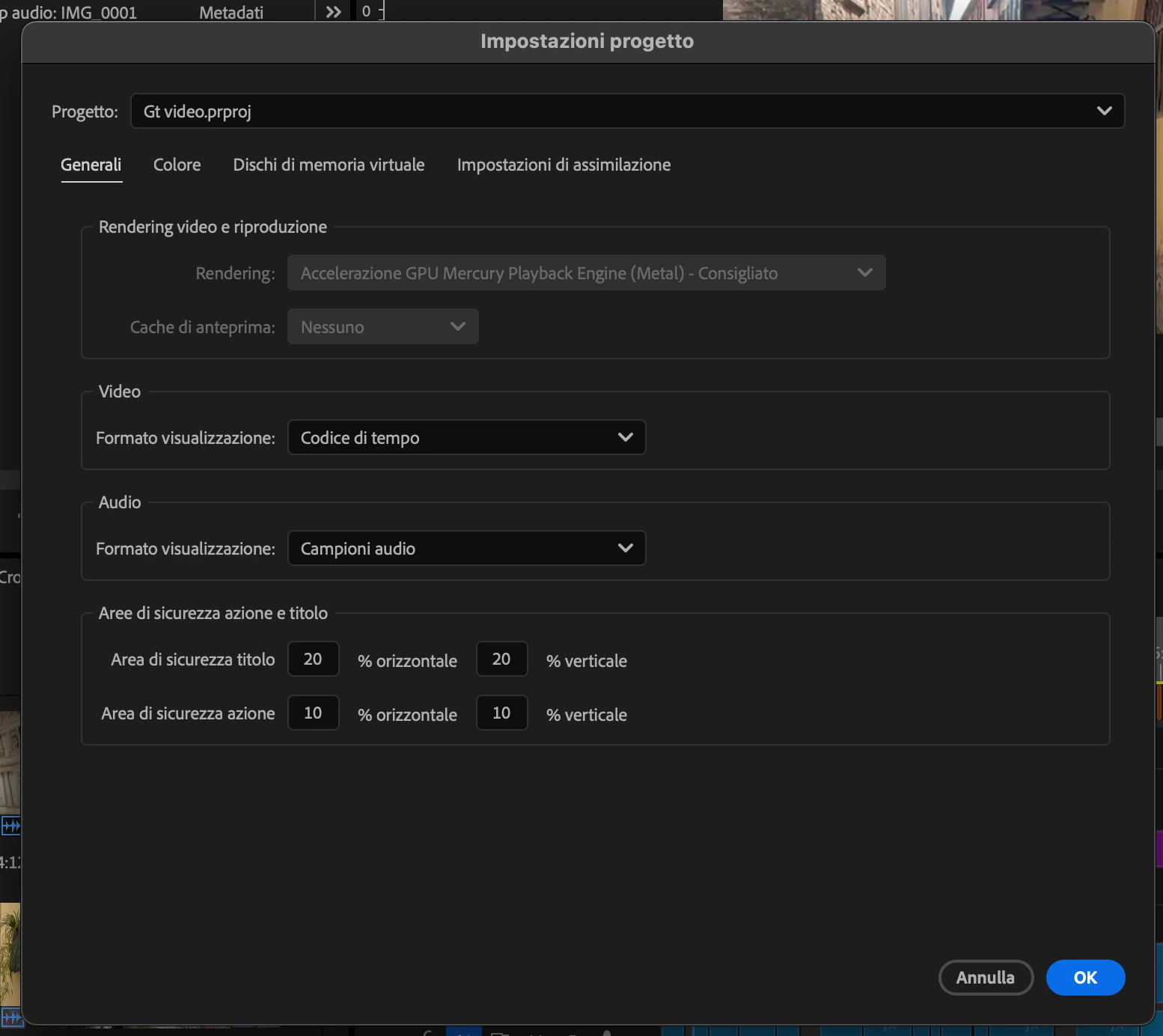
I learned from another discussion that I have to change the GPU settings from File > General 

The issue is that it's impossible to change, as seen in the photo below.

I'm using a Mac.


Please Help
 

3 replies

jamieclarke
Community Manager
Community Manager
April 30, 2025

Updating Status to Acknowledged

jamieclarke
Community Manager
Community Manager
April 30, 2025

Hi @simonetta_2671 - It looks like the issue is caused by a text graphic placed over a PNG file. Nesting those layers should resolve the error and allow the export to complete successfully.


To nest them:

1. Select both the text and PNG layers in your timeline.

2. Right-click on the selection and choose Nest.

3. Give the new nested sequence a name and click OK.


This will group the layers into a single sequence and help Premiere process them more cleanly during export.

jamieclarke
Community Manager
Community Manager
April 30, 2025

Hi @simonetta_2671 - We have removed the option for software rendering in version 25.2 you can read more about it in this article Learn more about the removal of software rendering options.

We’re working to address the kinds of issues that are typically resolved by switching to software rendering. Would you be able to send me just your project file so we can take a closer look and help troubleshoot? You can email it to jamiec@adobe.com