

Premiere 26.2.2 Infinite peak generation you cannot cancel
I’ve had this bug since 26.2 and thought it would be fixed in v. 26.2.2 but it wasn’t. I have a huge project with several K media clips in different formats, mainly mxf, mp4 and mov. They all were given to me by a TV company, so they now how to shoot, trasncode and do other stuff with videos.
The problem is that after I had imported all the videos I was to work with into the project, Premiere started to generate peaks to all of them and for several files it failed to do that. Now every time I launch this project Premiere does this:
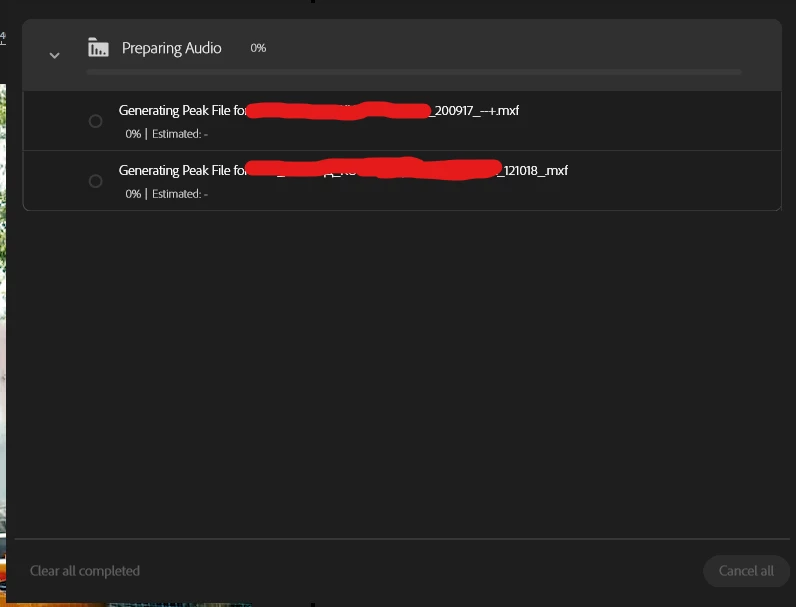
The process of generating peaks never starts, always hanging on that 0%. You cannot cancel it. And I would never pay attention to it if my CPU wasn’t roaring:
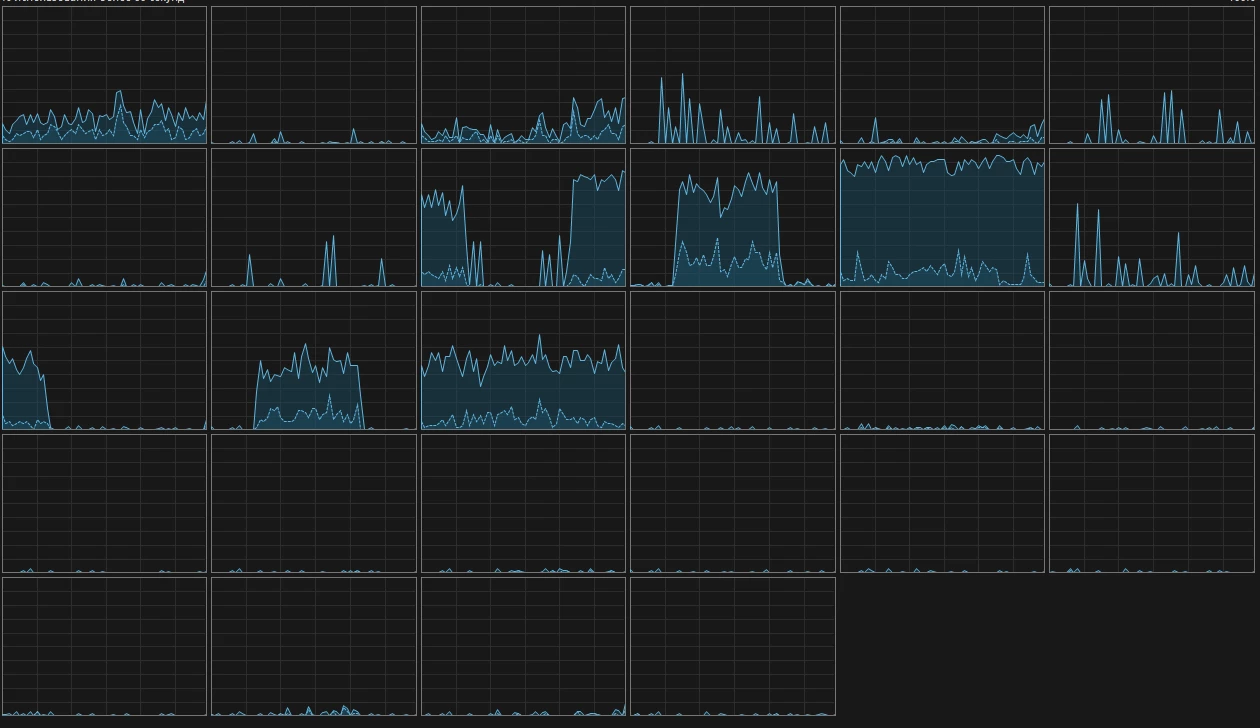
Premiere certainly does - or rather tries to do - something but it never starts and never finishes.
Yes certainly I can try and transcode these two MXFs to something else and it will solve the problem, this is not what I need help with. The problem is that YOU CANNOT CANCEL this process. You can see in the screenshot that the Cancel button is inactive.
Adobe, please, fix it. When such situations happen a user should have means to just cancel it. The most striking thing is that I don’t even use these two files in my timeline (but I need them), nonetheless the files make Premiere loaded somehow.


 AdChoices