

AndrewTheGreat
Known Participant
June 23, 2026

Premiere 26.2.2 memory leak

  • June 23, 2026
  • 2 replies
  • 25 views

Hi. I’ve seen this reported multiple times in 26.0 and 26.0.2 but now I’m having this memory leak issue in 26.2.2 myself.
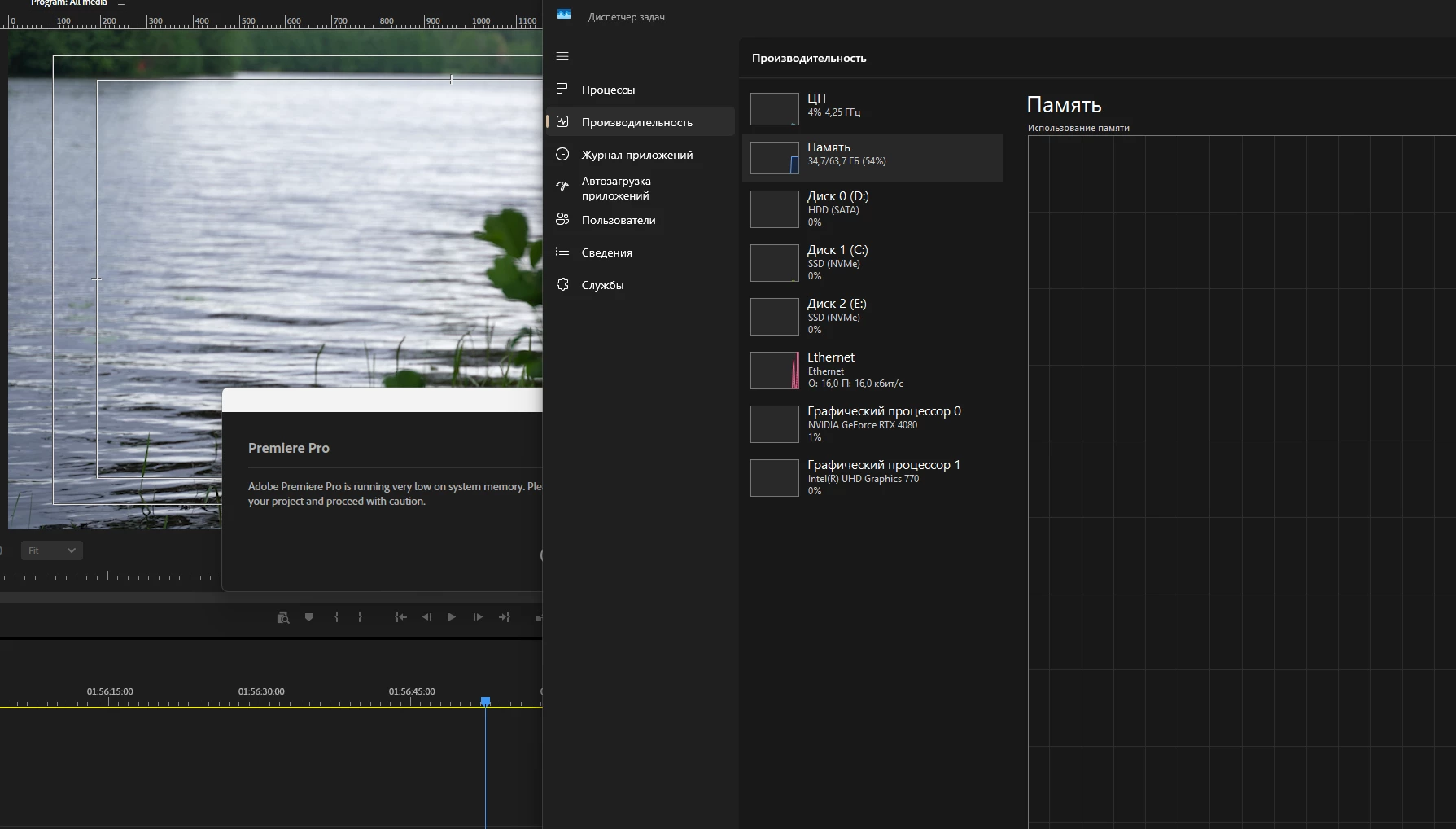
Memory leak with a half of RAM free

Important: I have 64 Gb of ram. Every time this issue happens I check the ram usage and it’s never above 36-38  Gb in total, coupled with all the other system apps. I also checked it with HWInfo which records parameters over time and when the issue happens the RAM is still half free. It happened several times all of a sudden while I was scrubbing the timeline. I normally work with 2 timelines so it might be the cause:
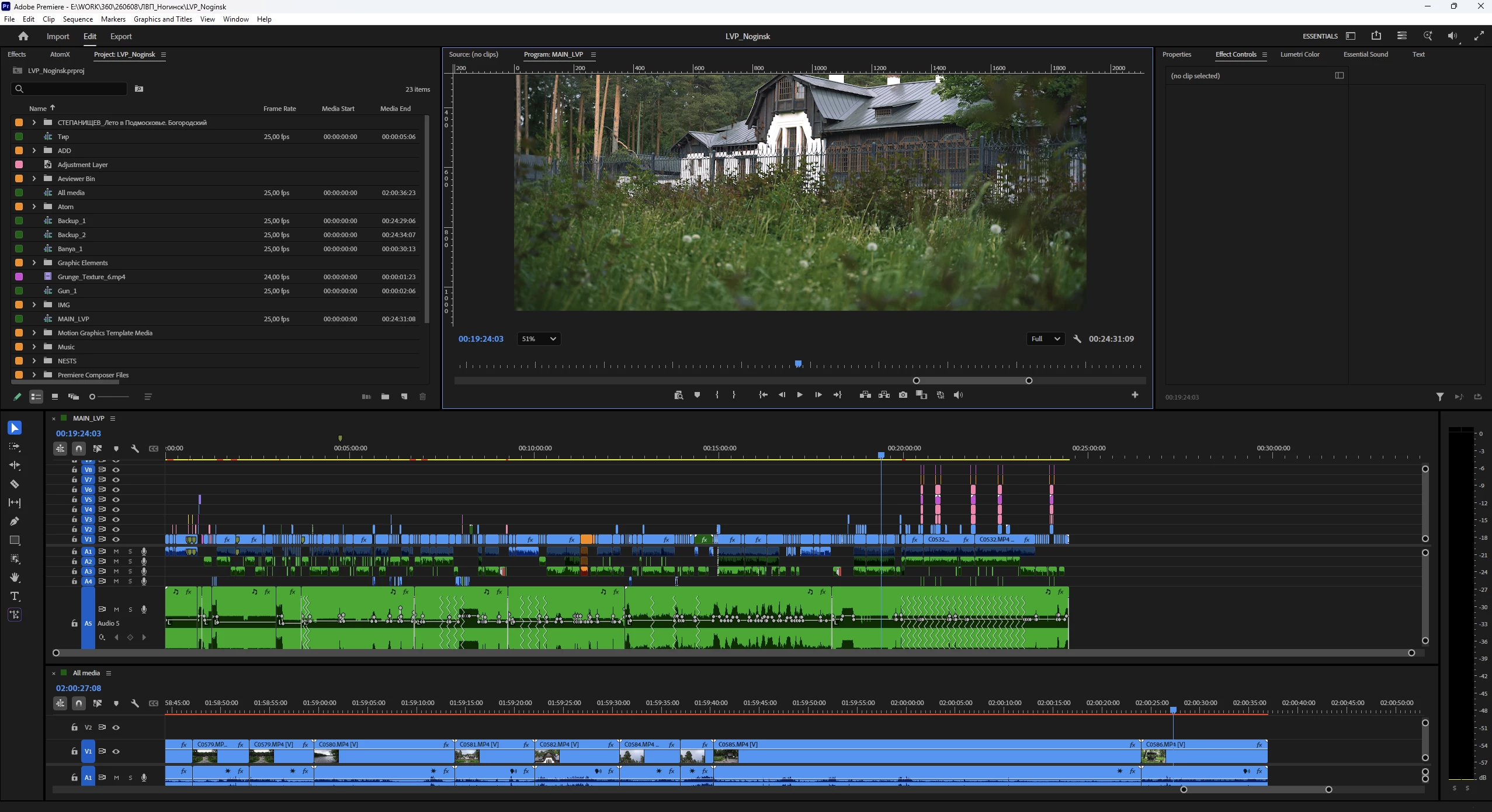
My two-timelines workflow

I should also mention that I updated to Win 11 26h1 from 25h2 recently so it might be a cause too because I had never had memory leaks before.

My PC: 14700K, 4080, 64 Gb of Ram, half free SSDs. I have some media on my HDD too, like overlays and my sound library but I use them quite seldom and like 3-5 pieces a project.

My media used is different, mainly my channel’s MXFs and MP4s and MOVs from different cameras.

And no I cannot update to Pr 26.3 amid projects.

    2 replies

    Participant
    June 26, 2026

    Olá, esse bug está acontecendo comigo tb! Estou usando a versão 26.3 (utilizo um macbook pro M5)

    Em pesquisa na internet pude constatar que muita gente tem enfrentado esse mesmo problema!

    Gostaria de saber se existe uma previsão para uma nova versão que realmente corrija esse bug.

    Não encontrei nenhuma solução, há não ser editar salvando o projeto constantemente e sempre que ocorrer o travamento encerrar o programa e abrir de novo.

    Isso não é legal, muitas vezes acaba esquecendo de salvar e perde boa parte do projeto.

    Fico no aguardo de uma solução ou disponibilidade de uma nova versão.

    Obrigado

    Amy the Stuv
    Community Manager
    Community Manager
    June 23, 2026

    Hi ​@AndrewTheGreat ,


    Good to see you again. We understand not wanting to update amid projects, but going from 26.2.2 to 26.3 is staying within the same versioning. If you wanted to copy a project to test, that could be worth trying as you can always reinstall the earlier version and go back to the original project, although it shouldn’t alter the original project but you can always make a copy out of an abundance of caution.


    I’ll reach out and see what I can find.


    Best,

    Amy

    AndrewTheGreat
    Known Participant
    June 24, 2026

    Hi, ​@Amy the Stuv I have a bad experience of changing Premiere amid project staying within the same versioning, so I’d better not. Besides in my practice updating to a newer version in which there’s no clear indication of my exact issue having been fixed never changed anything. Please investigate this issue, ‘cause it’s not just me with it.

    Stop trying to edit and EDIT!
    Amy the Stuv
    Community Manager
    Community Manager
    June 25, 2026

    Hi ​@AndrewTheGreat 

    I do believe you are experiencing this issue. The team is wondering if we could have just the project file to look at? I will DM you an upload link to send it if you’re willing and able. 


    We did fix some memory usage issues in version 26.3, which is why I suggested making a copy and trying it out. You can always reinstall an earlier version.


    Hoping to help,

    Amy