

Premiere + BorisFX = insane lags
Hi, I know that the title implies I should post it on BorisFX forums (which I also did), but I’d post here too since Adobe should cooperate with BorisFX in order to solve their common problem.
The problem lies in insane performance drop when BorisFX plugins are used in Premiere Pro.
Here’s a screenshot of a single BCC Film Glow:
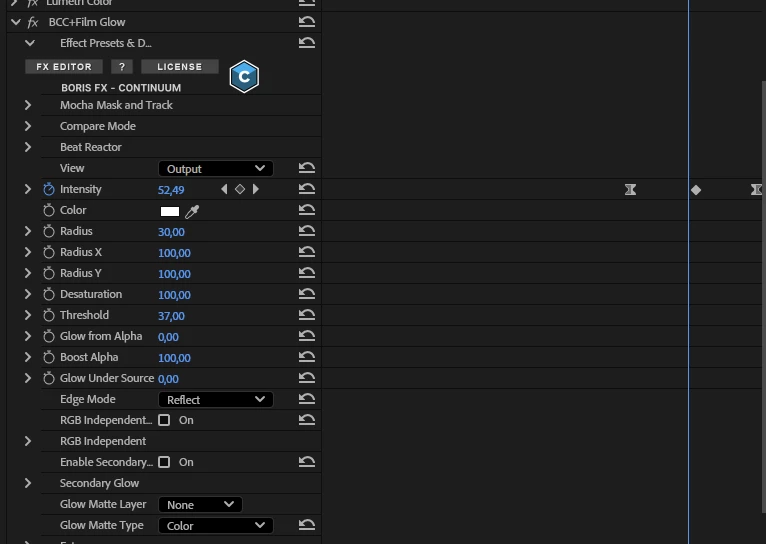
Just one property is animated with 3 keyframes, and the timeline shows this already:
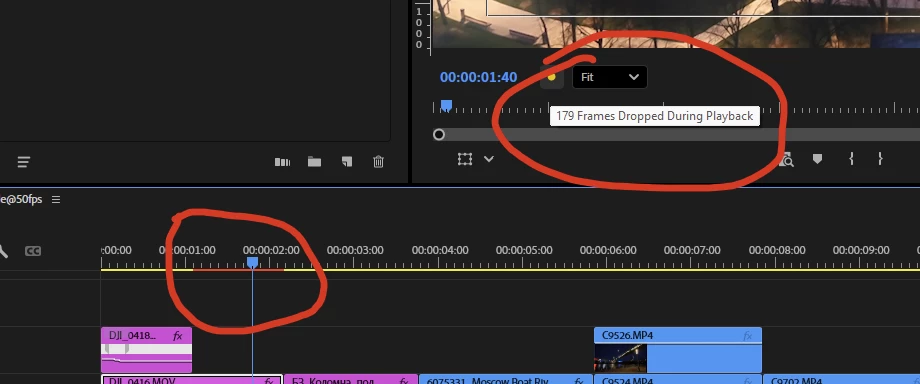
In a FHD sequence with a 8-bit 420 4K clip in h264. I can assure you that the long-gop here is not the problem. I have a 14700K-RTX-4080-64Gb PC which plays back 9 physical copies of this staff with no frame drops but a single BorisFX effect nails my system down. And it happens with any BFX effect.
I have no problems with any other third-party plugins, Film Impact here can even be used in batches and no playback issues at all. But BFX are just the worst performers, any of them.
And I checked the same BFX plugins in Davinci and magically there are no issues there. All the BorisFX effect are played back in real time and render fast, so it’s a Premiere Pro specific issue.
For those who will ask this - I have BCC v19.0.1 but the plugins version does not matter at all since the problem just accompanies these plugins since their first day, I think. Something must be done here.


 AdChoices