

Premiere is imprinting artifacting on my after effects render
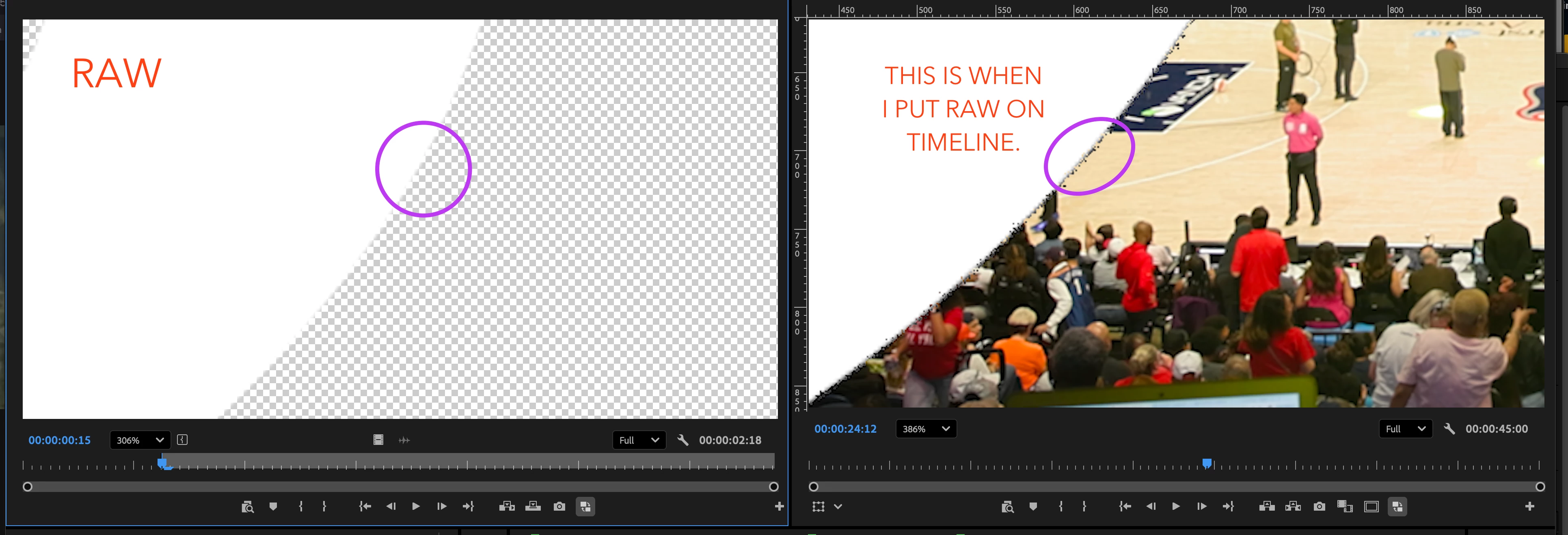
Premiere is imprinting artifacting on my after effects render. I’ve reported this issue several times. I render something out of After Effects. bring it into adobe premiere. looks fine in the source monitor of premiere. then you lay it down on the timeline and it has all these weird artifacts on it. look at what i circled in the attached screenshot. I drag that same MOV render back into after effects and the artifacting isnt there. I cleared my cache in AE and premiere. that didnt fix it. re rendered the gfx from scratch. same result. I’m using Premiere 2025 (version 25.6.6 Buil 5) and After Effects 2025 (Version 25.6.6 build 4). Do not ask me to try to use a later version of these programs. The company I work for has asked that I use 2025 because they have not upgraded to 2026 and cant open those projects.


 AdChoices