


Participant
May 21, 2024 9:27 AM UTC
Needs More Info

Premiere Pro 2024 not working after Mac system update

I have tried updating my Mac's operating system to both macOS Monterey and macOS Ventura so that I can update my Premiere Pro to 2024 however I am getting the same issue. The main issue is that I cannot view any files withtin the programme, all I'm getting is gren glitchy screens which you can see below:
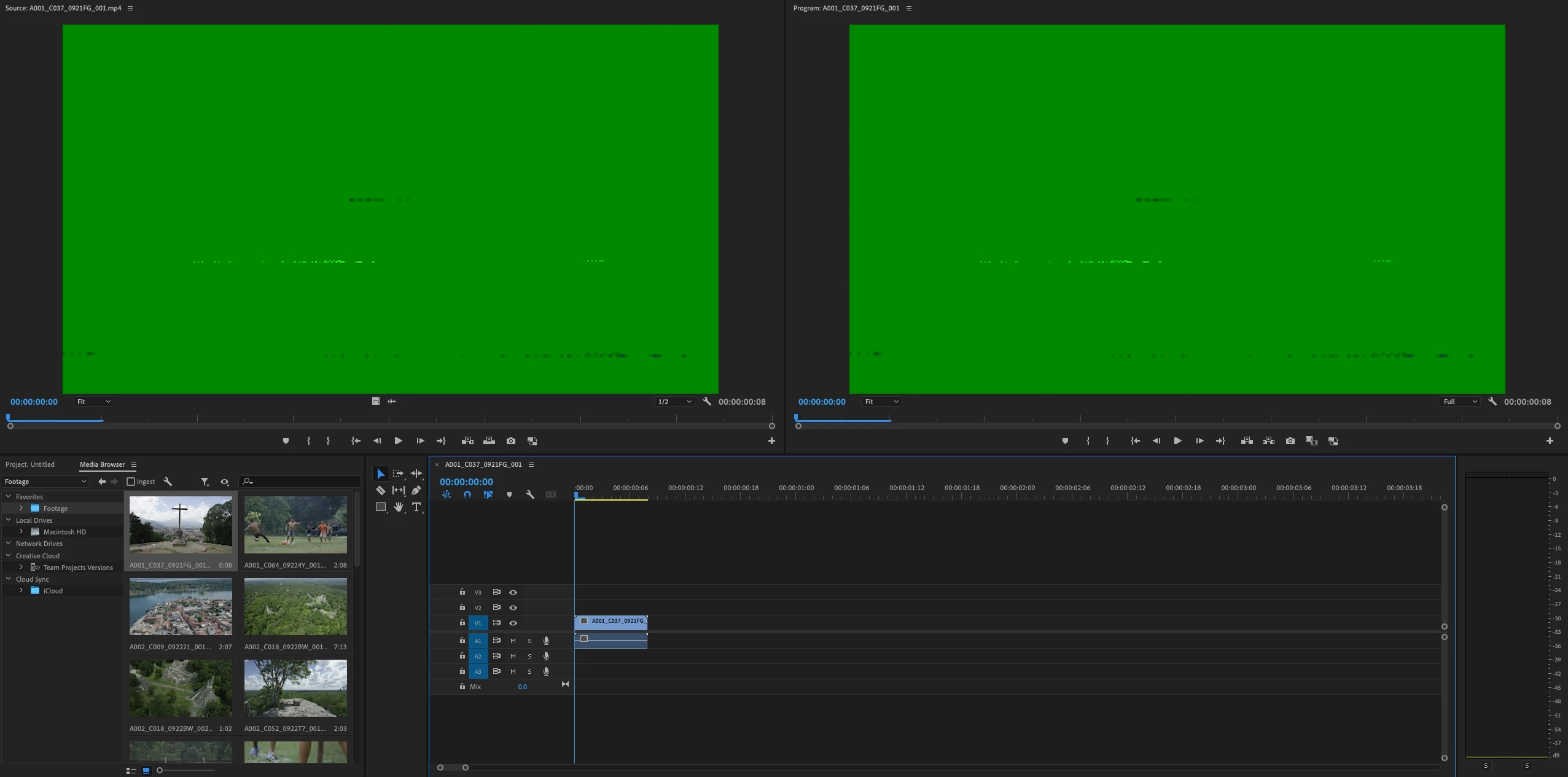


After Effects seem to be working fine on Ventura but I was still having issues with the Media Encoder but now the system is on Monterey the AE programme is also having issues. 


For reference these are the Mac details for graphic card etc. as far as I can see I have enough at 4GB
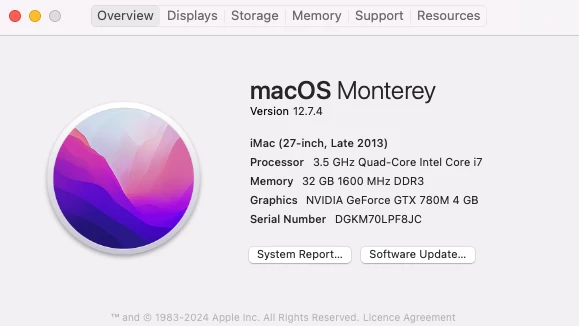
 

Any help would be highly appreciated!

This topic is closed to new replies. Start a new post to keep the conversation going.

3 replies

Participant
Sep 24, 2024 7:12 AM UTC

I've been having many issues since the Mac OS update and it is not allowing me to Update the app so GPU might be this person's issue, but clearly is more than user faliure...............

Translate
Bruce Bullis
Legend
May 21, 2024 1:50 PM UTC

Are you using the recommended driver, for that older GPU?

https://helpx.adobe.com/premiere-pro/kb/gpu-and-gpu-driver-requirements-for-premiere-pro.html

Translate
Ann Bens
Community Expert
Community Expert
May 21, 2024 9:33 AM UTC

Green means you have issue with your gpu.

Your gpu is very old.

Translate