
Premiere Pro 2025 (version 25.2.3) bracketed keyboard shortcuts missing on hover
I've found a ton of threads on this issue, going as far back as 2021. Most of them list the "fix" as updating Premiere settings to select "Tool Tips" — this does not work.
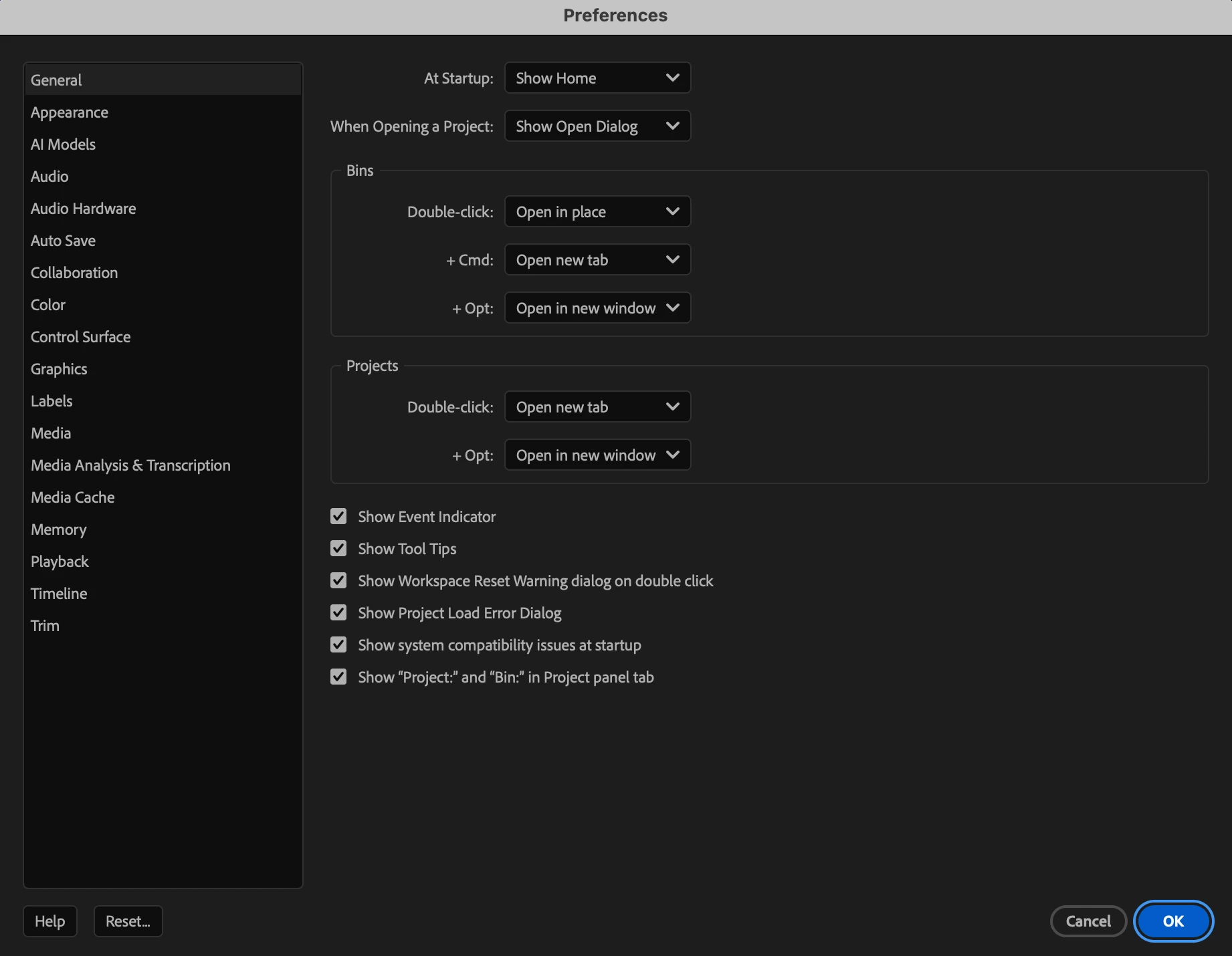
I've updated (doesn't work), reset my preferences (doesn't work), deleted my media cache files (doesn't work), quit and started new projects from scratch (one locally, one on an external drive - neither worked).
As a longtime Avid user without an Avid --> Premiere keyboard cover, this is especially obnoxious.
The only solution that seems to address it is in this Reddit thread, which is to manually select the Razor tool and use it on a clip already in my timeline. This works for approximately 5-10 seconds, but even then, it only works on a small handful of tools. Two screenshots below showing this (second one shows the first screenshot in lower right, to illustrate that some tools have the brackets, and others don't).
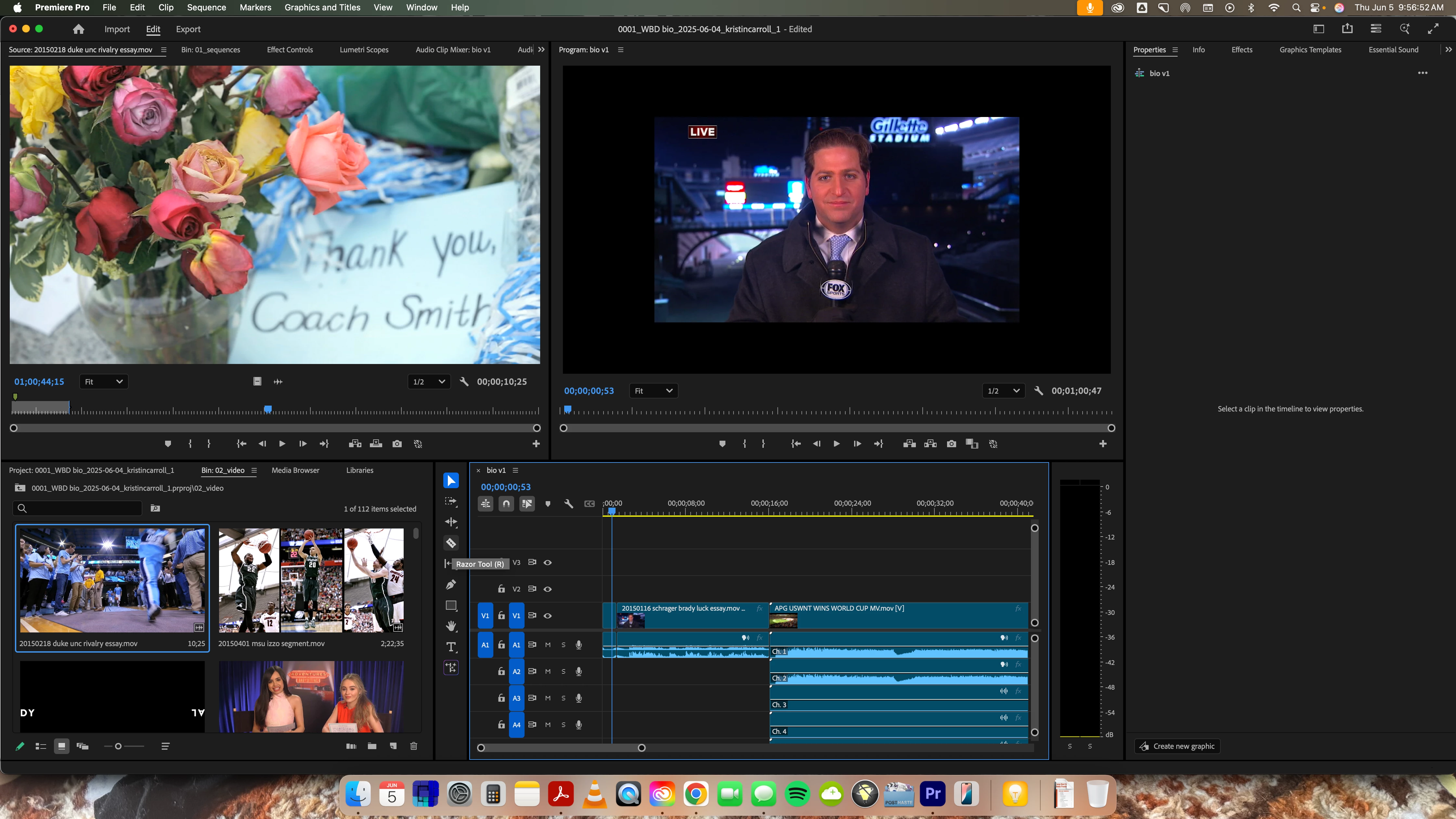
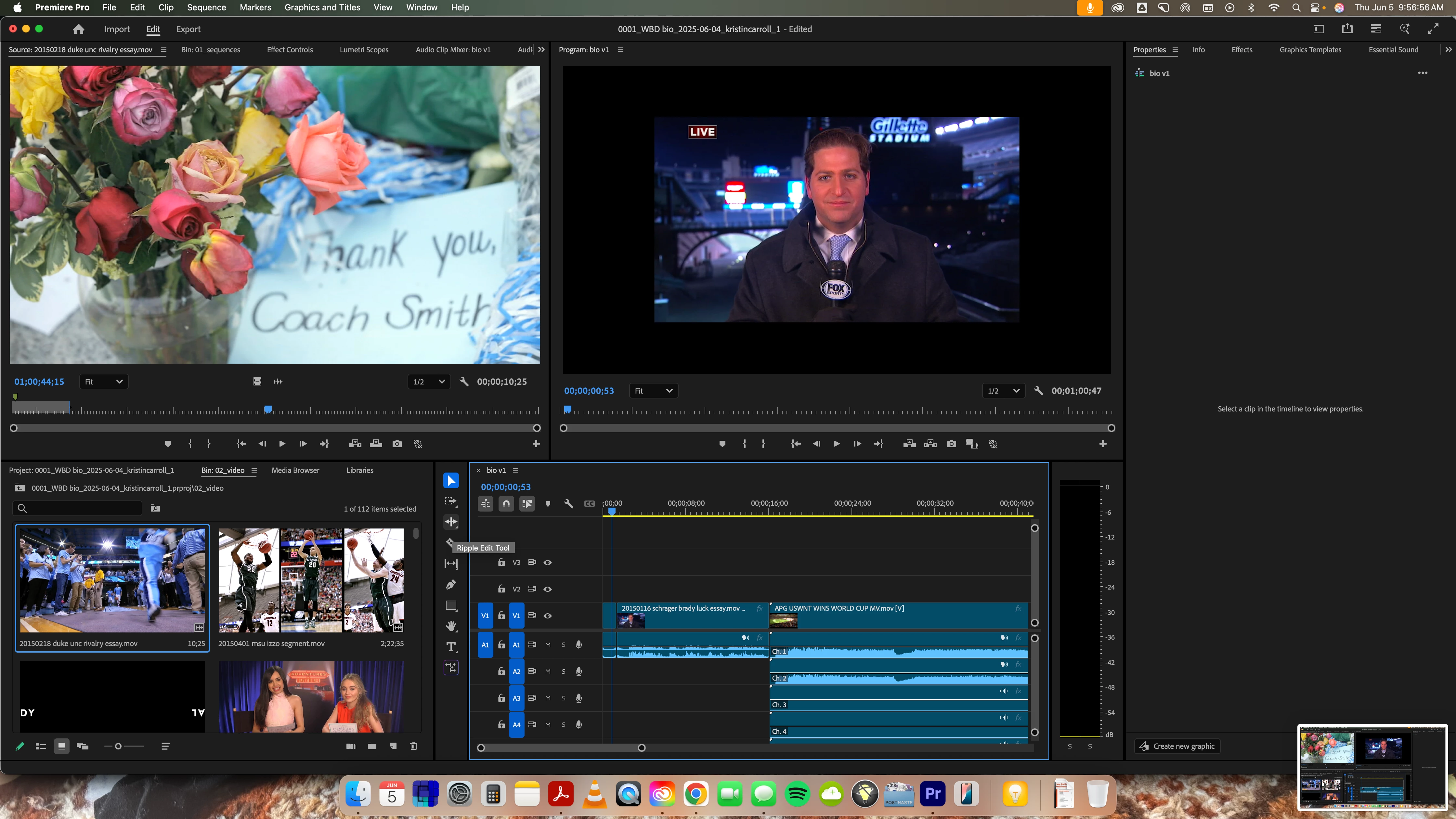
But the shortcuts disappear again whenever I try doing something else in the project.
If any Adobe employees find this post, I would love a permanent solution for this, as it seems it keeps happening across multiple versions of Premiere, over a period of (at least) five years.
And if the community has found anything I haven't listed here, please post it!! 🙂


 AdChoices