

Premiere Pro 2026 becomes non-exportable as soon as any mask (Object Mask or Pen Mask) with “Invert” enabled is used on an iPhone screen recording.
Issue
Premiere Pro 2026 becomes non-exportable as soon as any mask (Object Mask or Pen Mask) with “Invert” enabled is used on an iPhone screen recording.
After this, the project is effectively corrupted and unusable. Only a full rebuild in a new project temporarily resolves the issue.
This makes the Mask tools unreliable and unusable in real production workflows.
System Information
- Premiere Pro: v26.0 (clean install)
- Media Encoder: v26.0
- Previous Version: Premiere Pro v25.6 (no issues)
- Hardware: MacBook Pro M1 Pro, 16 GB RAM
- OS: macOS Tahoe 26.2
- Storage tested: Internal SSD, external SSD, HDD (no difference)
Source Media
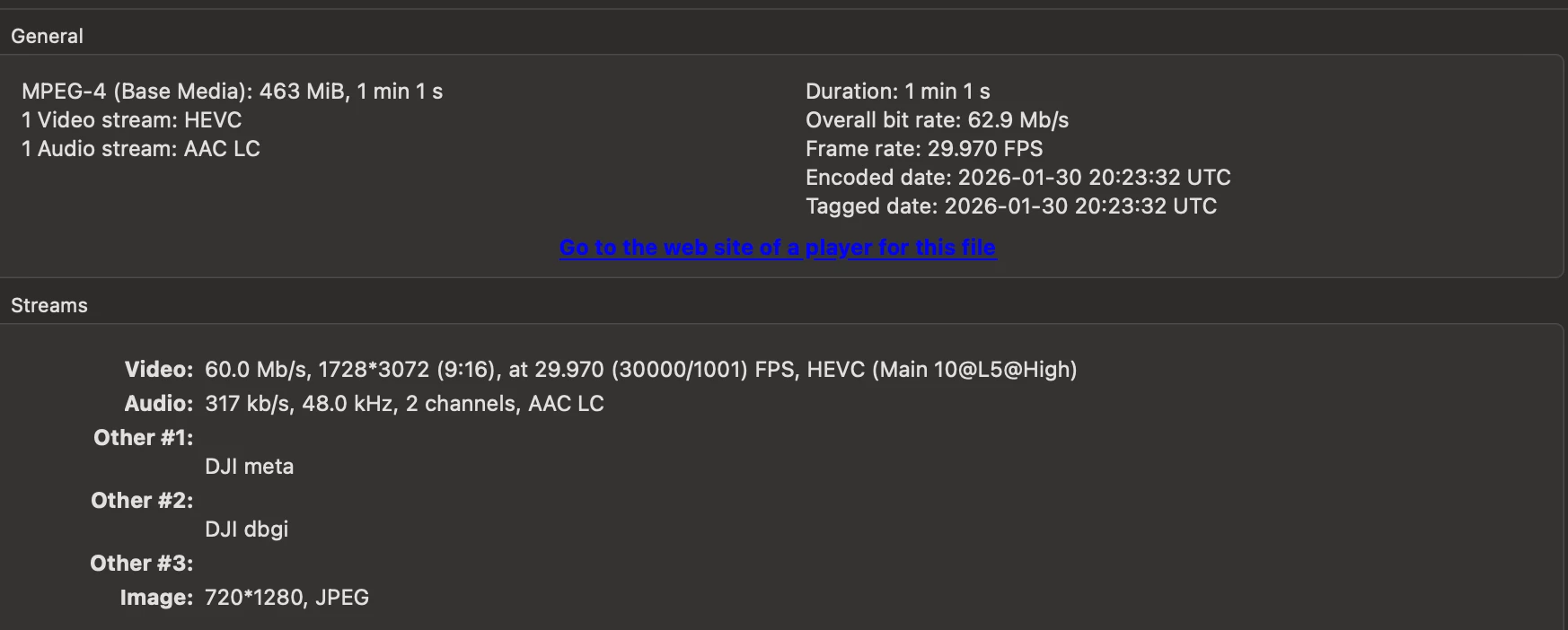
- Main footage: DJI Osmo Pocket 3 (D-Log M, 29.97 fps)
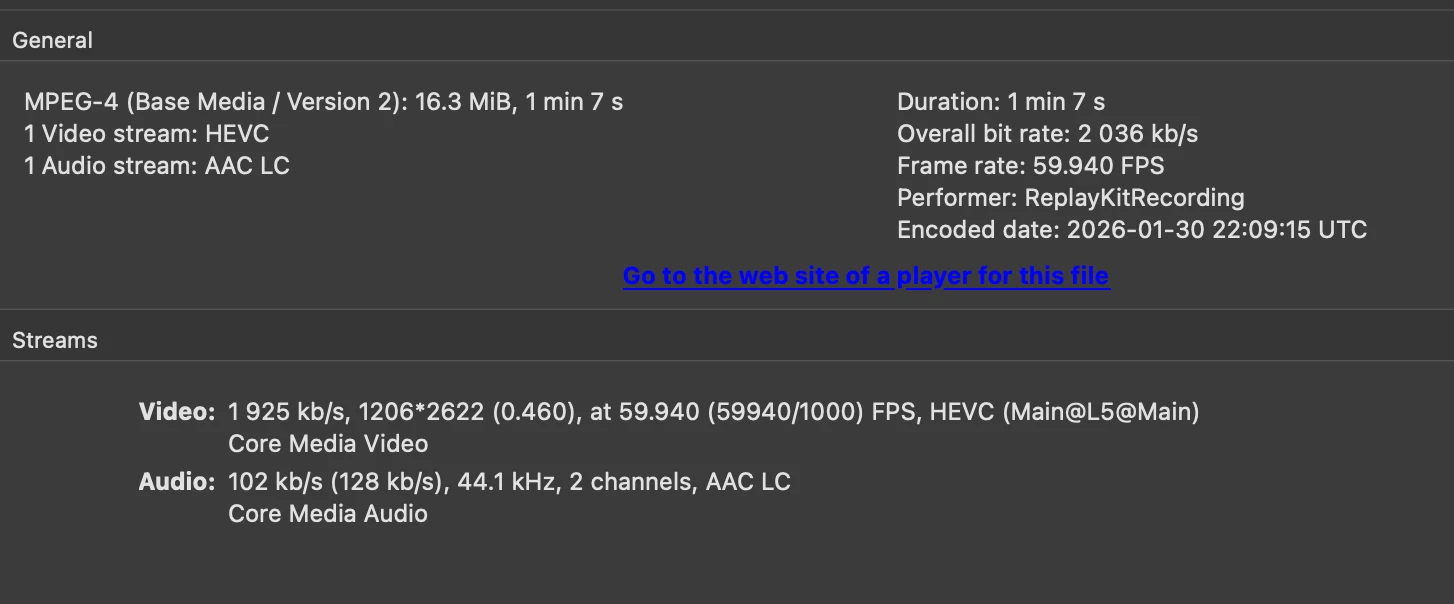
- Additional media: iPhone 16 Pro screen recording (MP4, 59,94 fps, HEVC)
Expected Result
- Normal export of an HD / 2K / 4K MP4 file
Actual Result
- Export stalls after audio encoding at 0%
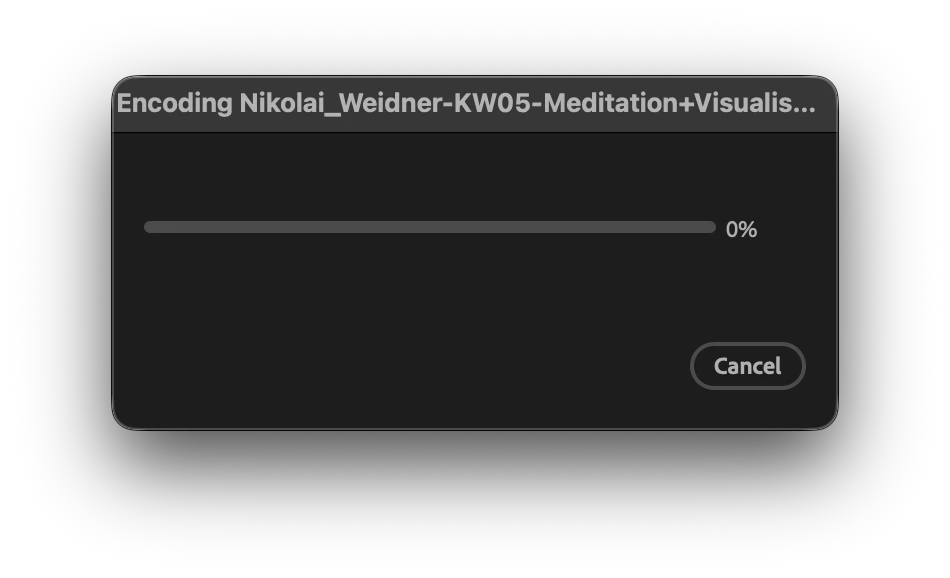
- Media Encoder works only after a fresh start, if Media Encoder is already opend it’s suck at 0% progress too “Remaining 00:00:00”
- Which is complettly confusing, ‘cause why does it work only after a freh restart?!
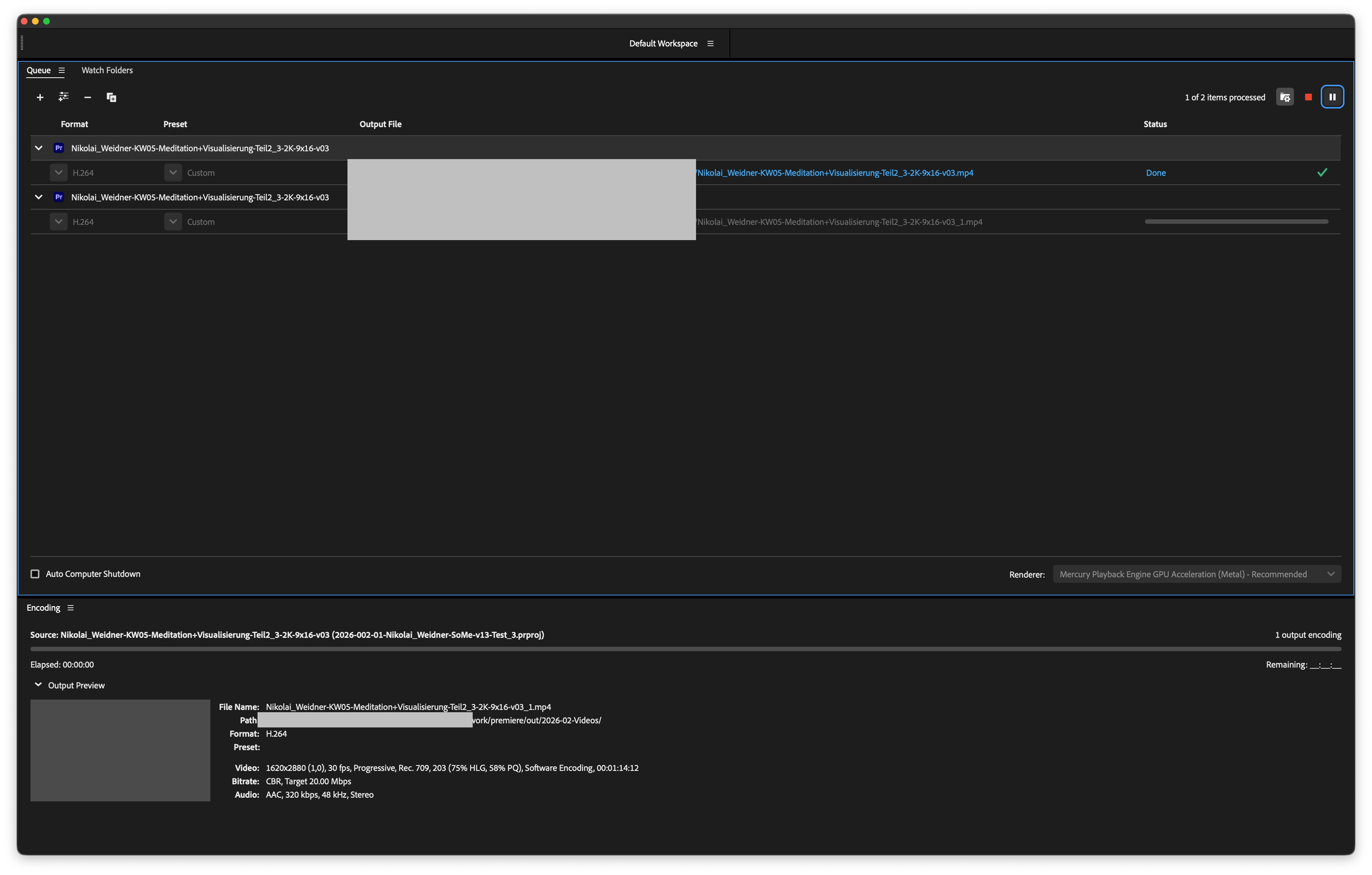
- No output file is created
- Premiere freezes and must be Force Quit (!)
- After this, the project remains non-exportable
Reliable Reproduction (Core Bug)
- reate a new project in Premiere Pro v26
- Import:
- Any regular video footage
- An iPhone screen recording (MP4)
- Create a new sequence (works fine)
- Apply any mask on the screen recording and Copy the Mask to “Opacity”:
- Object Mask or
- Pen Mask
- Add Effect “Invert” on the mask
- Try to export
Result:
- Export stuck at 0%
- Premiere freezes
- Force Quit required
Environment & Troubleshooting Already Performed
Complete removal of:
- Creative Cloud
- Premiere Pro
- Media Encoder
- All Adobe preference files and caches
Fresh reinstallation of:
- Premiere Pro v26.0
- Media Encoder v26.0
Tested multiple storage locations:
- Internal SSD
- External SSD
- External HDD
Result:The issue occurs identically in all cases. Storage location, cache state, or installation state do not affect the problem.
Critical Observation
- The mask type does not matter (Object Mask or Pen Mask) and seems to be a trigger
- The Invert Effect seem to be a trigger
- Once this happens:
- Undo does NOT reliably fix the issue
- Removing the mask does NOT fix the issue
- Nested sequences do NOT fix the issue
- The project is effectively corrupted
The only workaround:
- Create a completely new project
- Re-import all media
- Rebuild everything manually
- Do NOT reuse the affected sequence (nested or not)
This may work for one day, but the same issue often returns the next day.
What This Means in Practice
- Mask tools are currently unsafe to use in Premiere Pro 2026
- For me the Effect “Invert” can destroy hours of work
Workarounds are:
- Extremely time-consuming
- Unreliable
- Completely avoidable if the tool worked correctly
This is not a corner case. Masking screen recordings is a standard modern workflow.
Comparison v25.6
- Same media
- Same masks (created manually with Pen)
- Same edits
→ Premiere Pro 25.6 exports without any issue. But downgrading the projec edited in v26.0 doens’t work, so there’s like “no way back” to the version that works WITH mask, only the bugged one without working mask tool. That’s more than annoying!
______________________
Add-On, what I tried to narrow down the problem
- Baseline Tests
- Changed export locations (external SSD, HDD, internal SSD) → no difference
- Tried exporting HD, 2K, and 4K → all failed
- Object Mask Tool
- Used Object Mask in Premiere Pro v26
- Works correctly during timeline playback
- Export always stalls at 0% after audio encoding
- Removed:
- Object Mask
- Entire masked clip
- > Export still fails
- Version Comparison
- Opened the same project in Premiere Pro v25.6
- Export works normally
- Projects edited in v26 cannot be downgraded to v25.
- Recreated the same edit manually in v25.6
- Export works as expected
- Screen Recording Tests
- Same iPhone screen recording file:
- v26 + Object Mask → export fails
- v25.6 + manual mask → export works
- Even after removing:
- Screen recording
- Object Mask
- Y Export in v26 still fails
- New Project & Isolation Tests (v26)
Import old project into a new v26 project
- Older sequence (3K footage + subtitles + music) → exports successfully
- ewer sequence (with Object Mask history) → stuck at 0%
- Program Monitor freezes → Premiere becomes unresponsive → Force Quit
Step-by-step isolation
- Only video footage + adjustment layer → works
- Add subtitles → stuck at 0%
- Remove subtitles, add music + transitions + SFX → stuck at 0%
- Only V1 video + A1 audio → stuck at 0%
- New project, copy-paste media → stuck at 0%
- Full Rebuild Test
- Imported original media manually
- Created a new rough cut:
- Single Osmo Pocket clip (uncut)
- Color grading
- Screen recording overlay (no mask) → Export stuck at 0%
- Removed screen recording → still stuck
- Restarted Premiere (after save → not responding → Force Quit) → No change
- Storage Test
Repeated all tests:
- SanDisk 2 TB SSD
- Internal desktop location → Identical results
- Partial Success Case
In a brand-new project on internal storage:
- New sequence (1620 × 2880, 30 fps) with Osmo Pocket Footage → export works
- Added DJI D-Log M → Rec.709 LUT → Export worksTagged audio as Dialogue + Auto Match Loudness → Export works
- Added screen recording (V2 + A2) → works
- Imported old project → export stuck at 99%
8 Additional Issues in v26
- Program Monitor frequently freezes when screen recordings are present
- Only a full restart resolves this
- Audio playback randomly stops while video continues
- Setting Audio Hardware input to “No Input” does not help
- Lowering playback resolution does not help


 AdChoices