
Premiere Pro 24.5.0 (Build 57) Multichannel audio export gives you wrong audio layout output
There is a problem with the multichannel audio prores export
I'm using latest Premiere Pro (24.5.0) and Media Encoder (24.5). I'm running on MacOS Sonoma 14.6.1 (23G93) with Macbook Pro M1 Max
My timeline is 14ch (7 stereo pairs). and output needs to be prores 422HQ with 7 separate stereo pairs.
Everything from the track audio mixer is done properly track 1 to (1-2) track 2 to (3-4) etc.
In export settings, I also made everything correct, see screenshot pictures for examples.
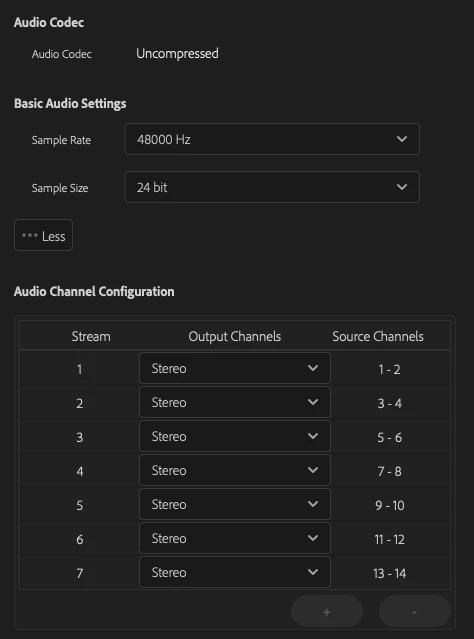
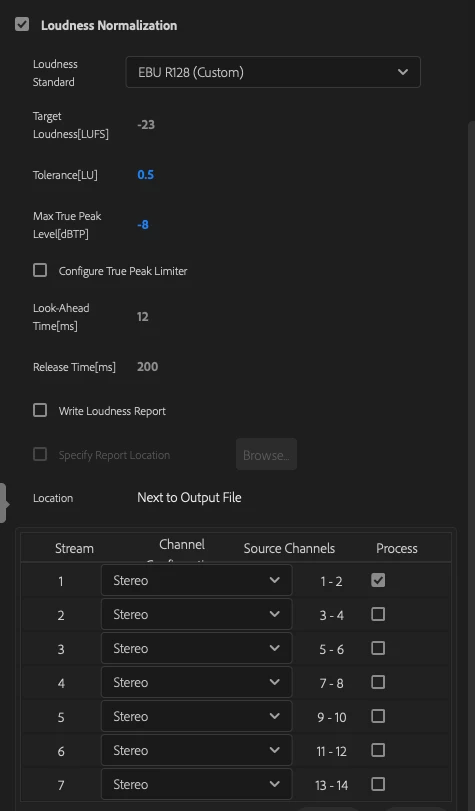
The output should be like this
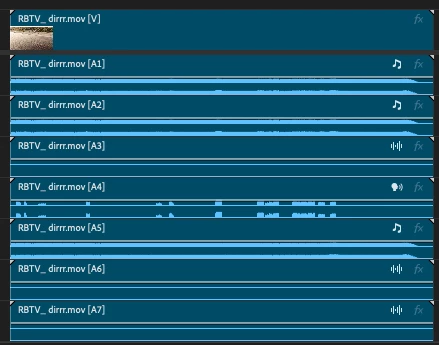
but is like this
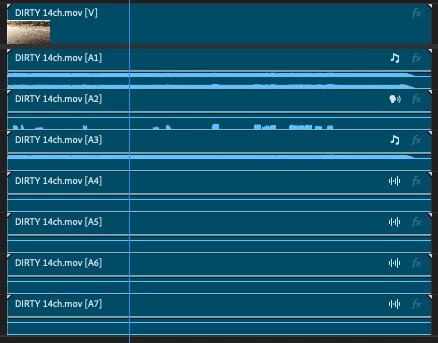
As you can see it used every audio track as mono instead of stereo on export. Even if the track is set as stereo and everything is the playback is correct.
Fun fact, if you export through media encoder (with the same settings), then all the tracks are correct and stuff works, but straight from Premiere Pro it does it wrong.


 AdChoices