


Participating Frequently
May 29, 2026
質問

Premiere Pro 26 freezing on Properties panel

  • May 29, 2026
  • 返信数 6.
  • 220 ビュー

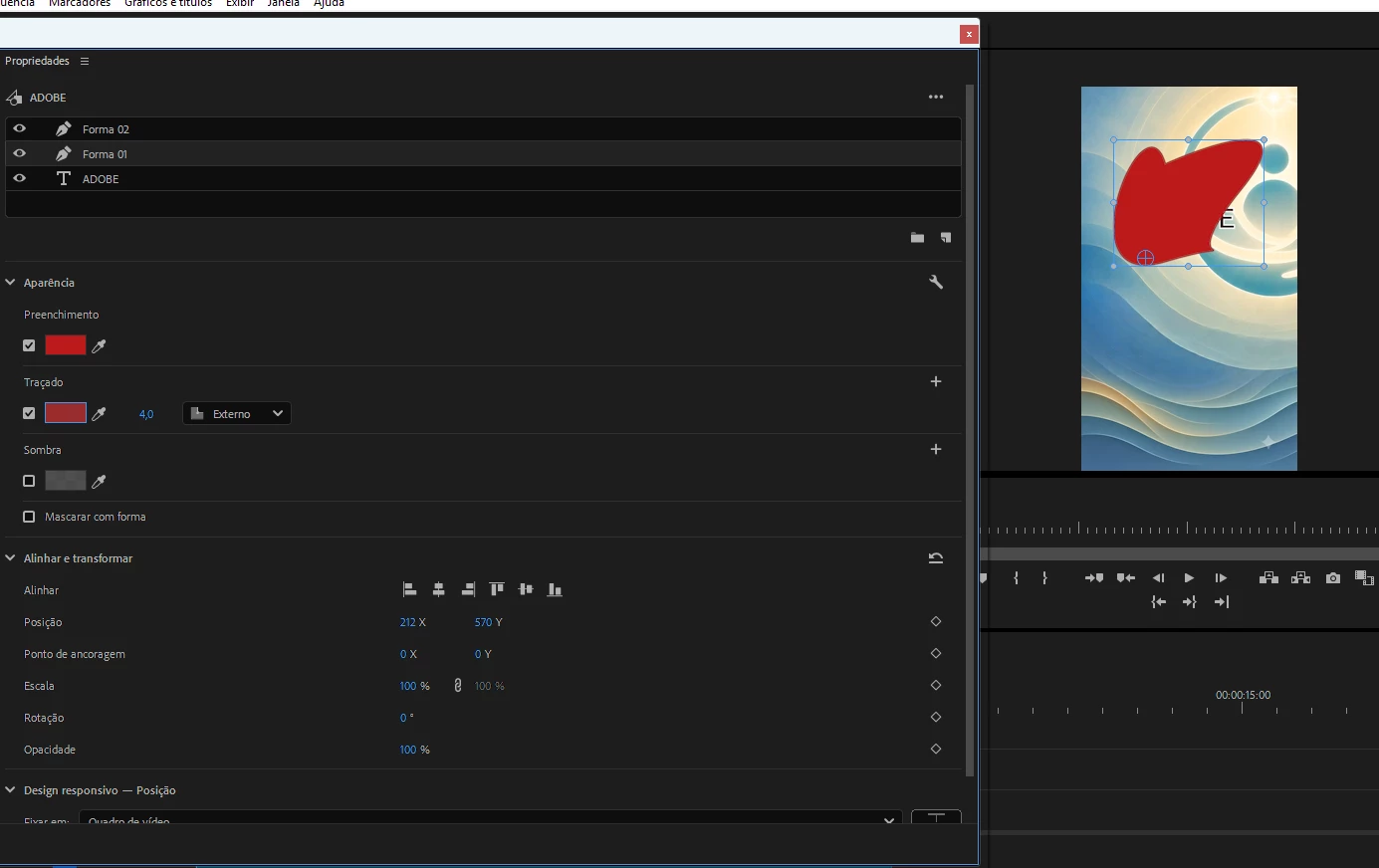
Premiere Pro 26 started freezing specifically on the Properties panel (text, captions, masks, etc.) after some unknown change — I can't pinpoint what triggered it. My system is solid: Windows 11, Intel i9, 64GB RAM, SSD, 6gB vídeo, no viruses, no bad sectors. Simple edits that never caused issues before now grind to a halt. Adobe's only official solution was to downgrade to version 25.

I'm attaching a screenshot of the frozen Properties panel. Anything I try to do here, takes “forever”.
My Premiere is set to Brazilian Portuguese, but the freeze happens regardless of language — so this doesn't seem to be a localization issue.
 

    返信数 6

    Community Manager
    June 24, 2026

    Hi ​@DRD_POA,

    Might this be your issue? 


    Please let the team know.


    Thanks,
    Kevin

    cgchang
    Participant
    June 13, 2026

    Same issue. Rolled back to 26.0.1 and seemed ok.

    Known Participant
    June 10, 2026

    Same issue here. Again, a new update, new problems. It’s so annoying, wasting so much time. Why don’t you guys test your software before releasing a new update? Adobe, you are too big and too expensive to make these kinds of mistakes again and again.

    BlueBanana11
    Participant
    June 7, 2026

    I have the same issue. I'm glad I'm not crazy. I've resorted to exporting Photoshop PNGs.

    Participant
    June 3, 2026

    I have the exact issue. It is not good!

    Community Manager
    May 29, 2026

    Hi DRD_POA,

    Sorry about the poor experience. Have you tried resetting the workspace to see if it makes a difference?


    Thanks,
    Sumeet

    DRD_POA作成者
    Participating Frequently
    May 29, 2026

    Hi, thanks for the suggestion, and I actually tried that already.

    Just to give some context: I've gone through every standard troubleshooting step ,  full uninstall and reinstall including manual deletion of all cache and appdata folders, DDU wipe and clean driver reinstall, disabling GPU-accelerated interface rendering, removing third-party plugins (Film Impact was a partial contributor), updating to the latest Studio driver, and even testing on the Beta version. None of it fully resolved the issue.

    From browsing the community here, this doesn't seem to be an isolated case, quite a few users are reporting the same freezing behavior specifically in the Properties panel on version 26. So this looks less like an individual system issue and more like a bug in how Premiere 26 handles GPU rendering for that panel.

    Hopefully this gets flagged as a priority fix soon.

    Participant
    June 30, 2026

    Also experiencing this issue. First notice the lag with the Frame io panel and then experienced complete non responsive crash when using the properties panel