

Premiere Pro > AE time stretch inconsistency
I'm not sure if it's by design or a bug, but since it brings certain problems during Pr>Ae>Pr workflow I'd consider it a bug.
The bug: an inconsistency between time stretching in Premiere Pro and After Effects when using Dynamic link workflow.
What happens: when you stretch a clip via the Rate stretch tool or using the Speed\\Duration context menu and then send it to After Effects, there the stretching becomes completely different.
Steps to reproduce:
- Place a clip in the timeline. Define a reference timestamp and put a marker on the clip there. Mine is at 00:00:54:21 where there's a scene change in the video, so I can easily identify if anything is wrong. Choose an easyly identifiable part of the video, like a part of a scene change. Also put a marker on the timeline in this part to see how far the markers are from each other when you stretch the clip.
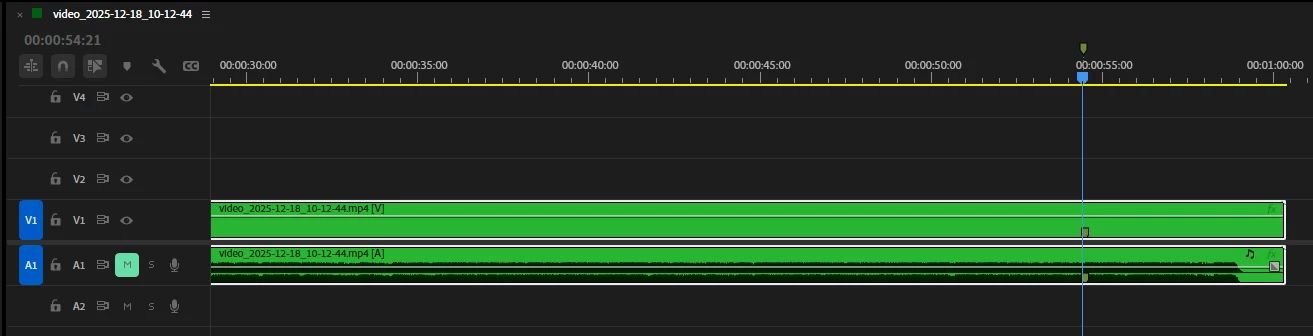
- Slow down the video with a Ctrl+R command, say, up to 15%
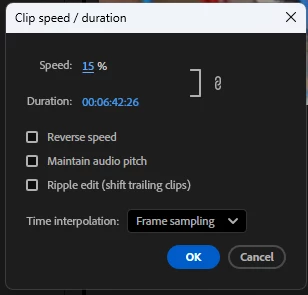
Now the markers are at a long distance from each other. Note that the clip marker is at the 00:06:03:33.

- Now send this very clip to AE via Dynamic link (Replace with After Effects comp). See the timestamp there - it's 0:00:54:20 and where the playhead stands in the screenshot below is the part where the marker should be - at 0:05:29:17. It is the exact part where the change of scenes happens, and even so as you can read above in Premiere Pro it happens at 00:06:03:33.

So AE does not only save the marker position on a stretched footage, it also messes up the timestamp.
This is why one cannot thouroughly sync clips that have been stretched or sped up and sent to AE from Pr.
Of cource there's nesting but it cannot be used in certain scenarios. Also, both AE comp and Pr sequense have a similar framerate which corresponds to the framerate of the footage.


 AdChoices