
Participant
June 24, 2023

Premiere Pro can't read the other audio tracks with .wav and pcm_32 when using .mov

  • June 24, 2023
  • 10 replies
  • 1752 views

I have recorded in OBS in the format of fragmented mov and mov, and the encoder is set to pcm_32 and pcm_24. I have played between these settings using mov and pcm, yet whenever I try to import the media file into Premiere Pro, it won't read the other two audio tracks from the three audio tracks that I have.
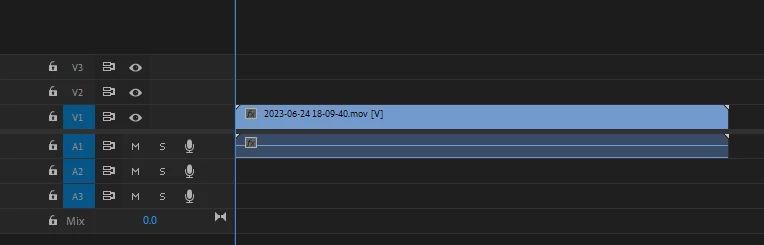


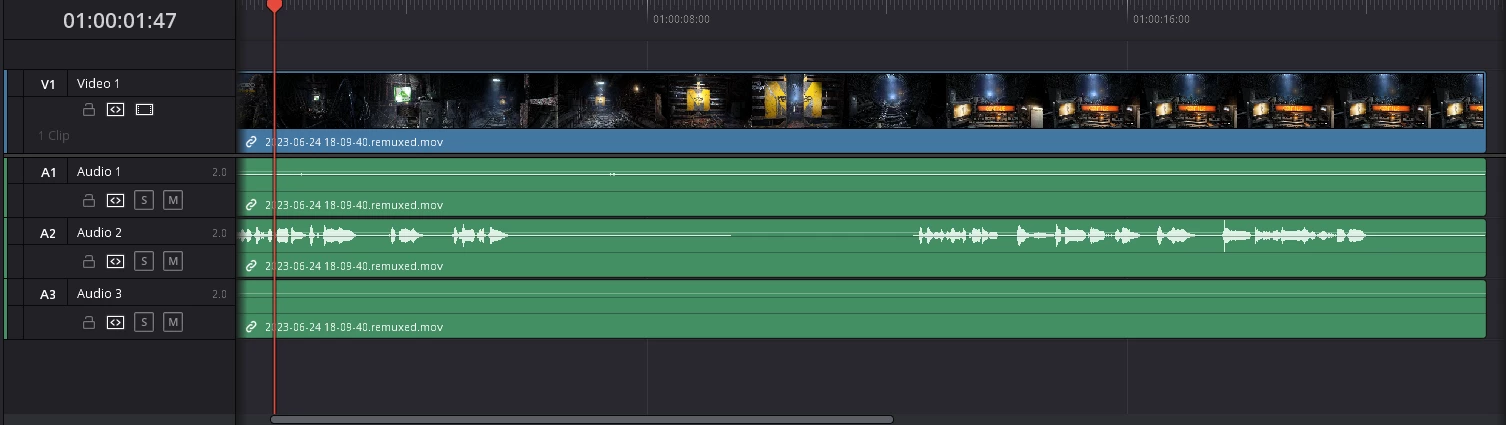
I have tried switching the audio tracks in VLC to see if it's there and they are there. Then I tried to use DaVinci Resolve to see if it can detect the mov file, and luckily it does. Although I had to remux it in order to hear the wav audio file (I also tried importing the remux file on Premiere yet the status quo still remained).
 

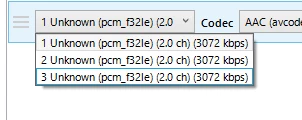
I have also checked the existence of the audio tracks in Handbrake.


If you have any knowledge on what to do, please let me know.
Extra Information:
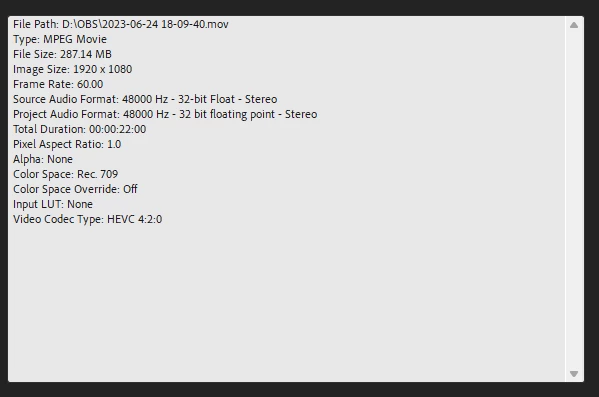
10 replies

Participant
September 21, 2024

I can also add that the combination of .mov + the video encoder of "Apple ProRes" did work, and I can have 3 audio channels with the audio encoder "PCM 32-bit" recording with OBS. 


I'm not sure if Apple ProRes would be an issue for me later on. 

Participant
September 21, 2024

I have precisely the same issue. Unfortunately, I could not find a solution either.


However, when I change the ".mov" to ".mts" by simply renaming the file, Adobe recognizes the other two audio channels.
Unfortunately, the audio becomes compressed. 

Known Participant
February 25, 2024

@Stan Jones I've created a new issue as it seems it's not just 32 bit audio and I've attached a sample there: https://community.adobe.com/t5/premiere-pro-bugs/multi-channel-pcm-audio-for-footage-is-not-detected/idi-p/14446857#M21491

Stan Jones
Community Expert
Community Expert
February 25, 2024

I did not see a response to @mstegner's request for a sample file. Can someone post a small sample?


Stan


Known Participant
February 25, 2024

This still seems to be an issue

Participating Frequently
September 30, 2023

Same problem here. I wanted to make the switch to recording 32 bit float with a fragmented .mov file into OBS, but Premiere can't access the additional audio tracks. Media Encoder doesn't seem to see the additional audio tracks either. Almost thought I lost most of the audio from a recording I just did but ended up realizing Resolve has access to the tracks so I ended up exporting it from there.


Hopefully it gets fixed soon!

Known Participant
September 30, 2023

Having the same issue. Recording with OBS to MOV with pretty much any PCM codec only results in having the first audio track available in premiere even though handbreak, vlc and anything else sees the tracks properly.

Community Manager
June 27, 2023

Can you post post a file for the Premiere team to use for investigation?

Participant
June 24, 2023

I have them on default yet it's still the same

Ann Bens
Community Expert
Community Expert
June 24, 2023

Set up your audio tracks before importing the file:

Preferences > Timeline > default audio tracks >