
Participant
January 23, 2026

Premiere Pro crashes on start up

  • January 23, 2026
  • 3 replies
  • 98 views

Hello everyone,

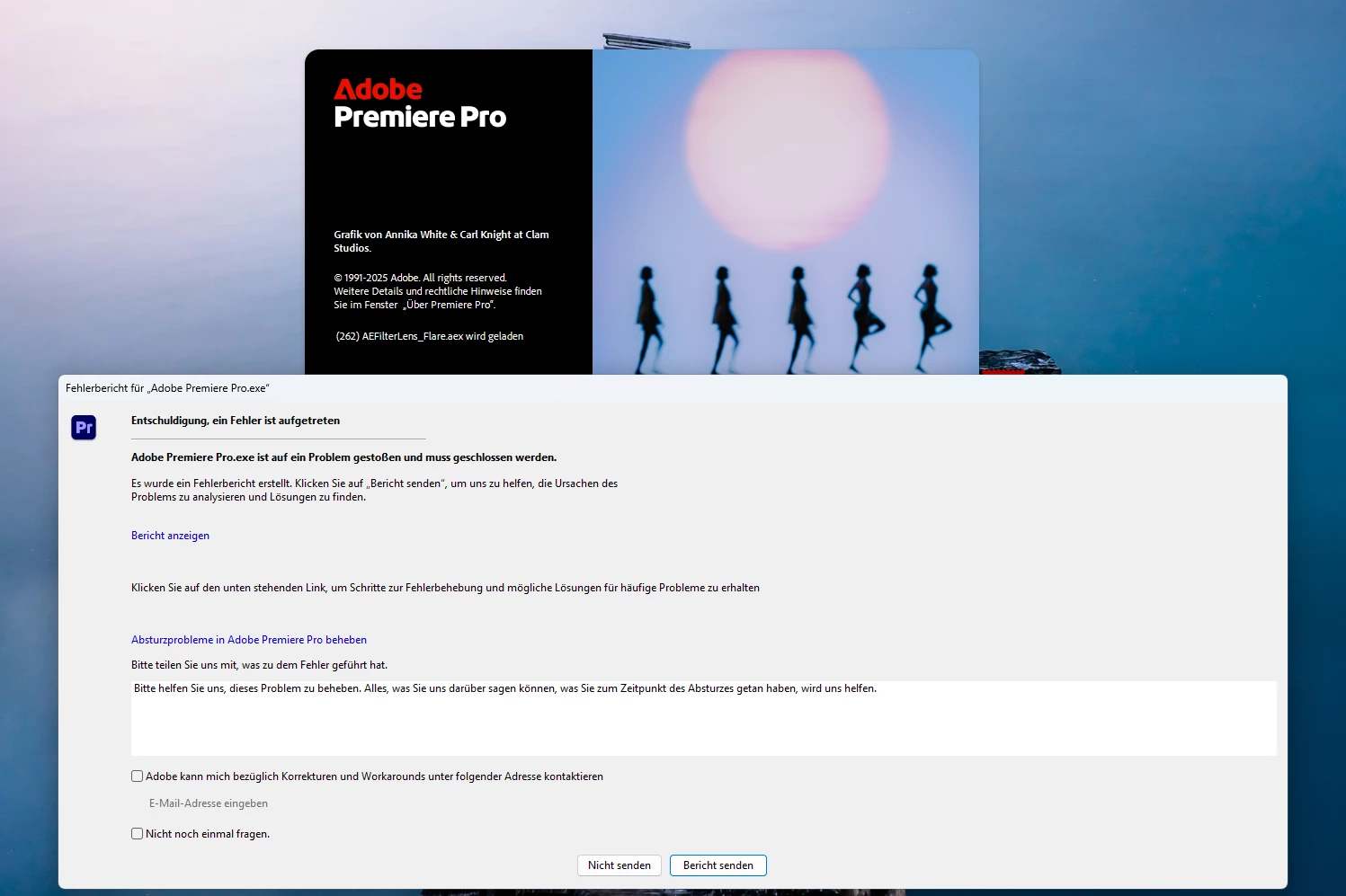
I've been trying all day to get my Adobe Premiere to work but no success. I have Windows 11 with newest updates and Nvidia RTX4090 with latest Studio driver 591.74. I tried Premiere 26.0 and older versions. It always crashes on startup. Right now it is 25.6.2

Things I tried:

1. Removed all Adobe programs and Creative Cloud and installed a fresh version

2. tried starting Premiere with pressed Alt Key and deleted all profiles and cache

3. installed newest drivers from Nvidia


I really need Premiere to finish my work and I have no more ideas what to do. 
 

Screenshot 2026-01-23.png

3 replies

Community Manager
January 23, 2026

Hi, first, sorry that you're hitting this. Could you please zip up one (or more) of the .dmp files and post them somewhere I can download it? You can e-mail me the location at jschroed@adobe.com. It sounds like you are familiar with dump files but full disclosure, they contain some personal information (e.g., it will contain all the environment variables for the process, which often contain your user name and things of that nature), so only do so if you're comfortable with this. Thanks!

Participant
January 23, 2026

Thank you for your reply. The lense flare should not be the problem I guess since no Premiere Version is starting and every version stops on a different text line in the starting window. 

The dump file says something about the mezzanine.dll

Ann Bens
Community Expert
Community Expert
January 23, 2026

It seems Premiere is crashing on the Lens Flare

Make new project in v.25 and import old project.

If so remove the effect and see how that goes.