
Premiere Pro does not Read PSD Color Space Conversion
Save an image with Photoshop (File > Save As) and make sure the Color Space of sRGB is checked:
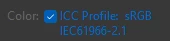
Import that image into Premiere Pro. Premiere Pro will not register this image as an image with a Color Space, saying that this image is "Not Color Managed," under Lumetri Color > Settings > Color Space Conversion.

Workaround: Save the image in Photoshop under File > Export > Export As > PNG > making sure these two checkboxes are checked:
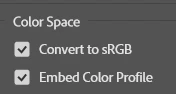
Click Export. Premiere Pro will register this identical image under Lumetri Color > Settings > Color Space Conversion as sRGB.

In the past, Photoshop saving as a sRGB under File > Save As > [Filename].PSD worked just fine in Premiere, but someting has changed with the latest version preventing this from working. Now it's a bunch of extra steps that forces destructive editing by saving as a PNG instead of a PSD.


 AdChoices