
Participant
August 9, 2026

premiere pro is not transcribing my captions properly. its in english language, it is giving results that are completely irrelevent.
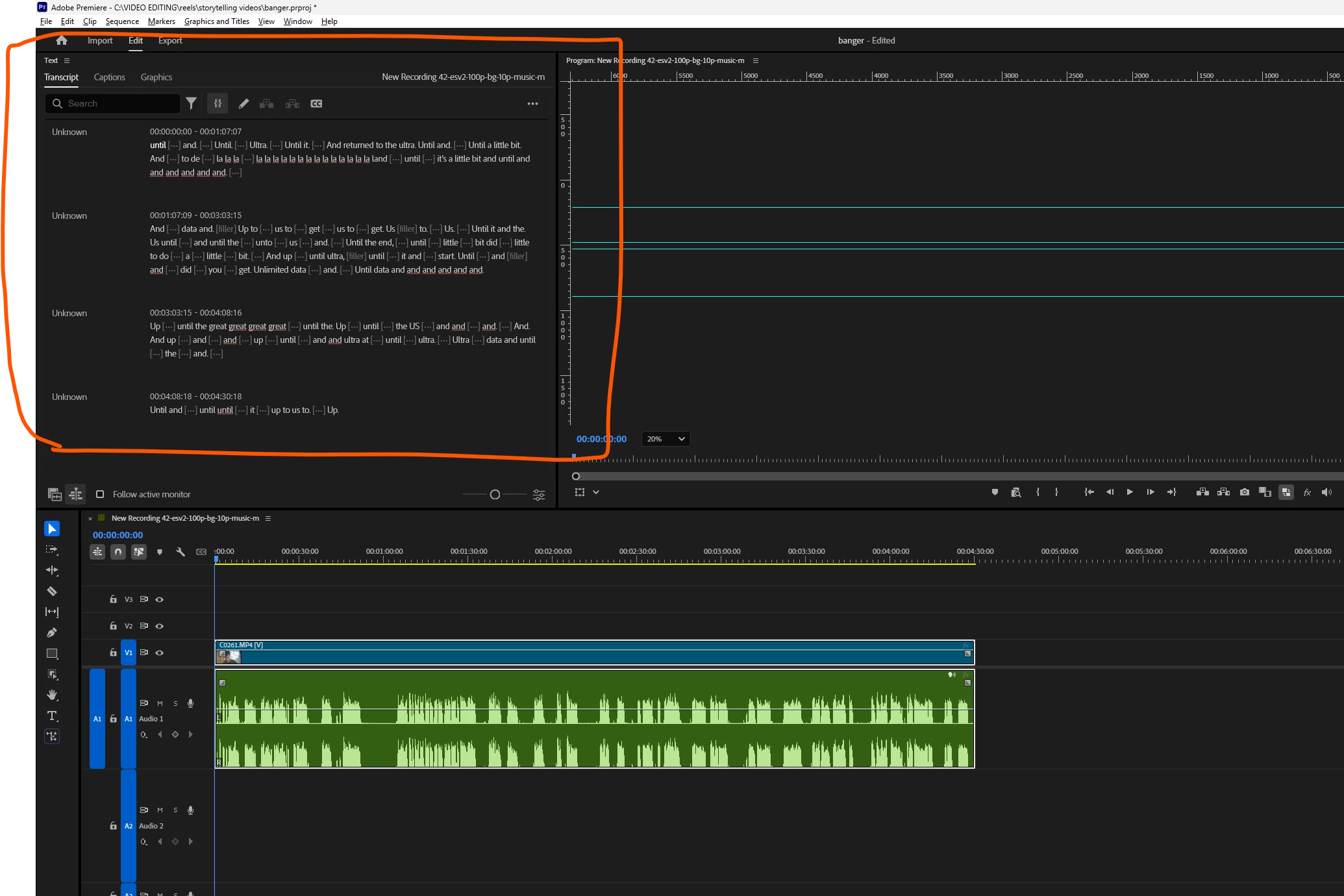
  • August 9, 2026
  • 2 replies
  • 20 views

i have tried fixing this by 

1-re-transcribing, the same irrelevent result.

2-uninstalling and installing premiere pro, which fixed the issue for a few days, but again this issue came back.


please fix this ASAP, as i have my deadlines, and paying for adobe and getting this doesnt seem to be worth it.


i have also tried transcribing my video in adobe podcast, just to check if there is any issue with my video file, and it transcribed perfectly, proving that my video is completely fine and there is problem in adobe text to speech or something in premiere pro.

    2 replies

    Amy the Stuv
    Community Manager
    Community Manager
    August 10, 2026

    Hello ​@tanishk_8559 

    Sorry to hear about this transcription issue and being up against deadlines. A little more information can help us if you wouldn’t mind including the following.

    • Premiere Version: How to find the exact version of Premiere you're using.
    • Operating System: Specify Windows or macOS, along with the version.
    • GPU Driver (Windows only): Please let us know your video card driver version. We recommend updating to the most recent version; for NVIDIA users, we strongly recommend the Studio version of the driver.

    Additionally, please follow up with Matt. He’s been working directly on issues relating to transcription and is a great resource.

    For a temporary workaround while we fix the issue, since you know it works in Adobe Podcast, you can export a TXT transcript from there and utilize the function “Merge Corrected Transcript” in Premiere to get you the correct transcript for now. Let me know if you run into any issues with that.


    Hoping to help,

    Amy

    mattchristensen1
    Community Manager
    Community Manager
    August 10, 2026

    @tanishk_8559 I’m sorry this is happening. Would it be possible to send me this exact file so we can try to reproduce the issue internally? If so, please send me a DM here on the forums.