


Participating Frequently
Jun 5, 2024 6:47 PM UTC
Needs More Info

Premiere Pro no se abre
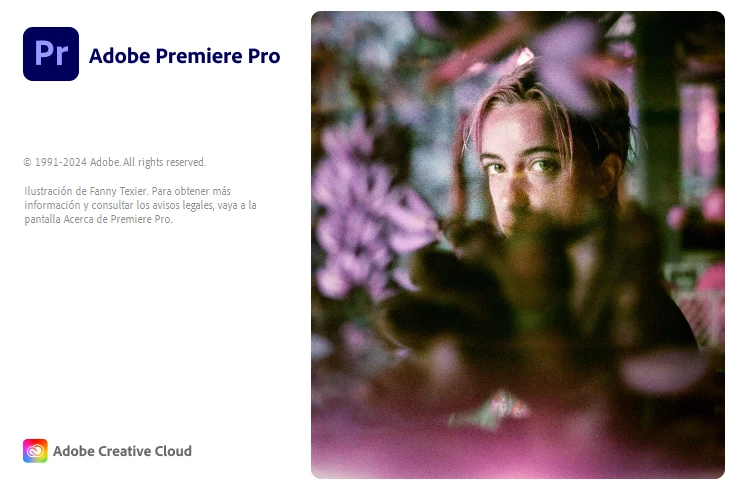
 

  • Issue - El programa Premiere Pro no abre y se queda congelado en la pantalla de carga.
  • Adobe Premiere Pro version number: 24.4.1
  • Operating system - Microsoft Windows 10 Enterprise LTSC 64 bits
  • System Info: CPU, GPU, RAM, HD:
    • CPU: Procesador AMD Ryzen 5 3400G with Radeon Vega Graphics, 3700 Mhz, 4 procesadores principales, 8 procesadores lógicos

    • GPU: NVIDIA GeForce RTX 3050. DRIVER: DCH   DRIVER VERSION: 537.58

    • RAM: 16GB

    • Hard Drive: Tengo 2:
      Disco C: Disco solido Modelo KINGSTON SA400M8240G 223,57 GB
      Disco 😧 Modelo TOSHIBA HDWL110 931,51 GB

  • Steps to reproduce - (Very important!) 
    1. Lo instalo
    2. Al  abrir el programa, este se queda en la pantalla inicial y se congela. (no carga)
  • Expected result - Deberia abrir el programa
  • Actual result -  No inicia.
    He descargado y ejecutado sin problemas el Photoshop y el  Illustrator sin problemas en la misma PC.
    Solo tengo problemas con el Premiere Pro. Cabe recalcar que he cambiado de versiones para solucionarlo y borrar el cache pero esto no funciona.
    Espero su mensaje, Saludos.

This topic is closed to new replies. Start a new post to keep the conversation going.

5 replies

Kevin J. Monahan Jr.
Legend
Jun 5, 2024 9:11 PM UTC

Hello @Jirlanda,

Please let us know what Adobe Support tells you about the solution. If they cannot solve it, please return and let us know, as well.


Thanks,
Kevin

Translate
Kevin Monahan - Sr. Community and Engagement Strategist – Adobe Pro Video and Audio
JirlandaAuthor
Participating Frequently
Jun 5, 2024 8:18 PM UTC

Ok i will prove. Thank you equaly por the help

Translate
MyerPj
Community Expert
Community Expert
Jun 5, 2024 8:09 PM UTC

You should probably contact Adobe:

https://www.adobe.com/about-adobe/contact.html


Translate
JirlandaAuthor
Participating Frequently
Jun 5, 2024 8:04 PM UTC

Abri el Creative Cloud Cleaner y eliminó todas las aplicaciones, ya que no tengo nada porque hace unos días lo compró. Reinicie la PC pero no ha funcionado, sigue quedandose congelado en esa imagen la pantalla.
Gracias igualmente por la ayuda.

Translate
MyerPj
Community Expert
Community Expert
Jun 5, 2024 6:53 PM UTC

You can try using the Adobe Cleaner. Be sure to backup any adobe program info you may want, like preferences, workspaces, etc. But if you are good starting with the default items, then try this:


Run the Adobe Cleaner after you uninstall the programs and before you re-install them:
Also, reboot your computer between steps even if you are not asked to...

https://helpx.adobe.com/creative-cloud/kb/cc-cleaner-tool-installation-problems.html

Translate