



AndrewTheGreat
Known Participant
December 23, 2025

Premiere Pro won't link files in AppData folder

  • December 23, 2025
  • 8 replies
  • 249 views

Ok, I feel like a Beta tester of the current STABLE version of Premiere Pro. Pr 25.6.3, win11 24h2, I am the only user of this PC and an administrator correspondingly, there's only one win account on MY PC.

So I opened a project I started a week ago, to add some corrections. Some files were missing - mainly the SFX files that I had brought into the project with a Jerry SFX (zxp) plugin. All the plugin files are here: C:\\Users\\AndyF\\AppData\\Roaming\\Adobe\\CEP\\extensions

But when I try to relink them, Premiere Pro:

1) Doesn't open the folder past the Users > AndyF (which is my account name). It just keeps showing me the Users folder despite the fact that the full address is entered into the Path.

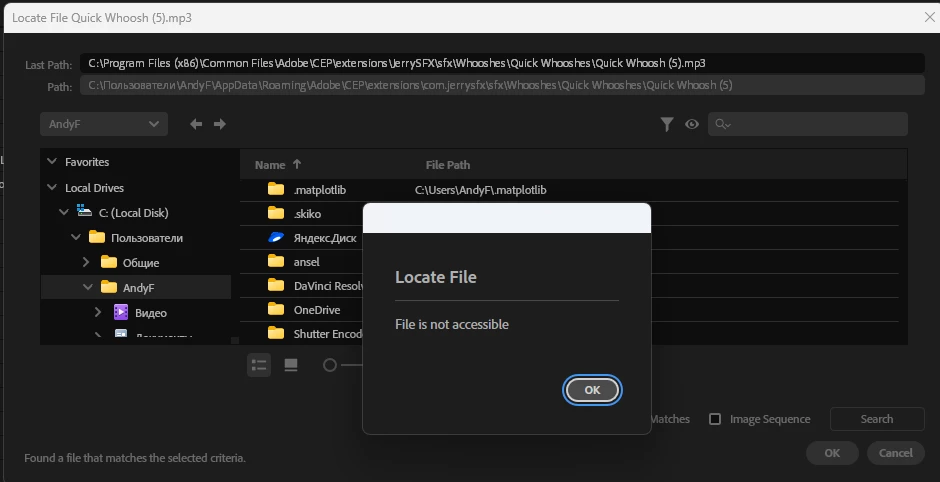
2) It finds ... something. Well, it says that the missing file could be found, but the OK button is inactive at the same time, and if I still hit it, it shows me this:
871348i6655A3DF5D560BB9.png


Guys, Adobe, what the hell is going on? I've been out from Premiere Pro for half a year working in Davinci Resolve, now I'm back and there are SO MANY bugs in a stable subfinal releas of the year!


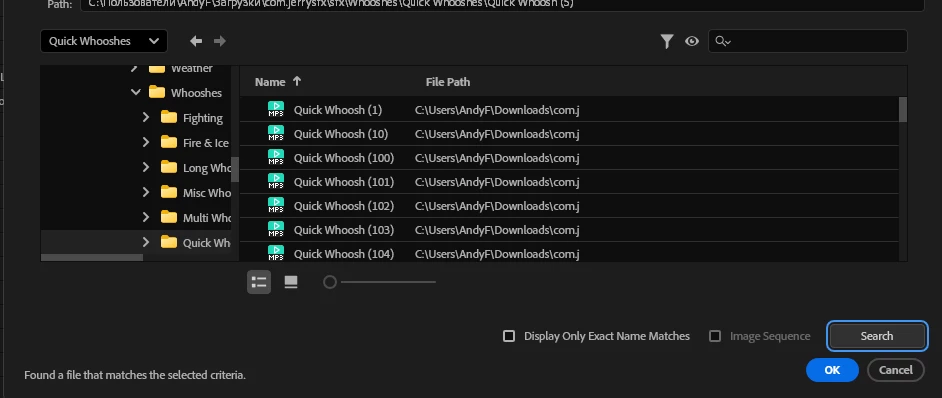
It goes without saying I can copy the needed files from the AppData to somewhere Premiere Pro will see them, but the mere fact that I have to do that to make the software do its job just infuriates me. So I copied the whole plugin folder into the Downloads and guess what
871349iADCC30CE41E73549.png


8 replies

R Neil Haugen
Legend
January 15, 2026

That's a right pain. Huh.

Everyone's mileage always varies ...
AndrewTheGreat
Known Participant
January 15, 2026

@R Neil Haugen 

Nope, all the permissions are given to all users. There's nothing else to turn on. It must be something else.

Stop trying to edit and EDIT!
R Neil Haugen
Legend
January 15, 2026

Right-click the folder in the Windows Explorer file manager, and check permissions, changing if necessary. 


The really weird thing about this is sometimes it's 'fixed' by setting up a non-Administrator user, and switching to that ... which makes absolutely no sense but has worked for some.

Everyone's mileage always varies ...
AndrewTheGreat
Known Participant
January 15, 2026

@R Neil Haugen 

Hm, OK, how would you settle it, Neil? Should I go into the AppData properties > Permissions and change something there? I checked the Roaming folder as an example and on the Security tab it has checkmarks for all the permissions for myself, the Administrators and System groups. The Local folder has all the permissions too. Where else should I check?

Stop trying to edit and EDIT!
R Neil Haugen
Legend
January 15, 2026

I commented because I've personally had permissions issues several times in Windows. And yes, I am the only user and Admin ... so that is not actually anything that, necessarily, means anything here.


I've had folders that I changed permissions on several times, and every time Premiere went to write to it, it had been reset by the OS. Sometimes I had to delete a folder and let Premiere make a new one.


It's an issue that really has ticked me off at times with Microsoft.

Everyone's mileage always varies ...
AndrewTheGreat
Known Participant
January 15, 2026

Hi, @R Neil Haugen 

I'm the only user of this PC thus the administrator hence I own the administrative rights for everything on my system. And it's the only case - Premiere Pro case - I have this problem with. I can literally delete any folder in my system, change the Hosts file, rename or create new users. Don't think it's a permission issue. Rather another OS language discrimination case like the one in my iGPU not working topic where the iGPU refused to work if there were any symbols in the path typed in a language other than En.

Stop trying to edit and EDIT!
R Neil Haugen
Legend
January 14, 2026

Looks totally like a simple Windows file permission issue. Which is maddening. 


And why I never store working files in the C Users folders. Or on C anywhere.

Everyone's mileage always varies ...
AndrewTheGreat
Known Participant
January 14, 2026

Any attention to this? Any fixes planned? Any additional info needed?

Stop trying to edit and EDIT!