
Inspiring
April 26, 2026

Premiere UI is choppy when waveform is displayed in source monitor on high resolution monitors

  • April 26, 2026
  • 1 reply
  • 23 views

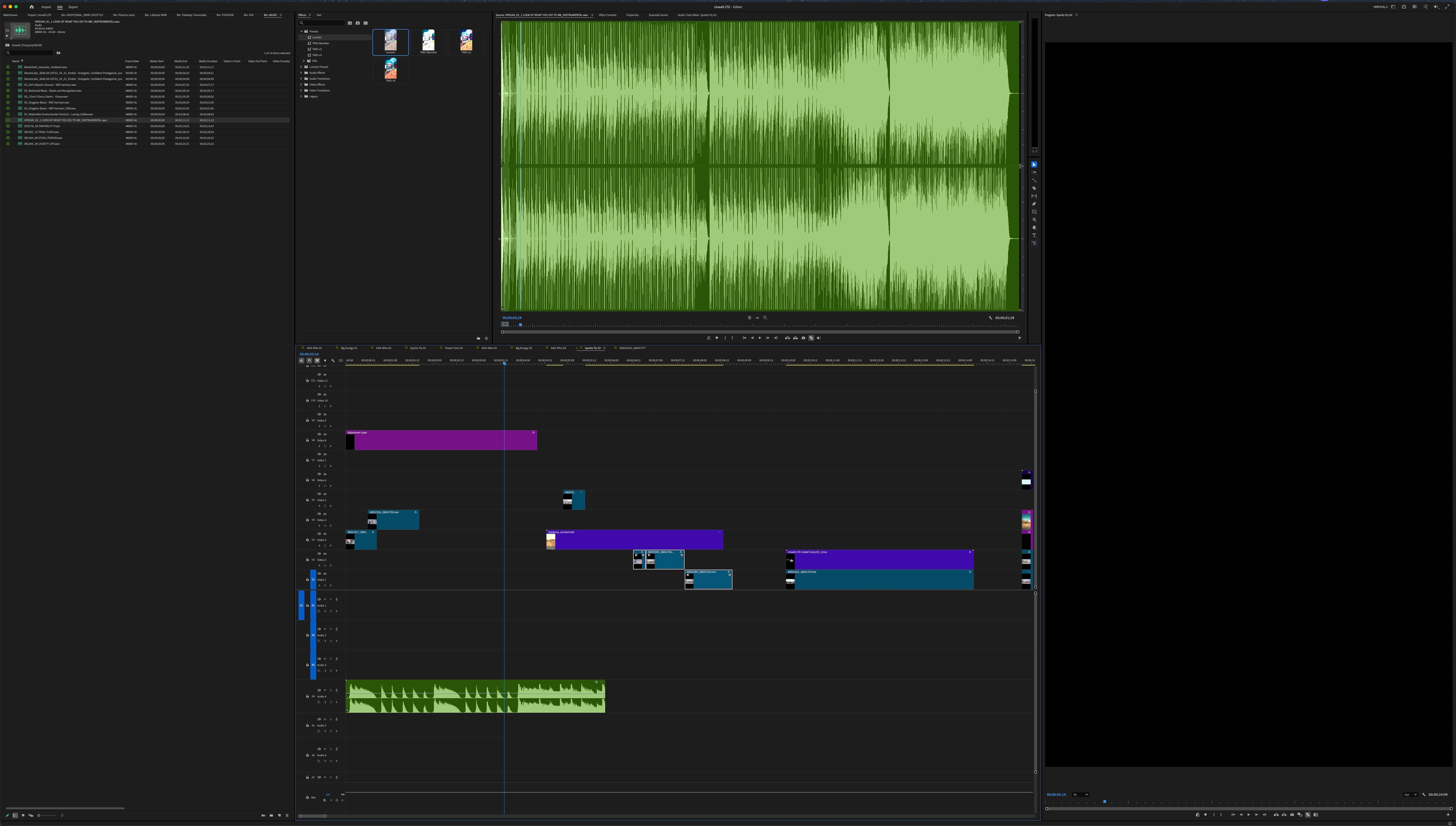
As stated, when I open a sound file in the source monitor and display the waveform, the interface becomes choppy to the point of unusable until I close out the waveform from the monitor. This bug has existed for years even back on my Intel Mac. Can we please fix this before spending time on fancy new features?!

M4 Max MBP

latest Ppro and Tahoe

XDR Monitor
 

    1 reply

    IanB_360
    Community Manager
    Community Manager
    April 29, 2026

    Hi benwinter
    Do the source files live on an SSD or an HDD? Is this happening to all files when you open the waveform panel? Does it matter how many tracks you have on the clip? If you are disconnected from the external monitor, does it behave any differently? 
    Here to Help
    Ian

    benwinterAuthor
    Inspiring
    April 29, 2026

    Ian, this problem goes back at least 5 years or more. It’s been happening to me on my Mac Pro 2019, my M1 laptop, my M4 laptop, on an LG monitor, an XDR display, on the internal laptop monitor, every single Premiere version ever, footage on an internal SSD, external Nvme RAID, it doesn’t matter—

    Simply put: if the Source monitor is displaying a waveform that is longer than x amount of time (like, 2-3 min, or the length of a song) and the source monitor is scaled to above a certain resolution on-screen (my measured Source window is approx. 2250 x 1680 px) Premiere’s UI will slow to a crawl trying to display it. The drawing of the waveform just isn’t properly optimized.

    Adobe has never fixed it because who knows why—maybe it takes a certain size monitor and resolution to trigger the problem and it’s not a common enough configuration for them to care. But I’m just using the Pro XDR monitor on am M4, a fairly common professional config.