
Premiere v26 - Some MOGRTs faulty, but work fine if imported as .aegraphic
Premiere Pro v26.3
Apple M4 Pro
MacOS Tahoe
BBC corporate environment - This requires a fix before BBC can move en masse from v25 to v26.
Legacy AE-authored MOGRTs that have worked for years on both Windows and macOS are rendering incorrectly in Premiere Pro 26.3 on macOS. The same MOGRTs continue to work correctly on Windows. This has been tested across several Macs and the same issue is found on all of them.
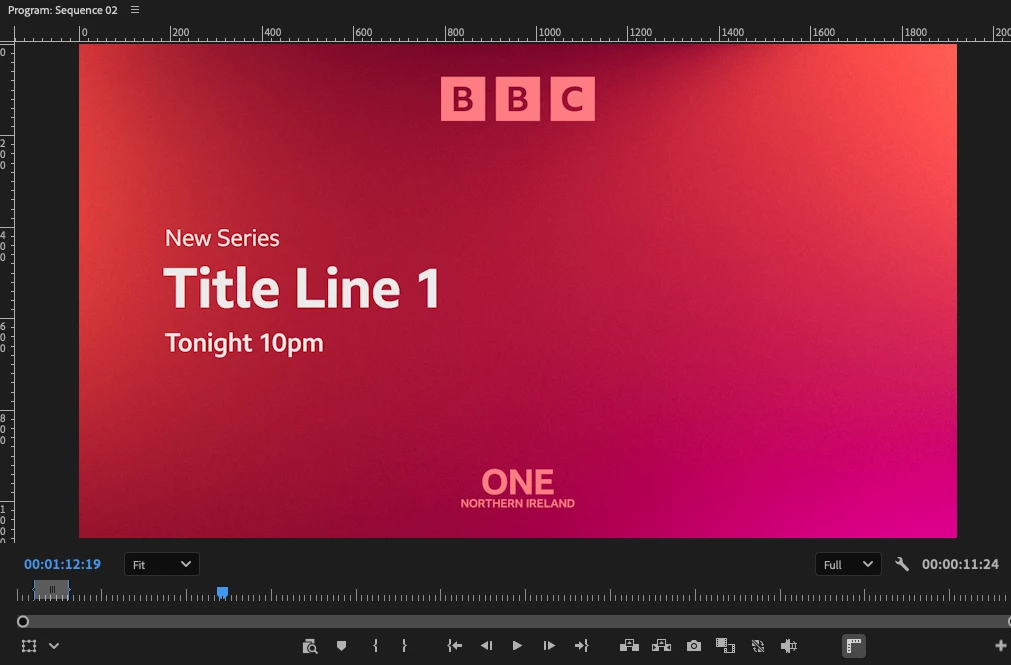
If the generated .aegraphic is revealed in Finder and imported directly into Premiere, the graphic renders correctly (but of course the fields are not editable). MOGRT should render identically to the underlying .aegraphic but does not.
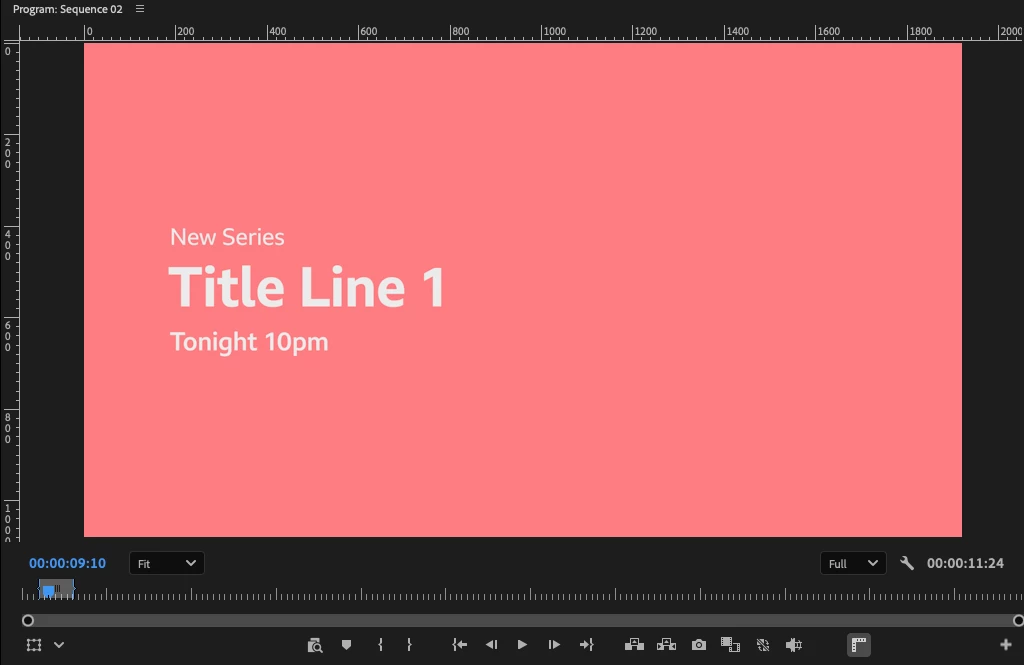
MOGRT displays incorrect imagery. One template displays colour bars where background imagery should appear. Another template displays a solid colour matching a Fill-effect colour elsewhere in the composition (see screenshot below).
Tested and ruled out:
- Background MOV asset
- File path length
- Filename length
- MOGRT export method (Library and local)
- Luma Matte and Luma Matte Inverted in isolation
- Fill effects in isolation
- Tritone effects in isolation
Observations:
- AE project renders correctly in After Effects.
- .aegraphic renders correctly in Premiere.
- MOGRT renders incorrectly in Premiere (macOS).
- Same MOGRT renders correctly in Premiere on Windows.
- Failure potentially linked to complex precomp/expression-driven branding elements controlled through Essential Graphics menus.
I can supply an affected MOGRT to Adobe engineers if that will help with testing.
Screenshots below show the fauly version vs the .aegraphic.


 AdChoices