

kanedidi
Participant
April 9, 2026

Premiere XML exports semantically suspicious transition ratio values for OL / Cross Dissolve

  • April 9, 2026
  • 4 replies
  • 35 views

Hello,

I would like to report what appears to be an issue with XML exported from Adobe Premiere Pro.


Environment

  • Adobe Premiere Pro 26.0.2

  • DaVinci Resolve 20.3.2

I found a problem related to overlap / Cross Dissolve transitions in XML exported from Premiere.


When a timeline containing OL / Cross Dissolve transitions is exported from Premiere as XML and then imported into DaVinci Resolve, the transitions appear visually in the timeline, but during actual playback they are not applied correctly and behave like simple cuts.


After comparing the Premiere-exported XML with a Resolve-exported XML of the same edit, I found the following transition parameters in the Premiere XML:

<startratio>0</startratio>
<endratio>0</endratio>

If I manually change the XML to:

<startratio>0</startratio>
<endratio>1</endratio>


the overlap / dissolve works correctly in Resolve.


From what I understand, the original Premiere values may still be technically valid as XML data, but they seem semantically unnatural for a transition progress description. For a normal overlap / dissolve, a transition progressing from 0 to 1 is much more expected, while 0 to 0 suggests no actual progression of the effect.


Because of this, the XML appears to contain transition metadata, but in practical use the transition does not function correctly in other software.


I also confirmed the following:
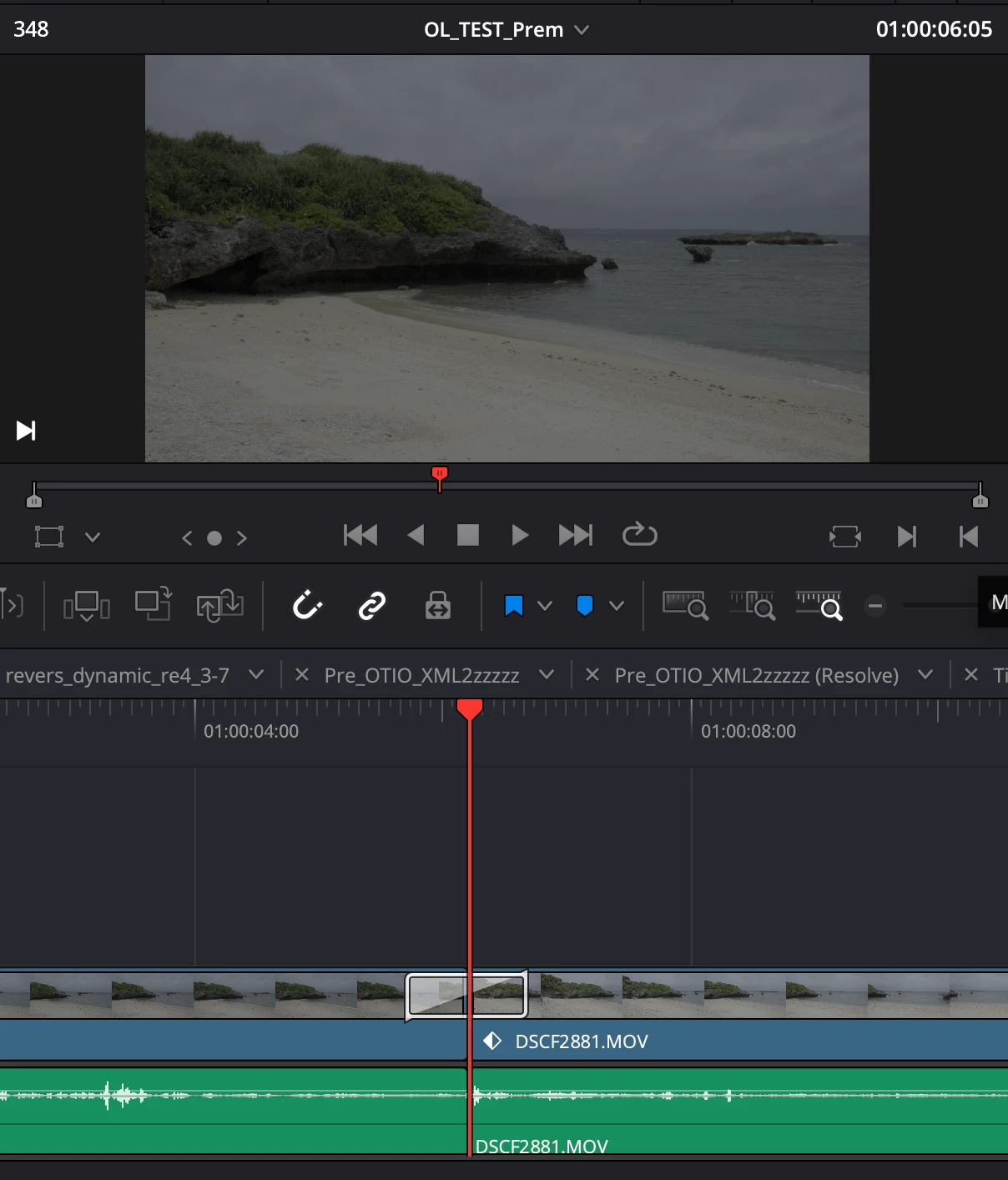
  • importing the original Premiere XML into Resolve shows transition indicators in the timeline, but playback behaves as a cut

  • manually changing endratio from 0 to 1 fixes the issue

  • the same Premiere XML is interpreted correctly in Baselight


This issue causes a serious workflow problem, because projects with many dissolves require extensive manual correction after XML import.


So my concern is not necessarily that the XML is syntactically invalid, but that Premiere may be exporting transition ratio values that are semantically inappropriate or at least incompatible for representing actual OL / dissolve progress in FCP XML workflows.


Could you please investigate whether the XML exporter in Premiere is writing inappropriate endratio values for these transitions?


I can provide sample XML files and screenshots for comparison if needed.


Thank you.

    4 replies

    Community Manager
    April 9, 2026

    Hi ​@kanedidi

    Thanks again for the detailed report. While we look into the XML endratio issue, I wanted to ask if you'd be willing to test an alternative interchange format.


    Premiere currently has OpenTimelineIO (OTIO) export option in the beta version via File > Export > OpenTimelineIO. OTIO is a more modern interchange format that may handle transition data more reliably than FCP XML. It would be really useful to know whether the same dissolve transition comes through correctly in DaVinci Resolve when exported as OTIO rather than XML.


    This would require installing the Premiere beta from the Creative Cloud desktop app. Given your workflow, I appreciate this may not be practical, but if you are willing to test it, the feedback would be very valuable.


    No pressure either way — we will continue investigating the XML issue regardless.


    Sorry for the frustration. Thanks for your patience.

    R Neil Haugen
    Legend
    April 9, 2026

    Cross dissolves are difficult because (from having heard so many discussions on this from colorists) the three apps mentioned in this thread ... Premiere, Resolve, and Baselight ... all do slightly different readings of what to do with the same XML setting


    So it is normal for colorists to basically view the mp4 file of the edited version on V2, and manually set the dissolves in Resolve (or Baselight) to match ... whether the edit comes from Premiere or “the Avid”.


    I’m glad to see Rach sent this to the devs, as if this did get sorted between Pr/Res, a bunch of my compadres would be so freaking happy ...   😁

    Everyone's mileage always varies ...
    Stan Jones
    Community Expert
    Community Expert
    April 9, 2026

    @kanedidi ​@Rach McIntire,


    Upvoted. I was intrigued, and also see the start/end ratios as zero. And the change to end ratio 1 does result in a correct dissolve.


    But I get an error on the xml export: 

    Translation issue:
    Effect <MPEG Source Settings> on Clip <Mary Interview.mov> not translated.
    Translation issue:
    Sequence <Mary Interview> at 00:00:29:26, video track 1: Transition <Cross Dissolve> not translated, Cross Dissolve used instead.


    And when imported, with or with the end ratio fix, I get a -1.24 synch indicator in the video header of the second clip and a +1.24 in the audio header. And the audio is out of sync after the transition.


    I created a simple clip from the “Mary” interview, ripple deleted a chunk out of the middle, and applied a cross dissolve.


    I’m Win11 PR 26.0.2. I did not test in the Beta.


    Stan


    Community Manager
    April 9, 2026

    Hi ​@kanedidi

    Thank you for such a thorough and well-documented report, and for providing the sample XML files. I've been able to see the issue in the XMLs as you describe.


    I'm flagging this to the engineering team for investigation. The fact that Baselight interprets the value differently to Resolve is interesting, but the team will need to look at this more closely.


    In the meantime, your workaround of manually setting endratio to 1 in the XML appears to be the best option for now.  Sorry for the frustration. I'll update this thread when I have more information.