

Victor5CD3
Known Participant
August 23, 2025

Problems with the latest update 25.4 with the Premiere Gal Atom X adjustment layer and effects?

  • August 23, 2025
  • 6 replies
  • 459 views

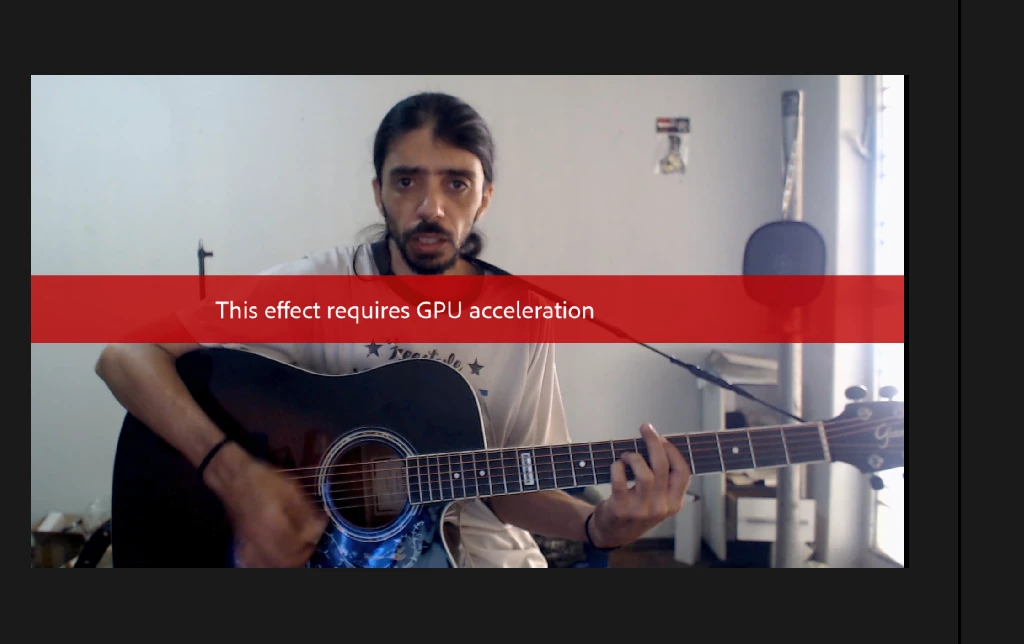
I'm having an error with the adjustment layer in the latest Premiere update. Just placing the layer over the video without any effects tells me the effect requires a GPU. Another problem is that many of the Premiere Gal Atom X effects have stopped working or no longer work correctly. My Nvidia driver version is 572.16, and my work graphics card is a 1080. I don't want to mess up the company computer too much to avoid messing things up. Many people use the same computer because they have other programs installed.
I hope someone on the forum or at Adobe can give me a solution, as there is an effect I need to use with the adjustment layer.
 

6 replies

R Neil Haugen
Legend
August 28, 2025

If you are using 360* effects on non-360 clips, this can occur. 


So which effects are problematic?

Everyone's mileage always varies ...
Victor5CD3
Known Participant
August 27, 2025

I'm not having these problems only with third-party software. This error is also appearing even without me using any plugins or third-party software. I noticed that on my personal computer with my GTX 3060, this error is also appearing. Now, I don't know if it's due to Microsoft with Windows 11 or a real bug. I know that for me, the program is not stable. These other problems that people listed also appeared here. I'm even afraid to make large edits. This latest Windows update is ruining and corrupting SSDs and SATA drives.

Build CPU Ryzen 5700X,64 GB ram,Nvidia geforce 5060 Ti 16 Gb,SSD nvme 1tb + ssd sata 2Tb HD Disc 2Tb Win11 24h2
IanB_360
Community Manager
Community Manager
August 25, 2025

Hi @Victor5CD3 
If the third-party effects are no longer working, I would be sure that everything is updated and, like @R Neil Haugen says, check with the third-party Vendor. 

Here to help

Ian

R Neil Haugen
Legend
August 24, 2025

Again, check with the vendor.

Everyone's mileage always varies ...
Victor5CD3
Known Participant
August 24, 2025

I actually noticed that a bug in version 25.4 when recreating a new project from scratch made this error disappear, but this error is not only happening when I apply effects to the adjustment layer, it also appears if I apply the adjustment layer without any effects on it. I'm deducing that it's a bug because this error sometimes appears and sometimes doesn't in projects longer than 10 minutes in my tests here sometimes this error appears again.

Build CPU Ryzen 5700X,64 GB ram,Nvidia geforce 5060 Ti 16 Gb,SSD nvme 1tb + ssd sata 2Tb HD Disc 2Tb Win11 24h2
Ann Bens
Community Expert
Community Expert
August 23, 2025

First thing one does when encountering issues is to trash preferences and media cach.

As they are 3rd party effects, it is best is to contact vendor.