
Program Monitor displays corrupted frames during playback (export is correct)
Hi everyone,
I'm experiencing a persistent Program Monitor preview issue in Premiere Pro that I have now been able to reproduce even after completely reinstalling my computer.
- Windows 11
- NVIDIA GeForce RTX 5070 Ti
- Latest NVIDIA Studio Driver
- Premiere Pro 26.3
- Same issue in Premiere Pro Beta
The problem
The issue only occurs in the Program Monitor during playback.
I've attached two screenshots of the exact same frame:
- Image 2: Captured during playback. The Program Monitor displays a heavily distorted image.
- Image 1: Captured after pausing playback. The image immediately becomes correct. (Please note that this screenshot is intentionally blurred to hide confidential client information.)

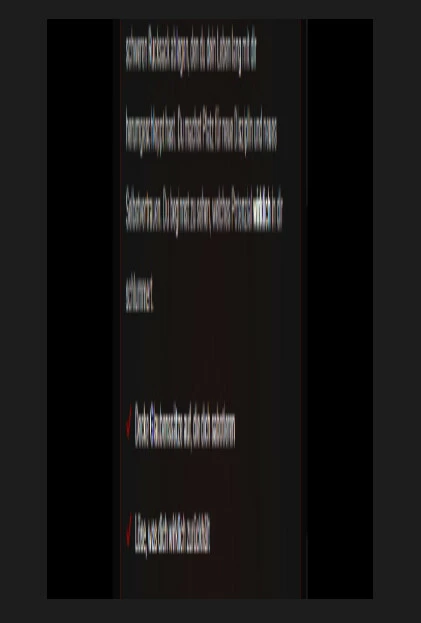
The source is simply a tall website screenshot (630 x 11221) that is animated vertically using position keyframes.
During playback, the Program Monitor stretches, duplicates and shifts parts of the image. As soon as playback is paused, the preview instantly corrects itself.
The final export is always 100% correct. The issue only affects the Program Monitor while playing the timeline.
Possibly related: Text Animator
I also noticed what may be the same underlying issue with Premiere's Text Animator (Word-by-Word).
During playback, the last few words are sometimes revealed together instead of one word at a time.
Again, pausing playback immediately fixes the preview, and the exported video is correct.
Because both issues only occur during playback inside the Program Monitor, I suspect they may be related to the same preview/rendering bug.
Complete system reinstall
To rule out configuration issues, I completely formatted my PC and performed a clean installation of:
- Windows 11
- Premiere Pro
- Latest NVIDIA Studio Driver
The problem is still present after the clean installation.
What I've already tried
- Fresh Windows installation
- Fresh Premiere installation
- Created brand-new projects
- Created new sequences
- Tested Premiere Pro Beta
- Tested multiple JPG and PNG images
- Re-exported the images
- Split the long image into smaller sections
- Reset Premiere preferences
- Reset plug-in loading cache
- Cleared media cache
- Tested both CUDA and OpenCL
- Installed the latest NVIDIA Studio Driver
- Restarted the computer
- Verified that exports are always correct
None of these steps changed the behaviour.
Additional observations
- The issue seems more noticeable in 1080 × 1920 (vertical) sequences.
- A simple 1920 × 1080 test project did not immediately show the same behaviour.
- The still frame is always correct.
- The export is always correct.
- Only the Program Monitor during playback displays corrupted frames.
- The issue is present in both the stable release and Premiere Pro Beta.
Has anyone experienced something similar or knows if this is already a known issue?
Any help would be greatly appreciated.


 AdChoices