


Participant
October 27, 2025
Needs More Info

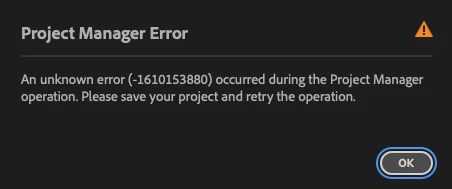
Project Manager error code -1610153880

I am receiving this error message whenever I try to backup a project.
I have reviewed the "Project Manager Error" thread in the Adobe Community and attempted to perform the workaround suggestions.  I have had no success.
I am using:  Premiere Pro 25.5.0 on a Mac Pro running Tahoe OS.

6 replies

Participant
October 14, 2026

Create a new project and set up a new sequence. Then, copy everything from the old project and paste it into the new sequence. After that, use Project Manager to collect all the project files. This method has worked perfectly for me.

Translate
Participant
June 4, 2026

I was facing the same problem, but this worked for me. I just removed some unused sequences

Translate
andrew_ds
Participant
February 13, 2026

Just received this error. Tried rebooting and changing the file location and same error pops up. There’s plenty of space on both the local drive and the external drive I was trying to export the files to.

Translate
Participant
October 27, 2025

Thank you for the recommendation.  This did not resolve the issue.

Translate
Community Manager
October 27, 2025

Hi @Michael346159981rr4.
 

Thanks for submitting your bug report. I echo @Peru Bob's suggestion about trying a different location. What type of files are you trying to manage? We need a few more details to try to help with the issue. Please see: How do I write a bug report? Sorry for the frustration, and thanks for reaching out.

Translate
Peru Bob
Community Expert
Community Expert
October 27, 2025

Try saving to a different location or drive.

Translate