

Project manager fails me again
I’ve used Project manager in Premiere (currently in 26.2.2) for a couple of months already without an issue. Now I have this short but rather complicated project with tons of effects and overlays and when I’m trying to make an archive copy with it I get this:
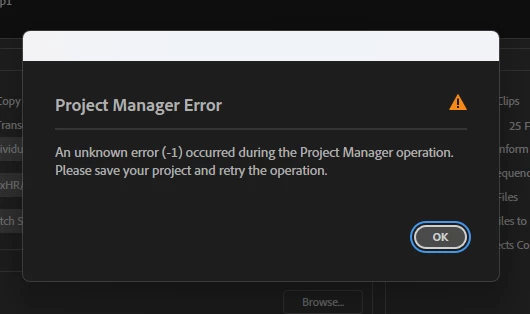
Of course I cleared the cache, reset the preferences, there’s ton of free space on my SSDs and I tried to save the archive with Project manager on each of them. Every time the process either stops at the beginning like this (an hour wait was in vain):
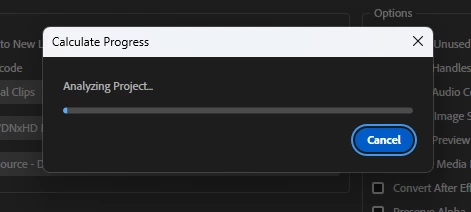
or gives me this error I added above. I do not transcode or include previews or audio conforms, nothing, these are my settings:
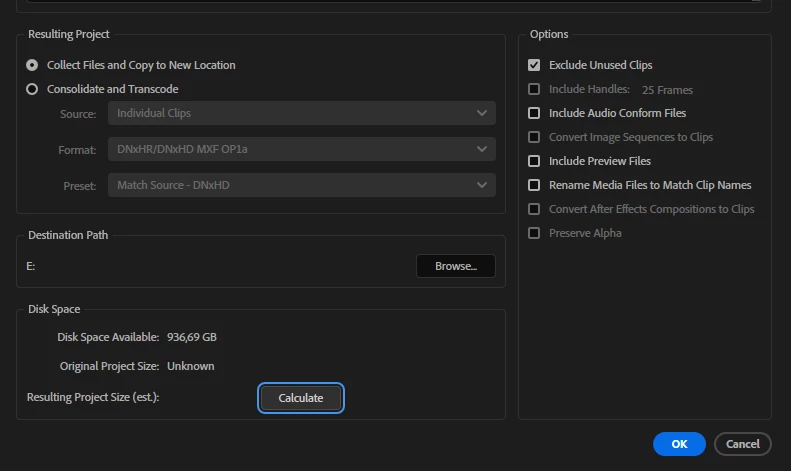
The calculation process does not start either.
I also tried to duplicate the project and run it there, copy all the media to a new project (which I cannot use as a solution because I have audio mixer set up and the new project or sequence has none).
The only one time I could export an archive from the Project manager was unchecking this setting:

So I think Adobe should investigate the relation of this setting to the bug.
Premiere 26.2.2, Win11 26.1, NV Studio driver 610.88, 2xSSD @ 1 and 2 Tb half occupied, RTX 4080, 64 Gb of Ram.


 AdChoices