Inspiring
November 25, 2025

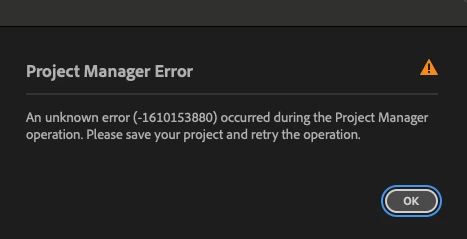
Project Manager not working

  • November 25, 2025
  • 1 reply
  • 71 views

Mac OS 14.7.1

Premiere 25.6.2

Unable to use Project Manager to backup a project.  I get an "unknown error" pop up each time.  Tried deleting graphics, linked comps, etc.  Anything that might be hanging it up.  Sequence only contains .mp4 and .mxf files from DJI Mavic 2 Pro and Canon C70.  Tried backing up to different drives.  Tried restarting.  Same result.

1 reply

Community Manager
November 26, 2025

Hi @videomc74


Thanks for reporting a problem and sorry you've been experiencing issues. Could you share a screenshot of the settings you are using? 

You could also try selecting the sequences you need to backup in the Project panel and then go to the top menu > File > Export > Selection as Premiere Project, and this will create a new project with these selections and media only, and then try again from there. 

Are you working with multicams or any clips that could be flattened, or merged clips? Also, are there any presets or subtitles in the project? Sometimes these can cause issues. 

Really sorry for the frustration, 
Dani