
Ratings icons are too big
I recently got a new mac mini m4 pro and downloaded Premiere Pro to it.
I like to use the metadata ratings for reviewing clips and this new UI (version 25.1.0) has them too large to fit in the default row height. I have to increase the height of the rows significantly before they'll fit. This wasn't an issue with my previous version of Premiere.
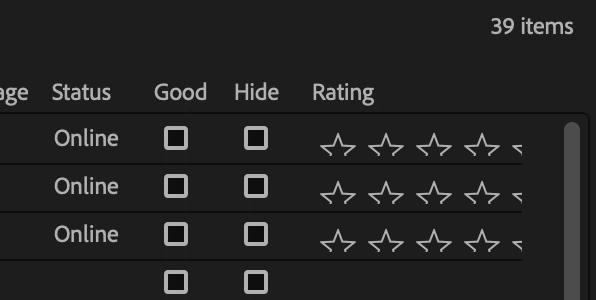
I didn't import workspace settings, I created it from scratch. Brand new Premiere Pro download so no chance of old files causing issues.
I tried quitting Premiere and restarting - didn't fix it.
I tried turning off ratings in metadata settings – the column disappeared but the stars remained. Then when I re-enabled the rating display, it showed the stars duplicated on top of each other but offset.... what a mess.
Any ideas on how to fix it or is this just Adobe's bad QA... adding issues that weren't there before?


 AdChoices