
Known Participant
June 23, 2026

RED footage displays incorrectly on source monitor when part of Multicam sequence

  • June 23, 2026
  • 1 reply
  • 10 views

Premiere 26.3

MacOS 14.8.4 Intel


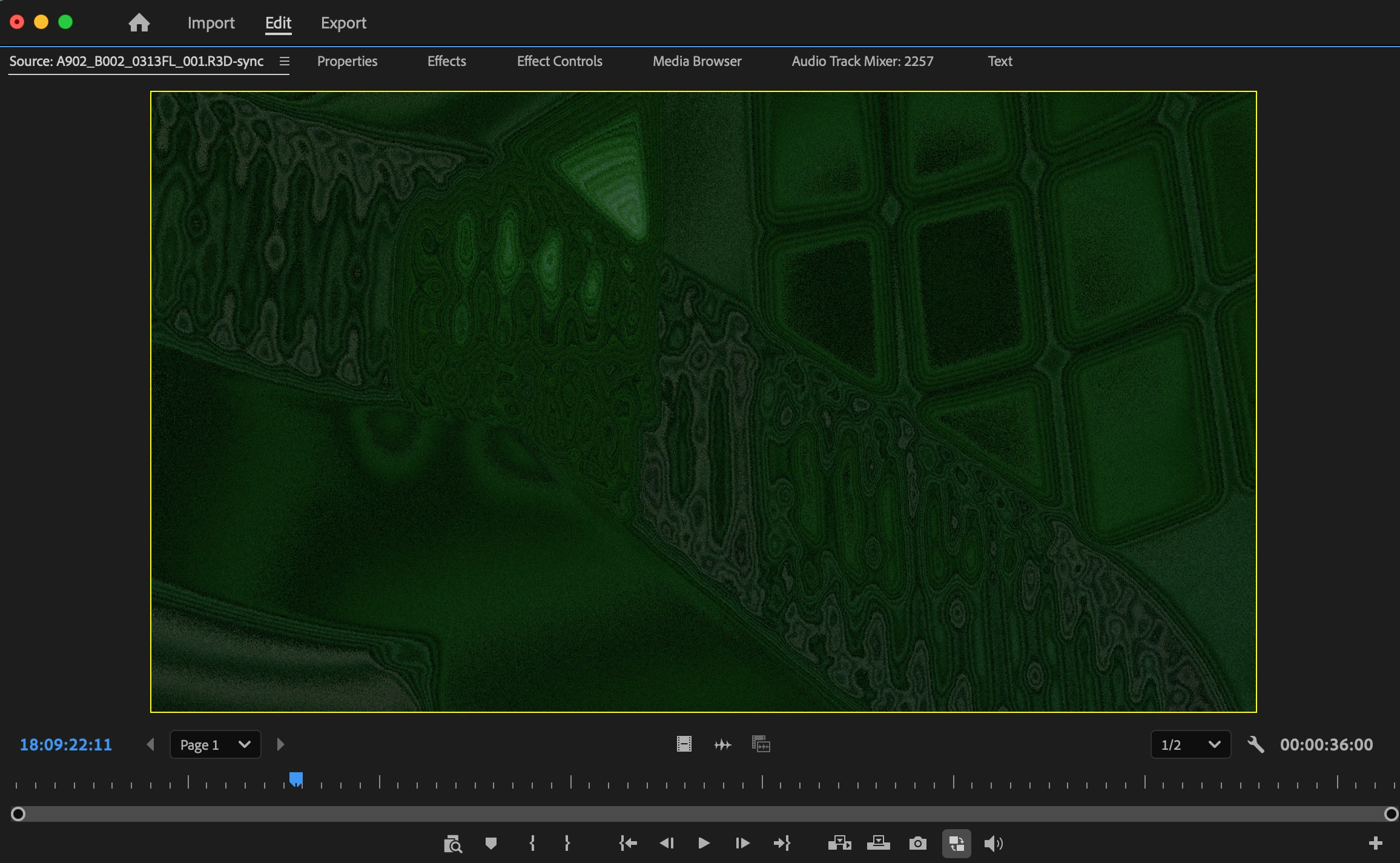
RED footage now displays incorrectly on the source monitor, if that footage is part of a Multicam sequence. The base video file displays correctly, and the Multicam sequence displays correctly on the program monitor. A sample of the distorted video is attached.
 

    1 reply

    Community Manager
    June 24, 2026

    Hi ​@Xofp,

    Welcome back to the Premiere forums! Thank you for reporting this and sending a screenshot of the issue. The team needs more detail to try to help you assist you with this issue: 

    • For clarification, are you viewing the footage in Multi-Camera View in the Source Monitor?
    • Was Media Browser used initially to import this RED footage?
      • Were proxies made of this RED footage?
    • Does it affect all projects or only some?
    • Does it affect new, empty projects?
    • Would it be possible to send a recording of your screen showing the issue, so we can see the step by step workflow of the occurrence? 
      • This will help us to try to reproduce the issue on our end.

    Best,

    Jonathan