
New Member
January 22, 2026

Red Screen in Program Window

  • January 22, 2026
  • 2 replies
  • 27 views

I just created a new project and when I loaded the video into the sequence it is showing a pink/light red screen in the viewer (Program). I have cleared Cache, checked all my settings etc. When I open Lumetri is shows a normal screen and when I export the video is also normal. Any bugs reported on this? 

PremierePro updated today and is running on v.26. 
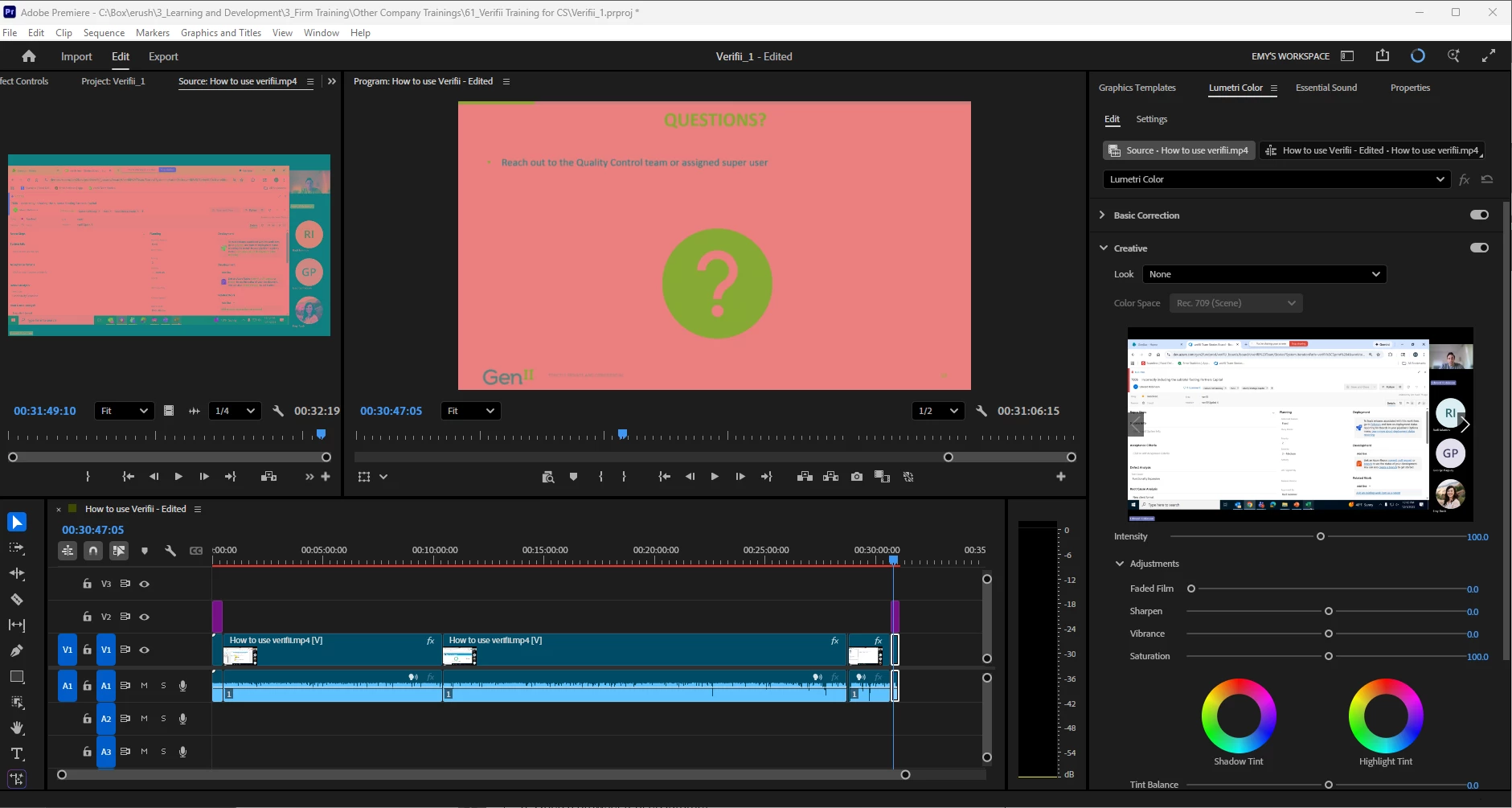
 

Emy35706266qqs6_0-1769119237027.png


2 replies

Community Manager
January 22, 2026

Hi @Emy35706266qqs6

Welcome to the Premiere forums and sorry you've been experiencing issues. We need a few more details to help like hardware and system information. Please see How to Report a Problem

Have you been able to try other types of files or is this only happening with screen recordings? As mentioned, let us know if your drivers are up to date or if updating them helps. 

Sorry for the frustration, 
Dani

New Member
January 22, 2026

I just created a new project and when I loaded the video into the sequence it is showing a pink/light red screen in the viewer (Program). I have cleared Cache, checked all my settings etc. When I open Lumetri is shows a normal screen and when I export the video is also normal. Any bugs reported on this? 

PremierePro updated today and is running on v.26. 


Emy35706266qqs6_0-1769119237027.png


Ann Bens
Community Expert
Community Expert
January 22, 2026

Make sure your graphics card driver is the most current one.

For Nvidia that would be the Studio driver.


If that does not work post OS and comp specs.