
Open for Voting
RGB Split fails with error 71009 on a built-in Color Matte in Premiere 27.0 on Apple M4
Environment
- Adobe Premiere 27.0.0
- Apple M4, macOS 27.2.1
- Built-in RGB Split effect, shown as version 27.0.2 in the event details
- Simplified Chinese UI
Steps to reproduce
- Create a new project without importing any media.
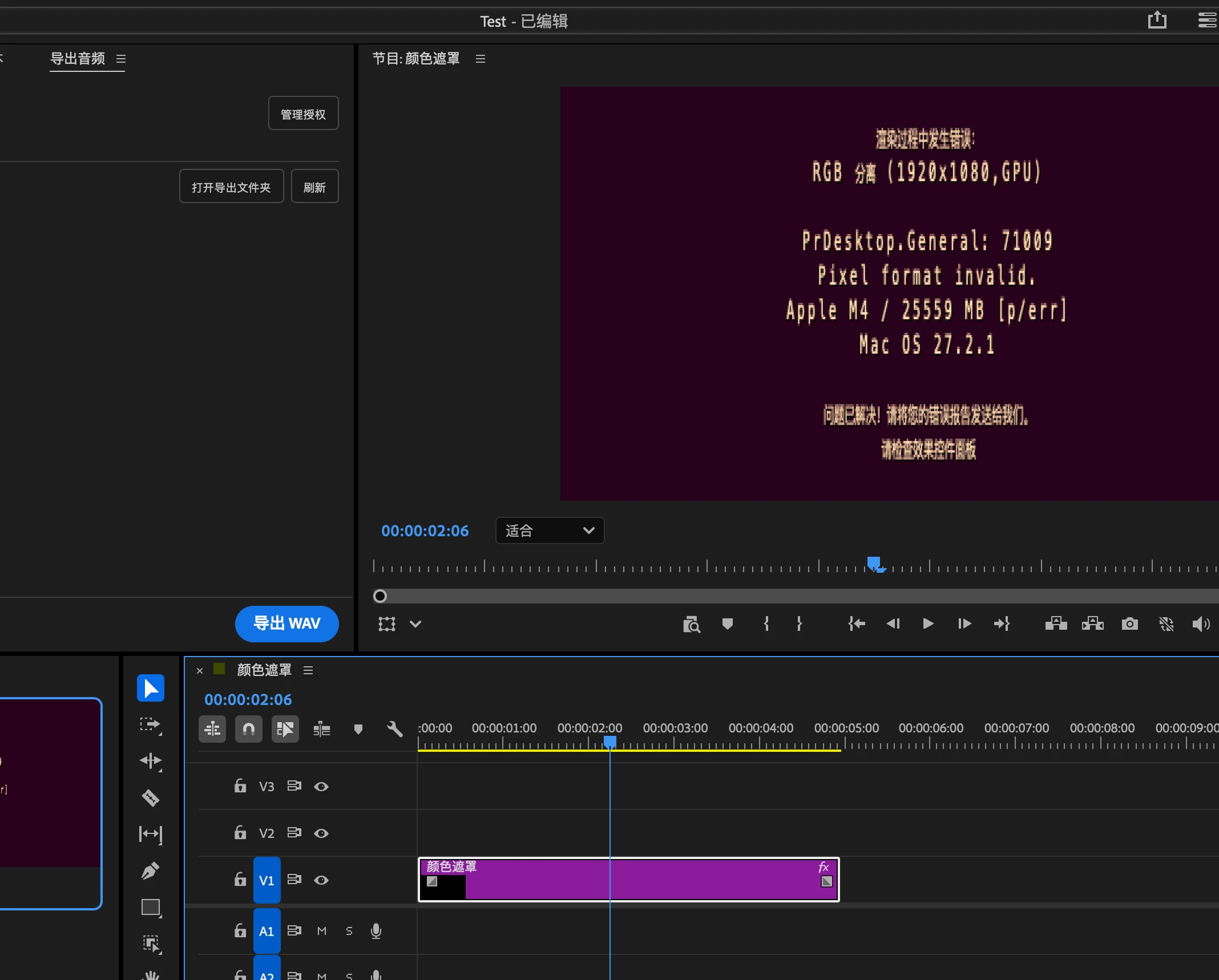
- Create a 1920 × 1080 Color Matte and place it in a new sequence.
- Apply the built-in RGB Split effect to the Color Matte.
- Move the playhead into the clip and check the Program Monitor.
Actual result
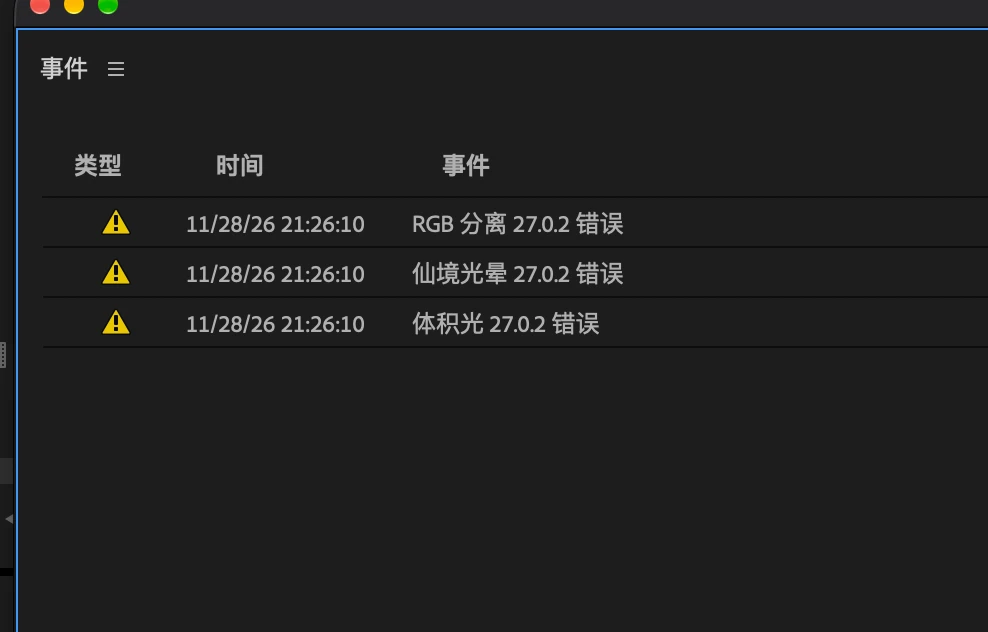
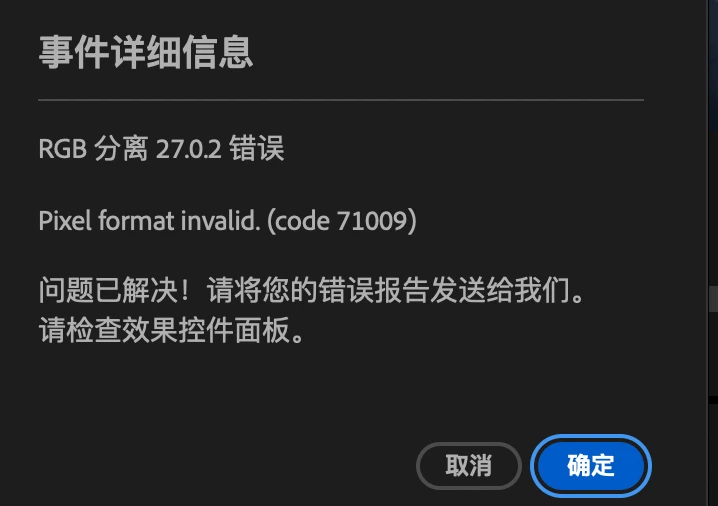
The Program Monitor shows a purple GPU render error screen. The Events panel reports Pixel format invalid. (code 71009). The project reproduces the error with only a built-in Color Matte and the RGB Split effect.
Expected result
The Color Matte renders with the RGB Split effect applied.
Simplified Chinese localization
The error dialog says 「问题已解决!请将您的错误报告发送给我们。」 The first sentence means “The problem has been resolved!” and makes it sound like a fix is already available, even though the render has just failed. A clearer message would be 「请将错误报告发送给我们,以便我们调查此问题。」 (“Please send us the error report so we can investigate.”)
 AdChoices